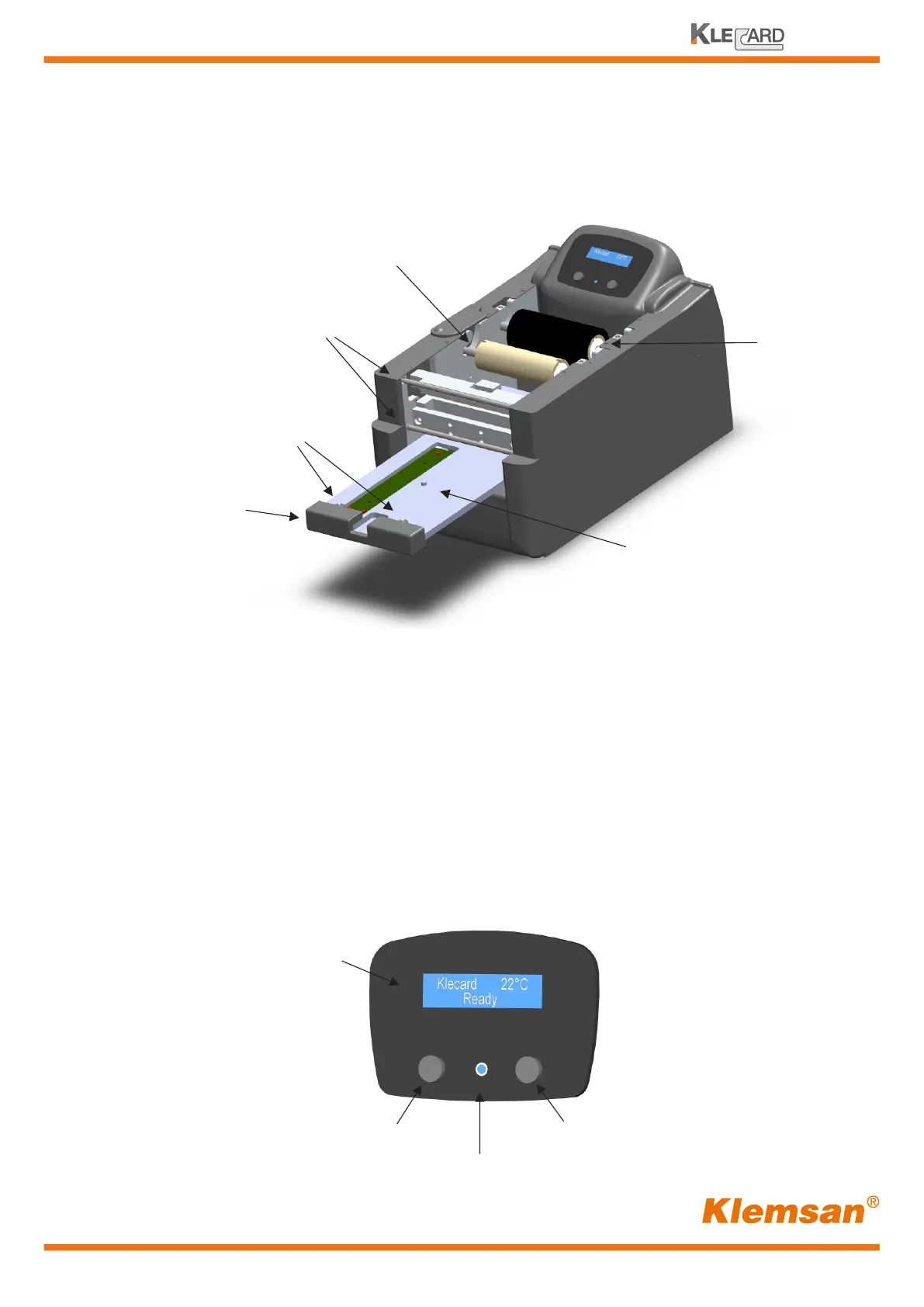
Identify the parts of the printer
Human interface
A serial 2x16 character LCD display is present on the Klecard. The on/off push button is
used to power the printer. The Klecard has a Level VI efficiency power supply so that the
unit consumes virtually no power when off and it is energy star compliant.
A separate Operator button is used to control the tray and to access factory tests.
This button is working with the LED under firmware control; this LED is illuminated when
the tray-media sensor is detecting media.
9
User Guide
Centering pin
Front ribbon guides
Operator button
LED
ON-OFF button
Display
Drawer
Clamping Pins
Supply Roller
Take-up Roller


 To Next Page