17
User Guide
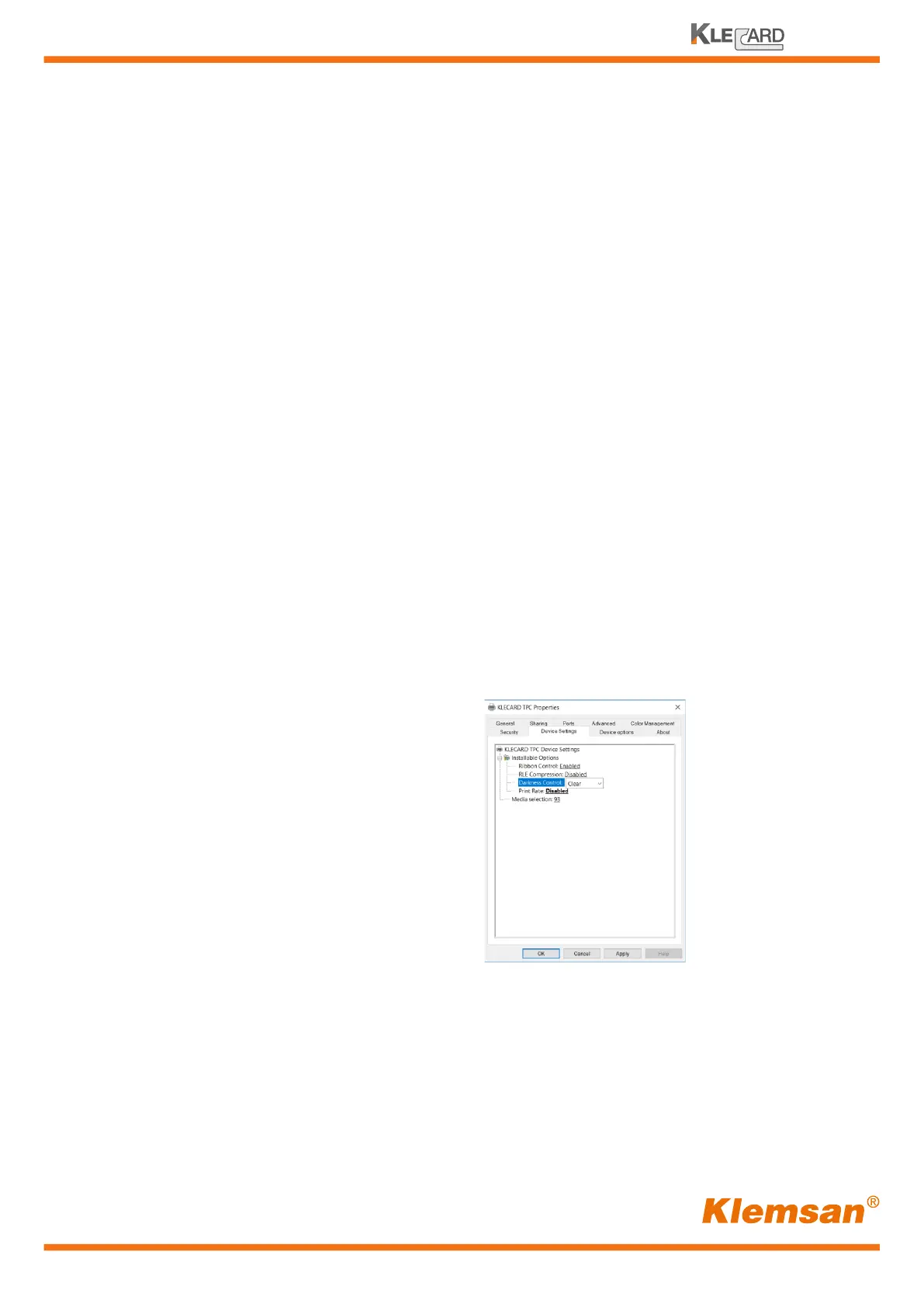
Setting the intenstity, the ribbon sensor and EOP retension
The Klecard printer can operate in a large range of room temperature.
The sensor on the printhead detects the room temperature and optimizes the parameters
to a default setting level.
Despite this, you should be required to change the intensity level into the driver to get
a better printing quality output when the room is too hot or too cold.
When too hot, the ribbon could stick onto the media. This could affect the ribbon tension
and, in general, the quality level on the media.
In this case you need to reduce the intensity level.
In the opposite way, the ribbon does not stick but the darkness level of the image is poor.
This occurs also when the media are too cold even the room temperature level is acceptable.
In this case you need to increase the intensity level.
The default setting is Normal, but in the driver you can choose from eight different levels:
- VERY LIGHT
- LIGHT
- VERY CLEAR
- CLEAR
- NORMAL
- DARK
- VERY DARK
- HEAVY
In general, during a prolonged use of the printer the printhead temperature tends to increase.
So, if you print many jobs, you will probably need to reduce the intensity after a while.
You see this changing of temperature because the ribbon tries to stick on the media.
Please note that thin lines and fonts require a higher intensity (from dark to heavy). Large
areas are better with a lower intensity (Very Clear to Very Light).
Darkness control


 To Next Page