21
User Guide
Changing the ribbon
The ribbon has a lenght of 300 meters.
At the beginning and at the end of it
there are two transparent parts (leader
and trailer) which help you in changing
and checking the ribbon.
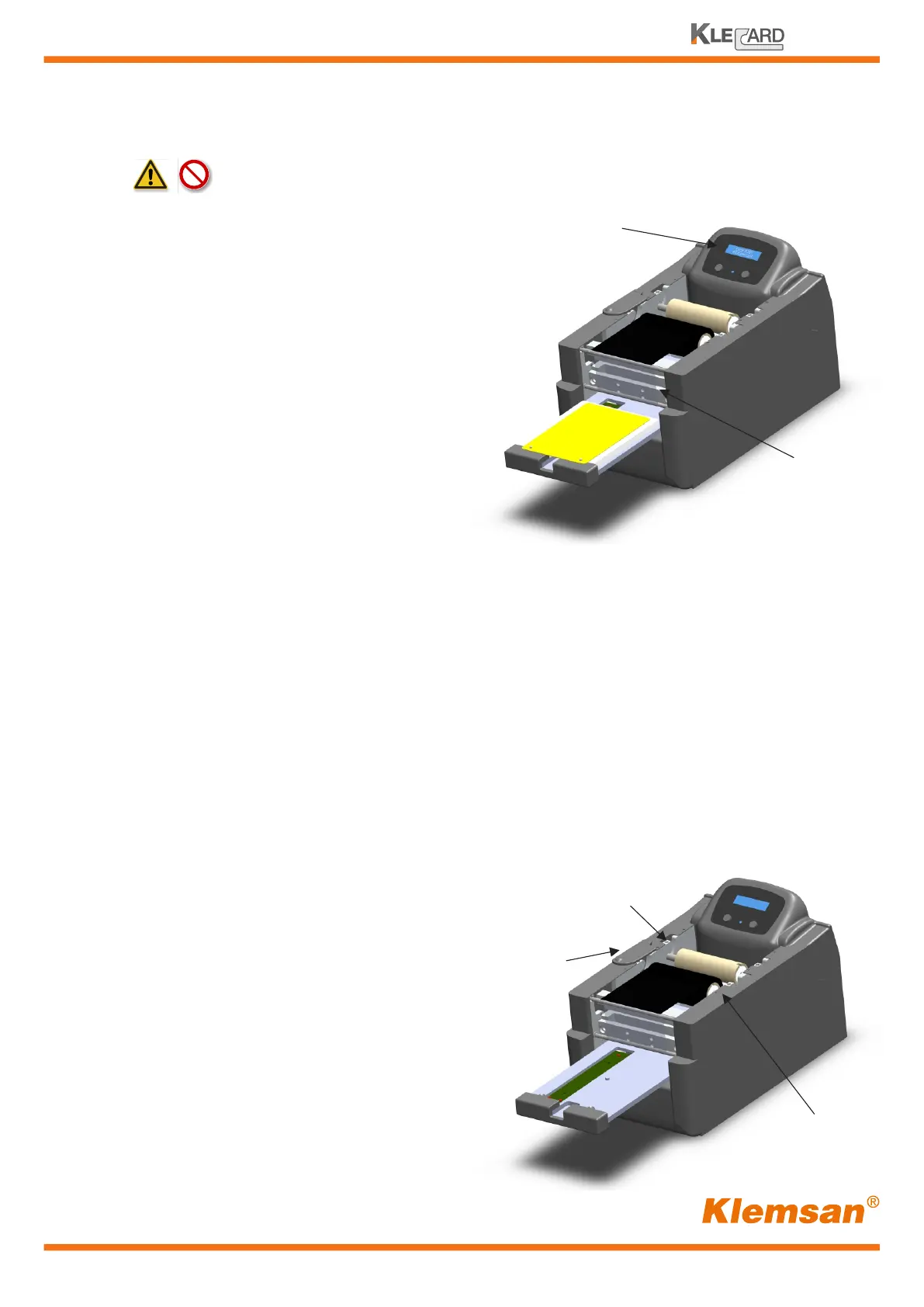
When the ribbon is missing or finished,
the Klecard appears as the picture on
the right.
The sensor detects the transparent
trailer and the display show the message
«Error #201 ribbon out» or «Missing Ribbon».
When the message is shown, you need
to change the ribbon. The same message
could appear when the ribbon is broken.
In this case you just need to check it.
Use a tape to stick the ribbon to the Take-up Roller in front of the printer.
Message
Missing ribbon
Follow these steps to replace the ribbon
Supply Roller
Cog protection
Take-up Roller
1 - Move out the tray (if it is inside) by pressing the Operator Button
2 - Power down the printer by pressing two seconds the Power Button on the right
3 - Remove the top cover
4 - Remove the plate from the tray
5 - Remove the last transparent part of the ribbon from the supply roller
6 - Slide the cog protection far from the frame
7 - Remove the two rollers (supply and take-up)
from the printer by lifting them up
8 - Remove the used ribbon from
the take-up roller
9 - Remove the empty cardboard core
from the supplu roller
Make this operation
with power OFF.


 To Next Page