22
User Guide
Ribbon guides
Load a new ribbon
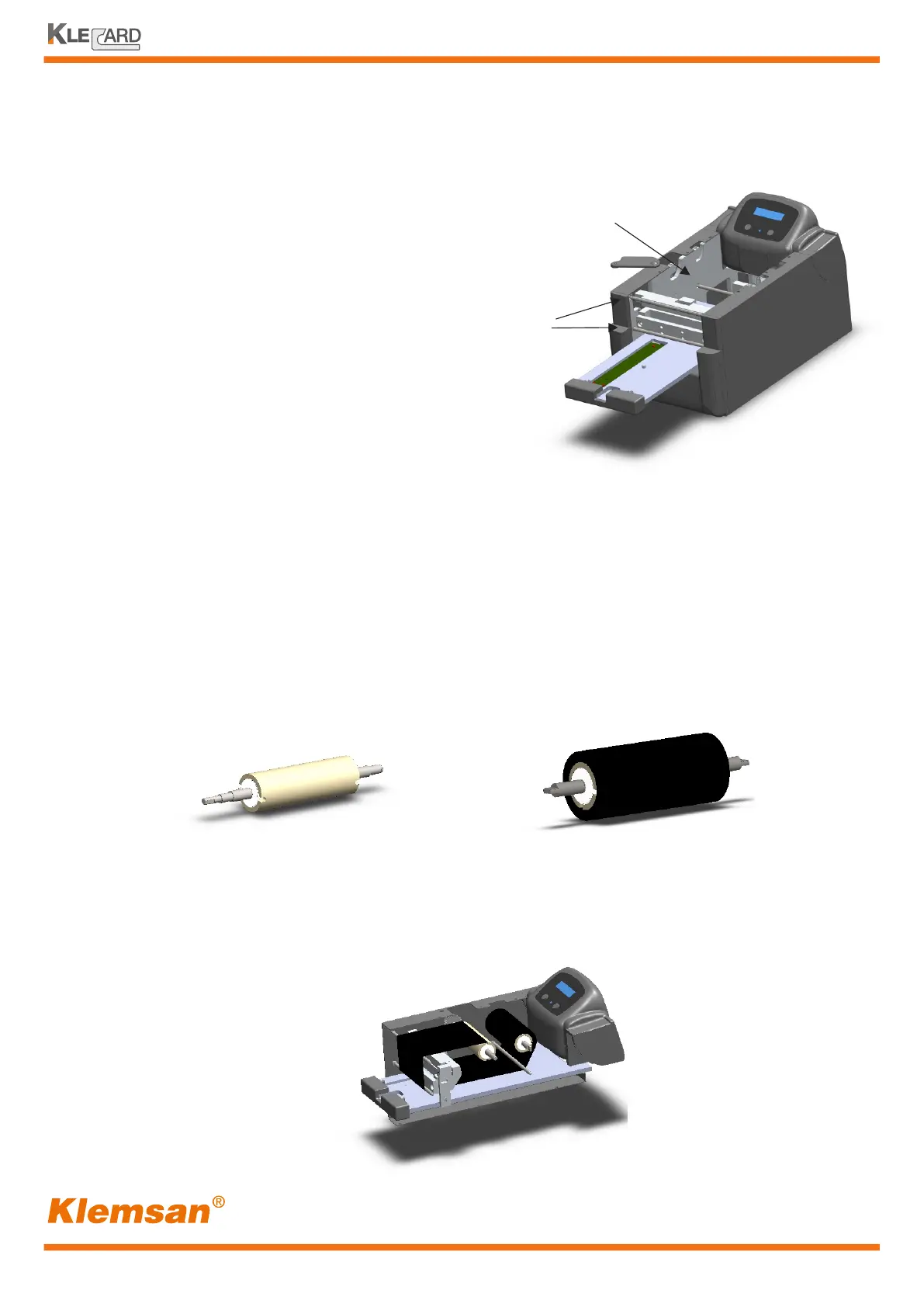
There are three ribbon guides which define
the path of the ribbon.
Two of them are in front and one is placed
on the back.
Guide
Guides
Take-up roller
with new cardboard.
Notches are at 180°
Supply roller
with new ribbon.
Notches are at 90°
1 - Slide the print ribbon onto the supply roller
2 - Align the two 90° notches of the cardboard
core to the metal pins on the supply roller
3 - Place a new empty cardboard core onto the take-up roller
4 - Align the two 180° notches to the metal pins on the take-up roller
5 - Peel the ribbon leader from the supply ribbon
6 - Slide the ribbon leader under the ribbon guides
7 - Stick the transparent leader to the new cardboard core
Correct ribbon path


 To Next Page