EasyManua.ls Logo

Kohler KCP MPAC 1000 - User Manual

Kohler KCP MPAC 1000
76 pages
Print Icon
To Next Page IconTo Next Page
Loading...
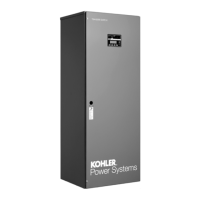
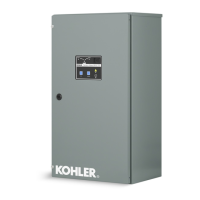
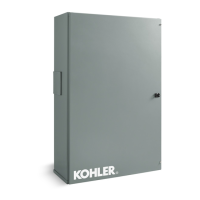
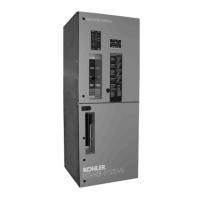
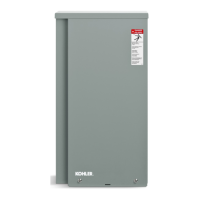
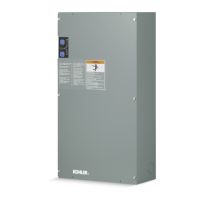
Automatic Transfer Switches
Operation and
Installation
Models:
KCT, KCP
Power Switching Device:
Standard
Open-Transition 30 to 4000 Amps
Programmed-Transition 150 to 4000 Amps
Electrical Controls:
MPAC 1000t
TP-6126 8/02b

Table of Contents

Questions and Answers

  • K
    Kevin McdonaldAug 9, 2025
    Why does the red LED stay on for more than 24 hours on my Kohler Switch?
    • N
      Nicholas CampbellAug 9, 2025
      If the red LED on your Kohler Switch stays on for more than 24 hours, it could be due to several reasons. One possibility is that one or more cells in the battery are defective or damaged, in which case you should load test the battery and replace it if needed. Another reason might be that the charger has reduced its output voltage because of a DC overload or short. Try removing the source of the overload or short, disconnect the charger’s black (NEGATIVE) ring terminal from the battery, and reapply AC power to see if the green LED lights up. Finally, excessive DC equipment drawing too much current could be the issue. Try turning off unnecessary DC equipment while charging.
  • J
    joseknoxAug 17, 2025
    What to do if the red and green LEDs stay on for more than 24 hours on my Kohler KCP MPAC 1000 Switch?
    • S
      stevenwoodsAug 17, 2025
      If both the red and green LEDs on your Kohler Switch stay on for more than 24 hours, it could be due to a few reasons. One reason might be that on-board DC systems are drawing between 1.5 – 5A. To resolve this, try turning off excessive DC equipment while charging. Another possibility is that one or more cells in the battery are defective or damaged. In this case, you should load test the battery and replace it if necessary. Lastly, extremely low AC voltage at the battery charger could be the cause. Try applying a higher AC voltage source or reducing the length of the power cord.
  • W
    wburkeAug 25, 2025
    Why does the green LED stay on when the battery is low on my Kohler Switch?
    • J
      Jennifer SolisAug 25, 2025
      If the green LED on your Kohler Switch stays on even when the battery is low, consider these potential causes. It could be due to an open DC output fuse, which you can fix by replacing the DC output fuse with a Bussmann AGC--10. Another cause might be faulty or contaminated terminal connections; clean and tighten or repair all terminal connections. Also, one or more defective or damaged cells can cause this issue, so load test the battery and replace it if necessary.
  • M
    Matthew WilsonSep 1, 2025
    What to do if neither of the LEDs turn on when the AC power is applied to my Kohler Switch?
    • A
      Amanda DennisSep 1, 2025
      If neither of the LEDs on your Kohler Switch turn on when AC power is applied, it could be due to a couple of reasons. First, check if there is AC power available at the charger. If not, connect AC power or reset the AC breaker on the main panel. If power is available, there may be a component failure, in which case you should return the charger to the Service Department.

Summary

Product Identification Information

Safety Precautions and Instructions

Accidental Starting Warnings

Warnings regarding accidental starting of electromechanical equipment, causing severe injury or death.

Battery Safety Warnings

Warnings regarding sulfuric acid and explosion hazards associated with batteries.

Hazardous Voltage and Electrical Shock

Dangers of hazardous voltage and electrical shock during operation and servicing.

Heavy Equipment Safety

Warning about unbalanced weight and proper lifting procedures for heavy equipment.

Moving Parts and Airborne Particles Safety

Safety precautions related to moving parts and airborne particles during operation.

Section 2 Installation

Electrical Wiring Guidelines

Guidance on wiring connections, including sources, loads, and control circuits.

AC Power Connections

Details on determining cable size and making AC power connections to the transfer switch.

Section 3 Setup and Test

Controller Main Logic Board

Overview of the main logic board, including DIP switches and connectors.

System Parameters and Time Delays

Details factory settings for system parameters and lists adjustable time delays.

Generator Set Prep and Functional Test Overview

Steps for generator set prep and introduction to functional tests like manual, voltage, auto.

Manual Operation Test and Voltage Check

Procedures for manual operation checks and verifying source voltage/phase compatibility.

Automatic Operation Test

Procedure to simulate source failure and verify automatic transfer to standby operation.

Section 4 Operation

Automatic Operation Sequences

Explains automatic transfer sequences for open and programmed-transition switches.

System Test Procedures

Details tests for simulating source failure and verifying transfer sequences.

Peak Shave;Area Protection Sequence

Explains the operation sequence when peak shave or area protection input is received.

Faults Overview

Describes common faults and how the Service Required LED indicates them.

Section 5 Scheduled Maintenance

Service Schedule

Provides a detailed service schedule with recommended intervals for various maintenance tasks.

Kohler KCP MPAC 1000 Specifications

General IconGeneral
BrandKohler
ModelKCP MPAC 1000
CategorySwitch
LanguageEnglish

Related product manuals