TP- 7006 2/21 15Section 1 OnCue Plus Navigation
1.6 Fleet View
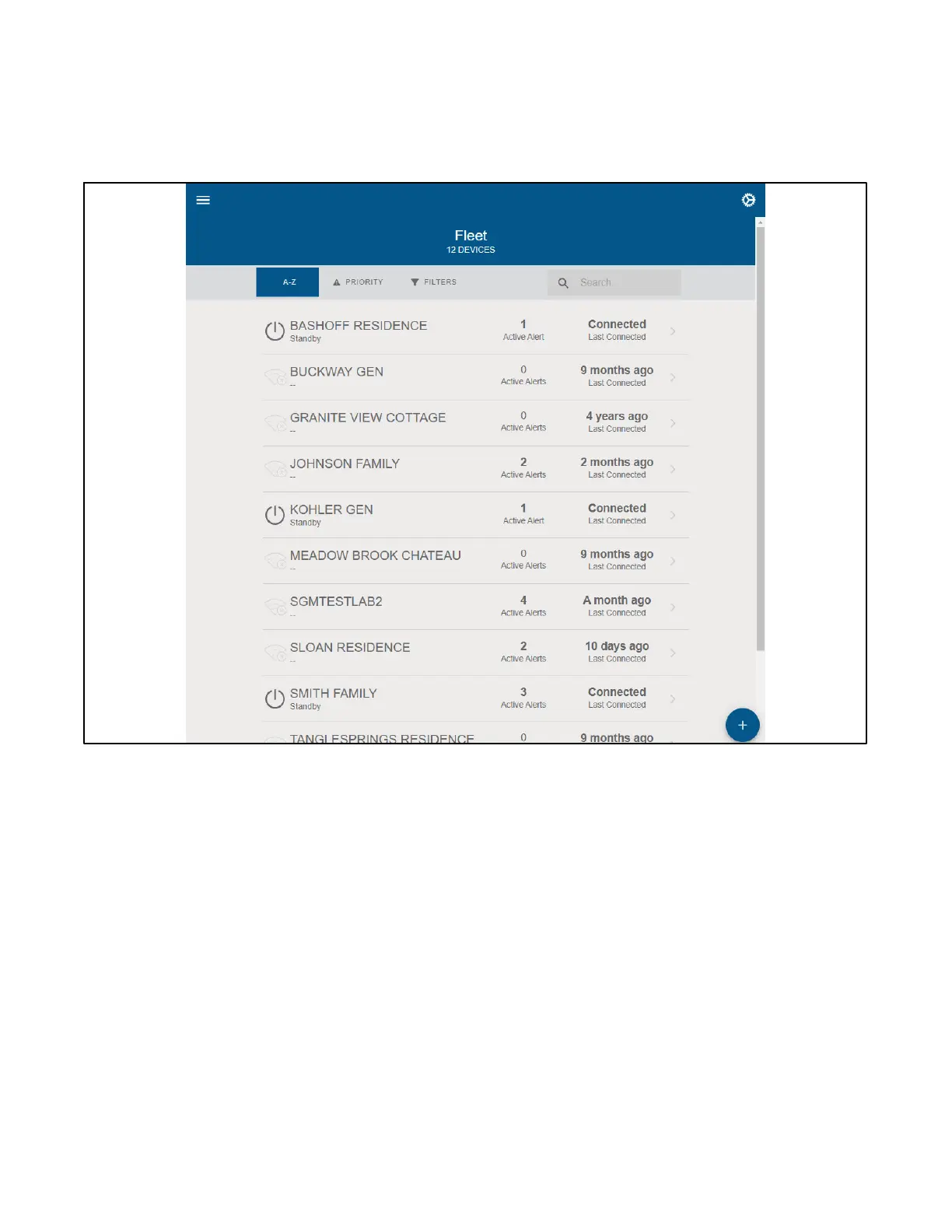
If an account has 10 or more generators, a Fleet view is
provided. See Figure 1-16.From the Fleet View, you can
select a generator and have the same information as
shown in Section 1.7, OnCue Plus Views.
Fleet View allows for generators to be sorted by name,
priority (the generator with the most active alerts will be
at the t op) and by status through the Filter. You can also
search for a generator by display name or serial number.
Figure 1-16 Select Generator - Fleet View


 To Next Page