TP- 7006 2/2118 Section 1 OnCue Plus Navigation
1.9 My Dealer
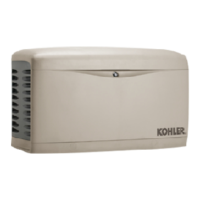
If dealer information is set up for the generator system,
the My Dealer section will appear as shown in
Figure 1-22. If the dealer information is not set up, this
section will not appear.
You can contact the dealer directly through the OnCue
Plus app.
D Call – If on a device that supports cellular calls, select
the phone number to initiate a call.
D Email – To initiate an email directly from OnCue Plus,
select the email address.
D Map – To pull up a map, select the Address.
To set up dealer information for the first time, see
Section 1.4.2.
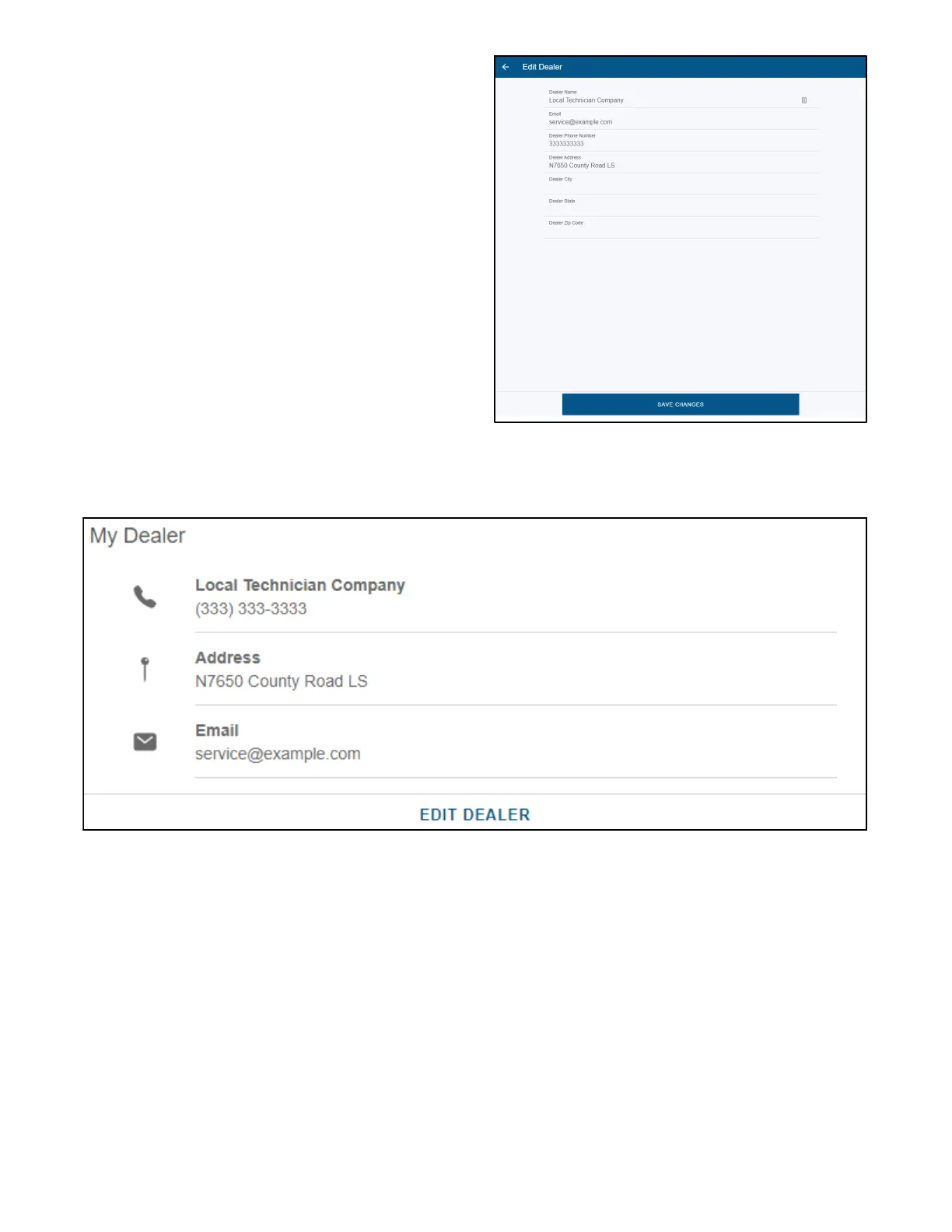
To edit dealer information, select EDIT DEALER and
update the information as needed. Select SAVE
CHANGES at the bottom when complete. See
Figure 1-21.
Figure 1-21 Edit Dealer
Figure 1-22 My Dealer


 To Next Page