TP- 7006 2/2140 Section 2 Voice Control Activation
2.5.2 Unlinking from Google Assistant
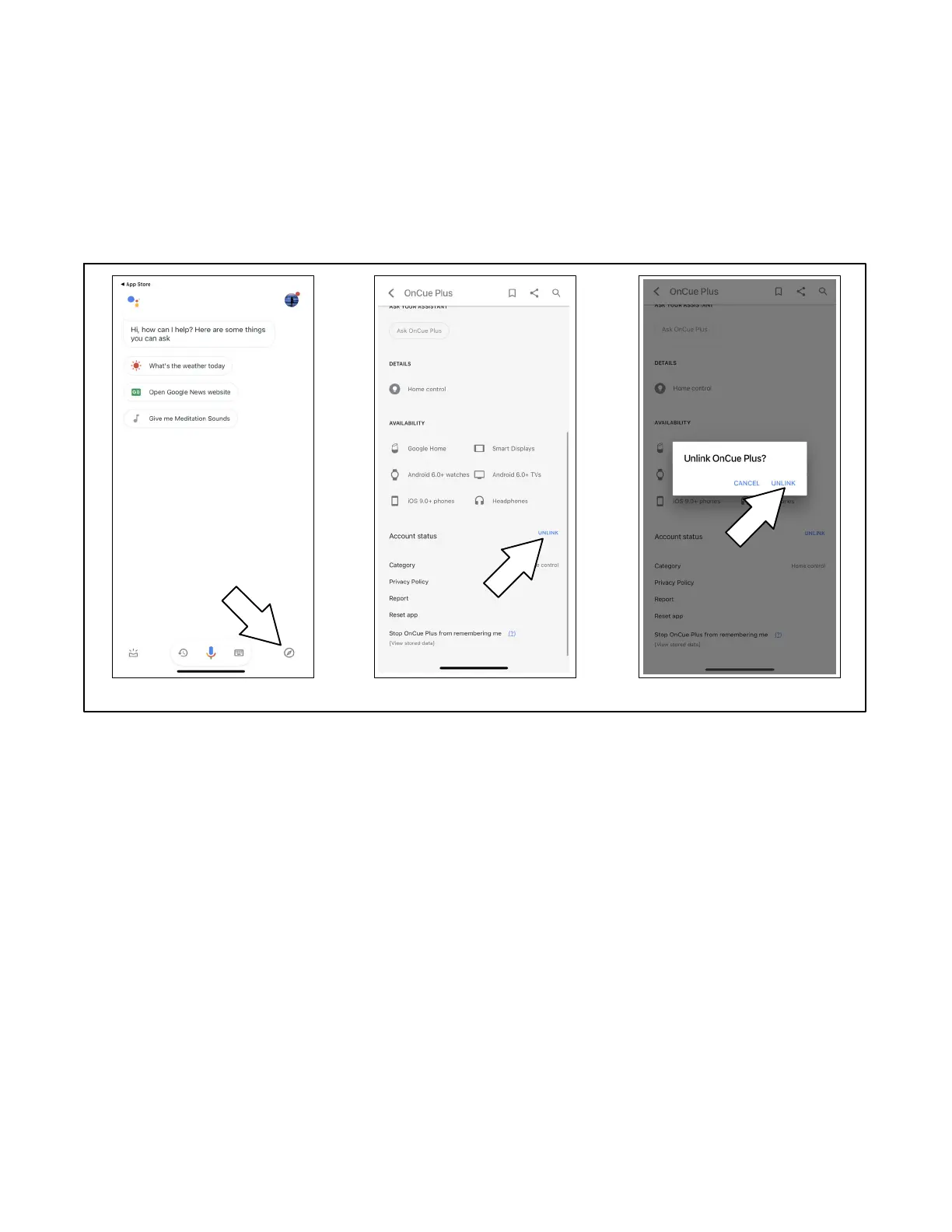
1. Open the Google Assistant app and tap the
Explore button.
2. Search for “OnCue Plus.”
3. Scroll down on the OnCue Plus Action page to find
the UNLINK Button. Tap UNLINK.
4. A dialog box opens. Tap UNLINK.
Tap UNLINK Tap UNLINK to confirmExplore, search for OnCue Plus
Figure 2-5 Unlinking your Account from Google Assistant


 To Next Page