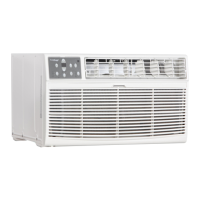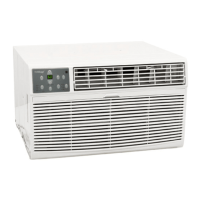
EasyManua.ls Logo

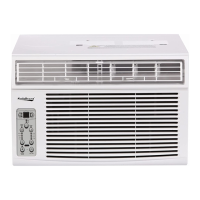
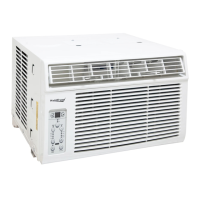
Koldfront WAC8001W - User Manual

Koldfront WAC8001W
23 pages
Print Icon
To Next Page IconTo Next Page
Loading...
V2.2-06232017
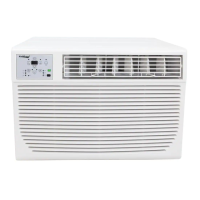
Window Air Conditioner
with Supplemental Heater
Owner’s Manual
For more information on other great EdgeStar products on the web, go to
http://www.edgestar.com
To use the EdgeStar self-diagnostic tool, go to
https://support.edgestar.com
WAC8001W / WAC12001W

Other manuals for Koldfront WAC8001W

Questions and Answers

  • L
    Leonard DuranSep 8, 2025
    Why is my Koldfront Air Conditioner making noise when cooling?
    • H
      harrisnatashaSep 8, 2025
      Some air movement sound is normal for Koldfront Air Conditioners. If the unit is too loud, try setting it to a slower FAN setting. Window vibration due to poor installation can also cause noise; refer to the installation instructions or check with the installer.
  • L
    Lisa ReedSep 10, 2025
    Why is my Koldfront WAC8001W Air Conditioner dripping water outside when cooling?
    • A
      Ariana JonesSep 10, 2025
      If your Koldfront Air Conditioner is dripping water outside while cooling, it's likely removing a large quantity of moisture from a humid room, which is normal during excessively humid days.
  • A
    aimeewilliamsSep 12, 2025
    Why is my Koldfront WAC8001W dripping water inside when cooling?
    • J
      John CollinsSep 12, 2025
      If your Koldfront Air Conditioner is dripping water inside when cooling, it might be improperly installed. To fix this, tilt the air conditioner slightly to the outside to allow for proper water drainage.
  • J
    johnsonmichaelSep 13, 2025
    How to troubleshoot Koldfront Air Conditioner not working?
    • T
      Tracy VillarrealSep 13, 2025
      If your Koldfront Air Conditioner isn't working, first ensure it's properly plugged into the wall. Check the LCDI power cord and press the Reset button if it's tripped. Also, verify that the house fuse hasn't blown or the circuit breaker hasn't tripped; replace the fuse or reset the breaker if needed. Make sure the control panel is turned ON and set to your desired settings. Finally, if there might be insufficient power, try moving the unit to another outlet and check your circuit breaker, referring to the rating label on the back of the unit to determine the amperage draw.
  • R
    Roberto MyersSep 15, 2025
    What to do if Koldfront WAC8001W Air Conditioner water dripping inside?
    • A
      Alexander VargasSep 15, 2025
      If water is dripping inside when your Koldfront Air Conditioner is cooling, it might be due to improper installation. To resolve this, tilt the air conditioner slightly to the outside to allow for proper water drainage.
  • S
    Scott WaltersSep 18, 2025
    Why Koldfront Air Conditioner remote is not sensing?
    • C
      Cynthia JohnsonSep 18, 2025
      If your Koldfront Air Conditioner's remote is not sensing, make sure the remote control is within a 20-foot range and 180-degree radius of the front of the unit. Also, check for and remove any obstructions that may be blocking the remote control signal.

Summary

Important Safety Information

Electrical Safety Precautions

Safety guidelines related to electrical connections and handling.

General Safety Precautions

Overall safety guidelines for operating the air conditioner.

Operation of Safety Plug

LCDI Plug Testing and Use

Instructions for testing and correctly using the LCDI safety plug.

Introduction

For Your Records

Section for recording unit details for warranty and future reference.

Parts Identification

Unit Views and Labels

Identification of key components through side and front views.

Preparations for Installation

Installation Tools and Parts

Lists required tools and supplied parts for the installation process.

Window Installation Instructions

Prepare Unit for Window Mounting

Steps to remove the unit from its cabinet and attach initial components.

Attach Top Channel and Side Curtains

Instructions for attaching the top channel and side curtains to the unit.

Window Installation Instructions

Attach Foam Adhesive Seal

Guide to applying foam adhesive for optimal unit performance and sealing.

Installing Cabinet into Window

Securing Cabinet in Window Frame

Methods for securing the air conditioner cabinet in wooden and vinyl window frames.

Installing Cabinet into Window

Attach Side Curtains to Window Frame

Detailed steps for attaching the side curtains to the window frame for a proper seal.

Completing Installation

Final Installation and Power-Up

Final steps to complete installation, including securing the window and powering the unit.

Control Panel Operations

Control Panel Overview

Explanation of the control panel buttons and basic functions like power and temperature.

Adjusting Temperature and Fan Speed

How to change the temperature settings and fan speeds using the control panel.

Control Panel Operations

Selecting Operating Modes

Guide to choosing and using different modes like Auto, Cool, Dry, Heat, and Fan.

Using Auto, Fan, and Dry Modes

Specific instructions for operating the unit in Auto, Fan Only, and Dry modes.

Energy Saver Feature Usage

How to activate and utilize the Energy Saver feature for reduced power consumption.

Control Panel Operations

Sleep and Timer Functions

Instructions for using the Sleep mode and setting Auto Start/Stop timers.

Filter Indicator and Error Codes

Understanding the Check Filter light and interpreting error codes for troubleshooting.

Air Directional Louvers

Additional Operating Tips

Remote Control Operations

Maintenance Procedures

Air Filter Cleaning Guide

Step-by-step instructions for cleaning the air filter.

Cabinet Cleaning Instructions

Normal Operational Sounds

Energy Saving Guide

Troubleshooting Common Issues

Product Specifications

EdgeStar Limited Warranty

Warranty Coverage Details

Information on what parts and labor are covered by the warranty.

Warranty Exclusions and Limitations

Details of what is not covered by the warranty agreement.

How to Obtain Warranty Service

Instructions for contacting customer support and initiating a warranty claim.

Koldfront WAC8001W Specifications

General IconGeneral
TypeWindow Air Conditioner
Cooling Capacity8000 BTU
Voltage115V
Noise Level52 dB
Coverage Area350 sq. ft.
Fan Speeds3
DehumidificationYes
Control TypeMechanical
Remote ControlNo
Filter TypeWashable
Window Width (min)23 inches
Window Width (max)36 inches
Operating Frequency60 Hz
Dehumidification Capacity2.3 pints/hour
Thermostat ControlYes
Window Kit IncludedYes
Operating ModesCool, Fan
Timer24-hour
Dimensions (H x W x D)14.5 x 16.5 x 12 inches

Related product manuals