32
How to set up the gun unit
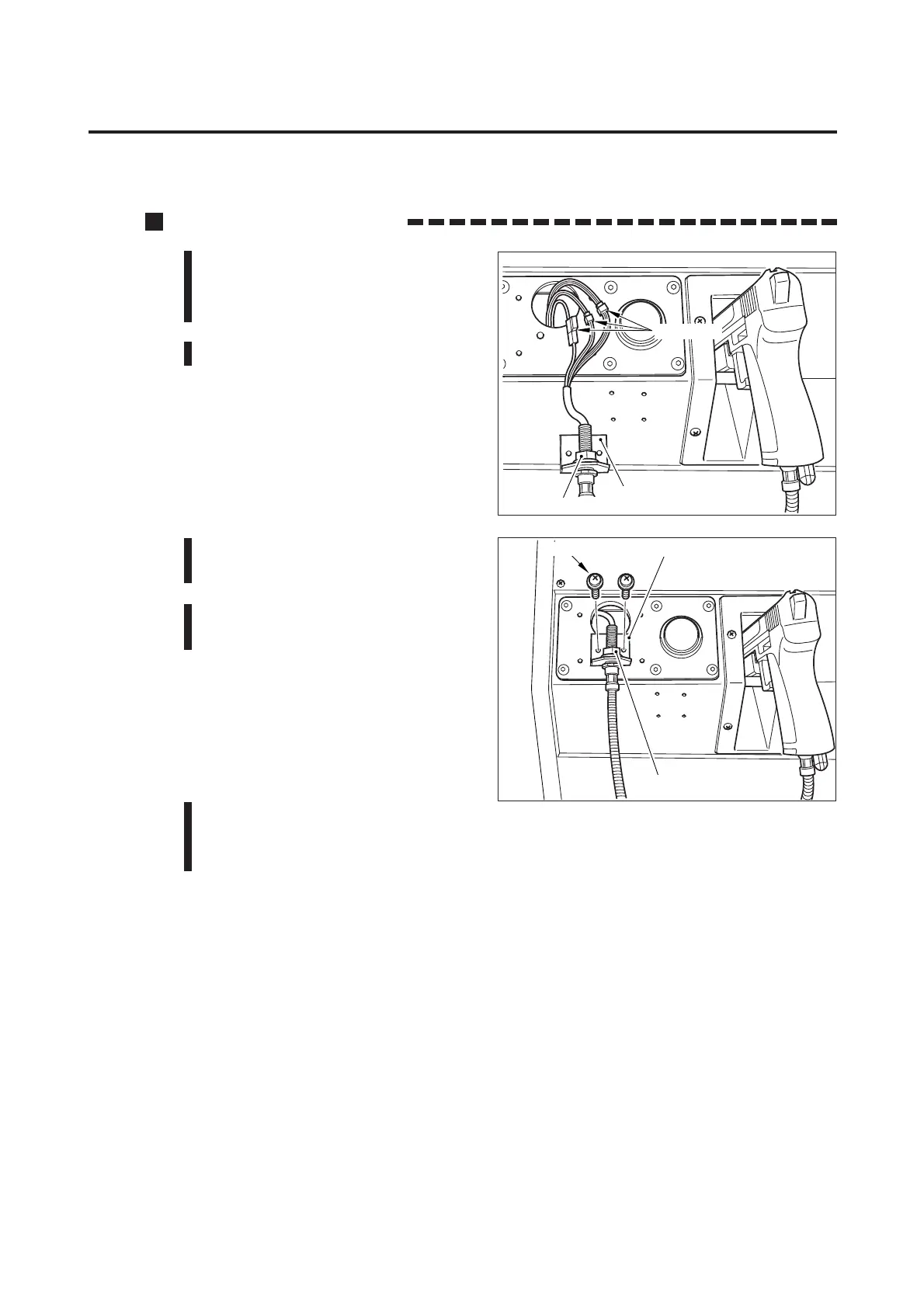
1 Pass the gun cable through the
bracket. Apply and lightly tighten
the flange nut.
2 Reconnect the gun cable connectors.
3 Fix the bracket with the screws and
tighten up the flange nut.
4 Mount the cover and the gun cable
clamp into position.
5 Check the PCB settings, referring to “5-1 PCB start-up check (self-test)” on
page 14. Check the gun performance, referring to “I/O CHECK” and position
the guns’ target points, referring to “CALIBRATION” on page 22.
Bracket
Connectors
Flange nut
Bracket
Screws
Flange nut
7 Maintenance














 To Next Page