34
7-6 Adjusting the monitor
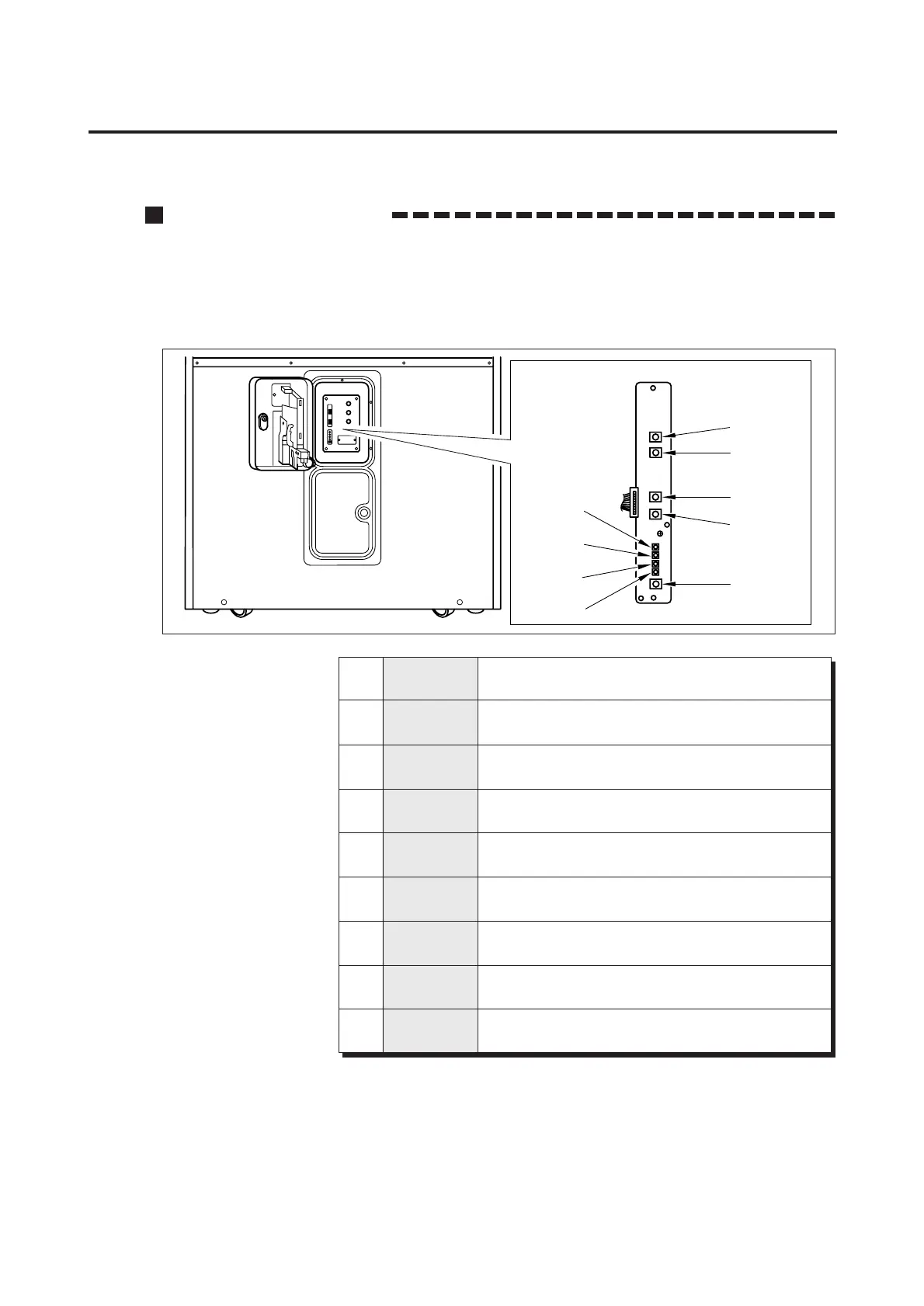
Monitor adjustment PCB
The monitor has already been adjusted at the time of shipment, but it may be
readjusted as desired.
The monitor adjustment PCB is located inside the service panel. When adjusting
the monitor, open the maintenance door. (See page 12)
1
2
3
4
5
6
7
8
9
CONTRAST
R.GAIN
G.GAIN
B.GAIN
BRIGHT
H.SIZE
H.POSI
V.SIZE
V.POSI
Contrast adjustment
Used to changes the contrast.
Red input gain adjustment
Changes red brightness. Turning it clockwise will make the red deeper.
Green input gain adjustment
Changes green brightness. Turning it clockwise will make the green deeper.
Blue input gain adjustment
Changes blue brightness. Turning it clockwise will make the blue deeper.
Brightness adjustment
Changes brightness. Turning it clockwise will make the image brighter.
Horizontal screen size adjustment
Changes the width of the screen.
Horizontal image position adjustment
Changes the image position in the horizontal direction.
Vertical screen size adjustment
Changes the height of the screen.
Vertical image position adjustment
Changes the image position in the vertical direction.
7 Maintenance
1
2
3
4
5
6
7
8
9














 To Next Page