Setting Transmission Conditions - (continued)
2-26
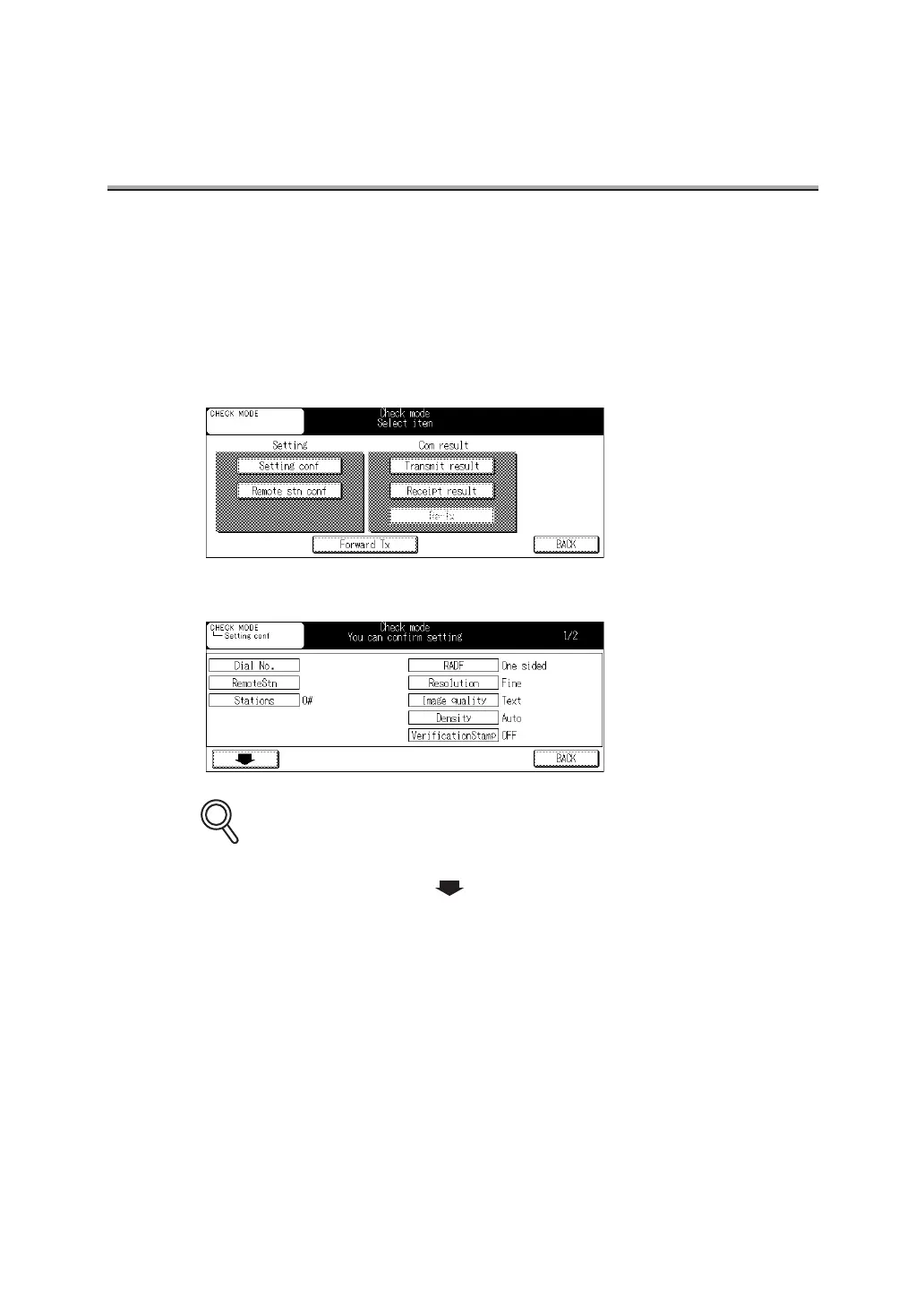
Confirming Settings and Communication Results
The settings and communication results of the FAX Basic screen and FAX Application screen
can be confirmed by using [CHECK] on the control panel.
1. Press [CHECK] on the control panel.
2. Press Setting conf.
3. Confirm the settings.
• Press BACK to go back to the previous screen.
• To go to the next screen, press .
4. Press BACK twice after completion of confirmation.
The FAX Basic screen will be restored.
DETAILS


 To Next Page