14-33
Function Set
You can turn on or off the transmission/reception functions individually.
Turning ON/OFF transmission/reception functions
Select ON or OFF for each function.
• Confidential com: ON* /OFF
Selecting "OFF," both confidential transmission and confiden-
tial reception are disabled.
For details of confidential communication, see "Confidential
Communication" (p. 10-32).
• Relay communication: ON* /OFF
Selecting "OFF," both relay transmission request and relayed
transmission to multiple stations are disabled.
For details of relayed communication, see "Relay Transmission
Request" (p. 10-43).
• Bundled Tx: ON* /OFF
When ON is selected, the bundled transmission function is
enabled, i.e., if you add a reserve transmission to another
transmission reserved earlier, the two events of transmission
will occur without interruption following a single dialing.
* indicates factory default setting.
1. Open the FAX Key Operator Mode (See "Entering Key Opera-
tor" (p. 14-2)).
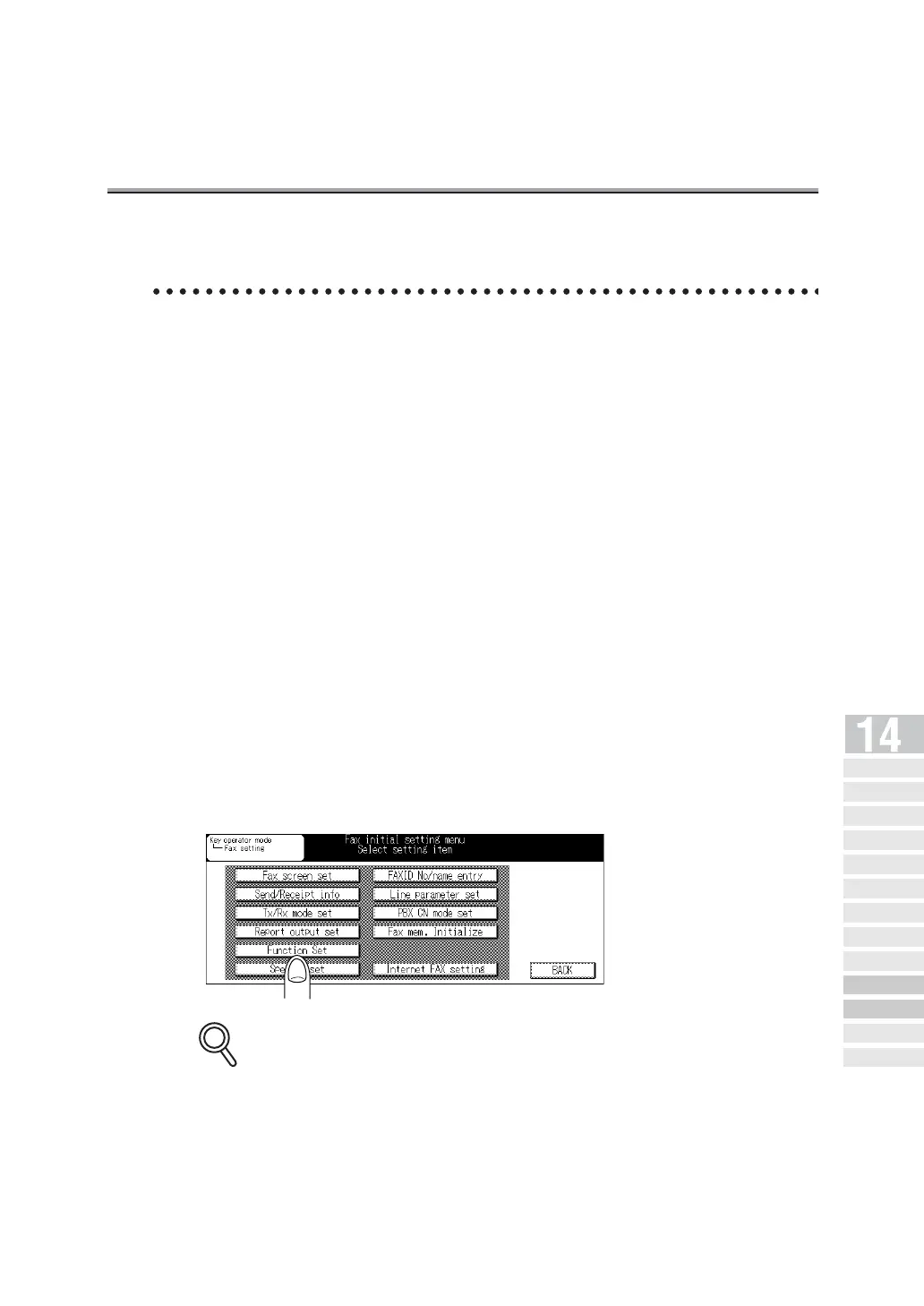
2. Press Function Set.
Some items may not be displayed depending on the optional settings.
DETAILS
Key Operator
Screen
FAX Key
Operator Mode
FAX Screen Set
Setting FAX ID/
Name
Se nder I nfo rmation /
Re ce pt ion Ti me
Line Parameter
Set
Transmission/Reception
Mode Options
PBX (Pr ivate Branch Ex chang e)
Connection Mode Options
Report Output
Set
Initiali zing the FAX
Image Memory
Function Set
Setting a Special
Parameter
Setting the Internet
Fax Functions



 To Next Page