2-32
Canceling Transmission
With the FK-102 Type-A, transmission instructions and images stored in memory are referred to
as reserved jobs. Jobs reserved for communication and jobs currently being processed are
simultaneously displayed on the JOB LIST screen.
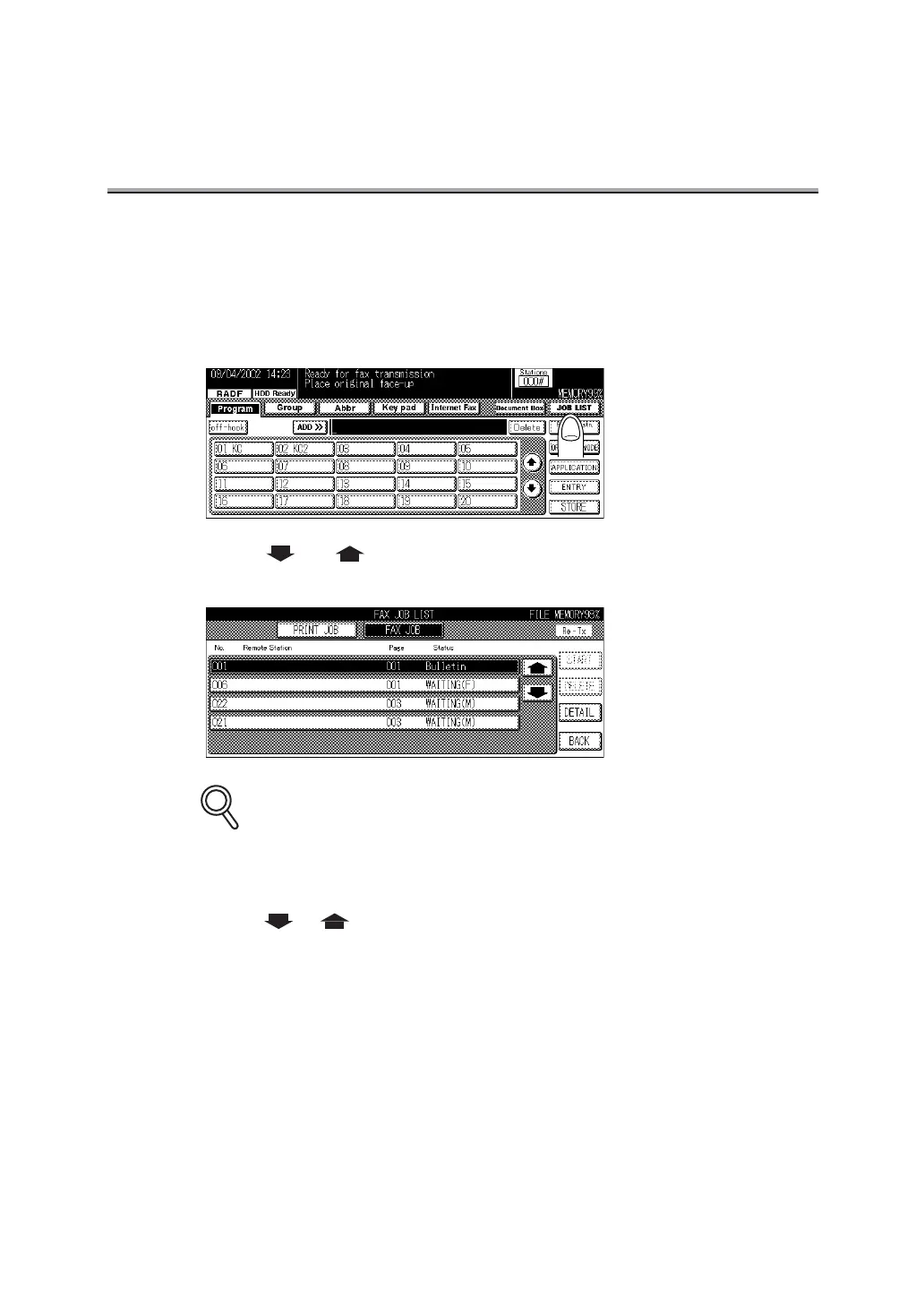
1. Press JOB LIST on the FAX Basic screen.
2. Press or to select the reserved document desired to
be canceled.
JOB LIST Screen
• Jobs currently in progress are simultaneously displayed on the JOB LIST screen.
• Pressing BACK returns the display to the FAX Basic screen.
• Press or to display the next or previous screen.
3. Press DELETE.
4. Press YES on the Job delete confirmation screen.
The reservation document is deleted.
5. Press BACK key.
The display returns to the FAX Basic screen.
DETAILS



 To Next Page