2-31
Scanning
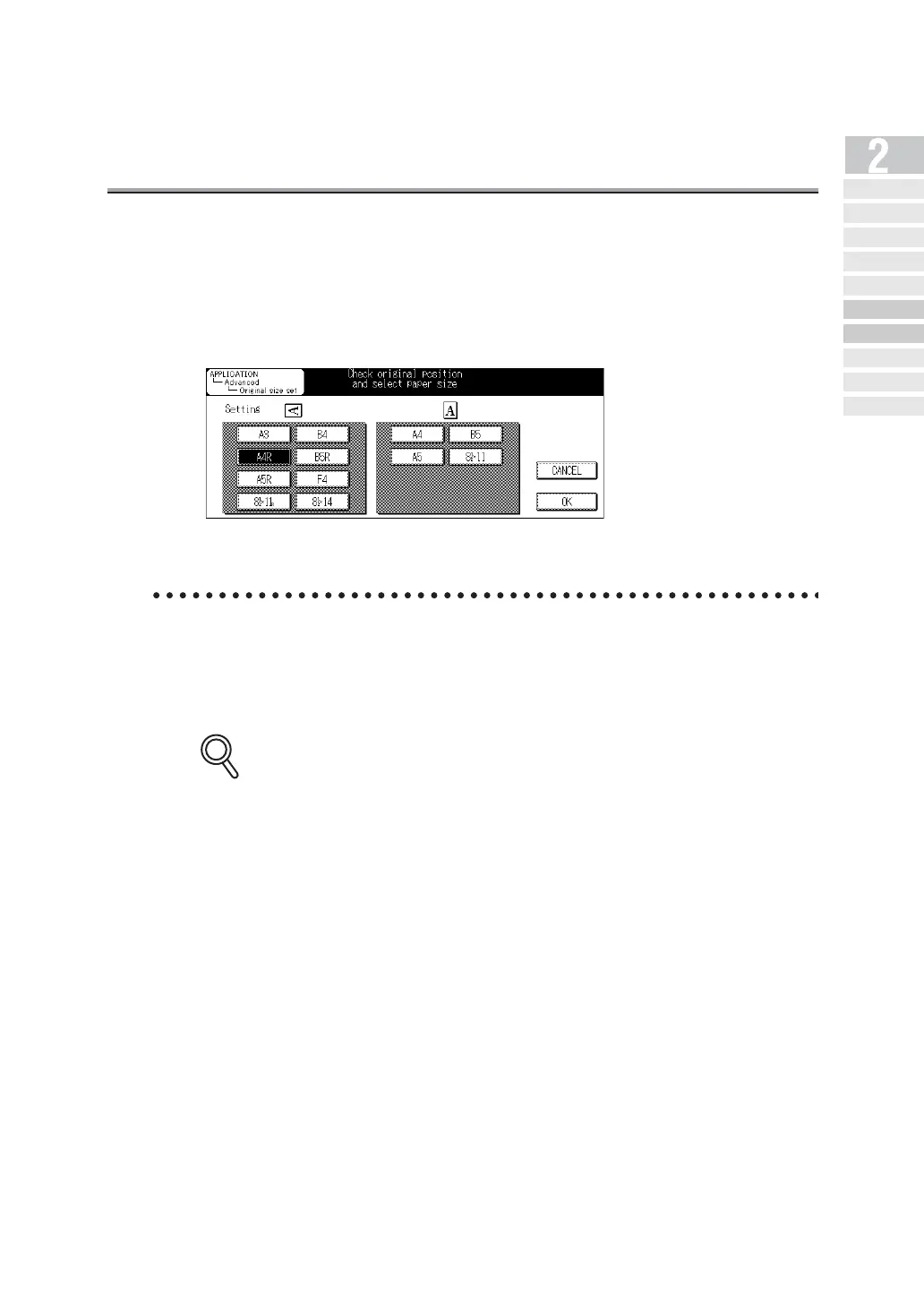
When Original Size Cannot be Detected
If the size of the original cannot be detected, the following screen is displayed. Set the original
size when this screen is displayed.
1. Press the original size key.
2. Press OK.
When Memory Capacity is Exceeded
Using memory transmission, if a large number of pages are sent of if the images on the
originals are especially detailed, memory capacity may be exceeded due to the amount of
data attempting to be stored in memory. When this happens, decrease the number of
pages of the documents transmitted at one time or increase the memory.
Contact your service representative about increasing of memory.
DETAILS
Simple Internet
Fax Transmission
Transmi tt ing Do cument s to
Internet Fax/Computer
Transmit tin g to Both
Co nv en tio na l F ax an d E- Mail
Placing the Original
on the Machine
Setting Transmission
Conditions
Method for Specifying
Ad dr ess e s
Scanning
Canceling
Transmission
Co nfi rming Re se rved
Do cum en ts
Co n f ir min g
Communicatio n Result s



 To Next Page