2-33
Confirming Reserved Documents
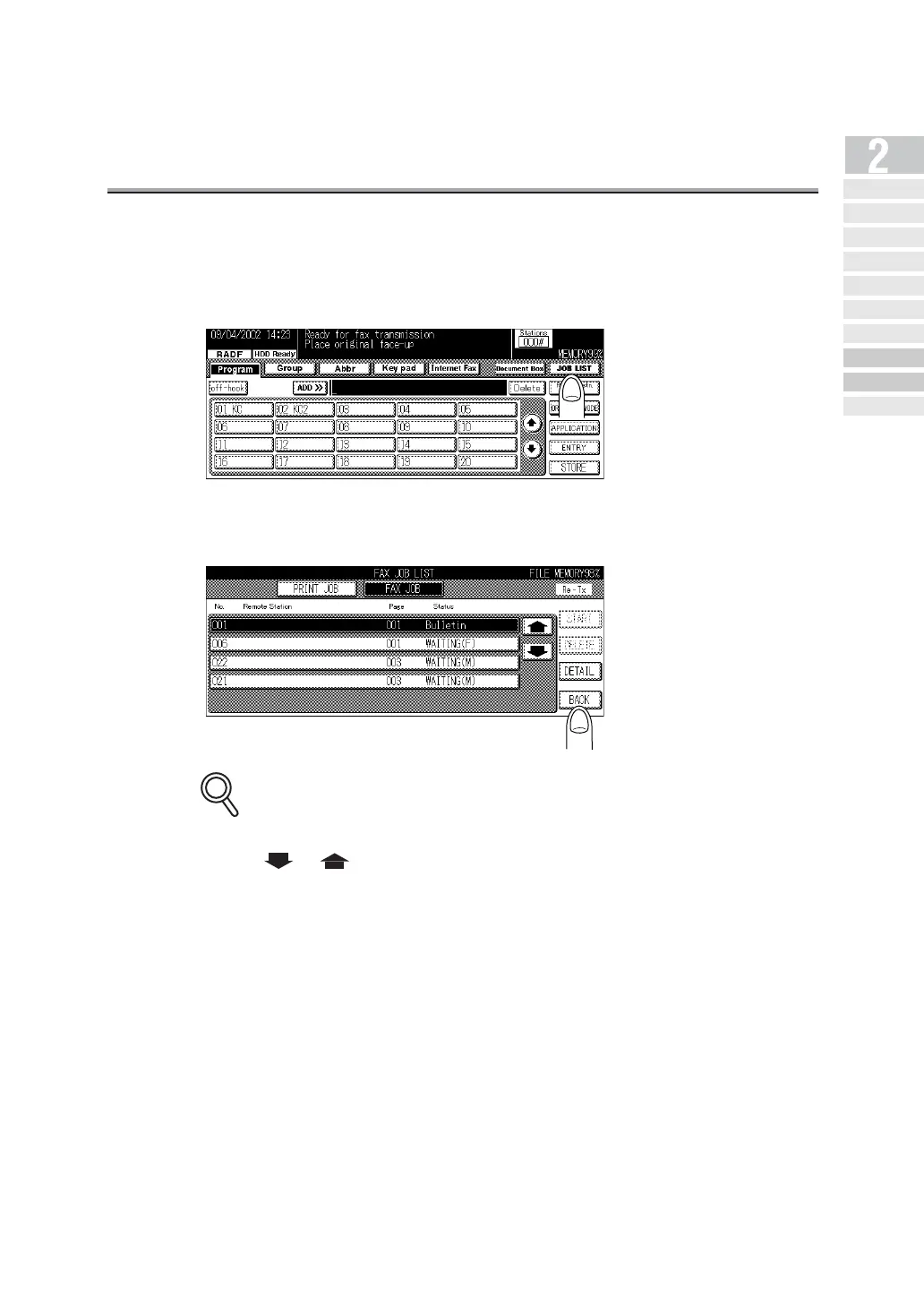
Transmission reservation documents stored in memory can be confirmed on the job list screen.
1. Press JOB LIST on the FAX Basic screen.
2. Press BACK when confirmation is completed.
The display returns to the FAX Basic screen.
•
Jobs currently in progress are simultaneously displayed on the JOB LIST screen.
• Press or to display the next or previous screen.
• Press DETAIL to display detailed information on the job.
• Remaining memory capacity is indicated on the right above the Job List screen. During
the Internet Fax communication, remaining capacity of the hard disk is indicated.
DETAILS
Simple Internet
Fax Transmission
Transmi tt ing Do cument s to
Internet Fax/Computer
Transmit tin g to Both
Co nv en tio na l F ax an d E- Mail
Placing the Original
on the Machine
Setting Transmission
Conditions
Method for Specifying
Ad dr ess e s
Scanning
Canceling
Transmission
Co nfi rming Re se rved
Do cum en ts
Co n f ir min g
Communicatio n Result s



 To Next Page