58
Measurement
Deleting the Memory Data
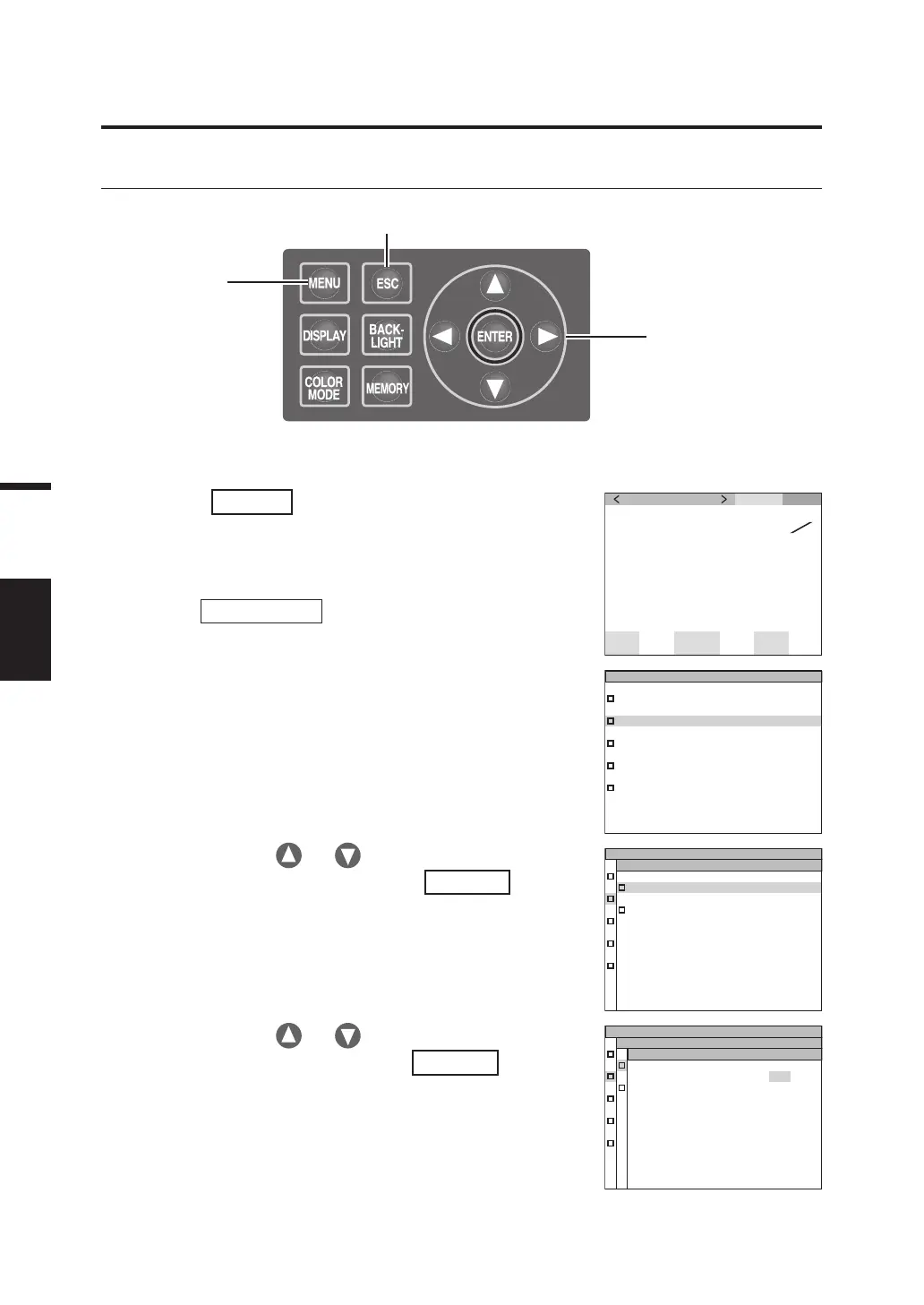
Stored measurement values can be deleted in the following procedure.
Operation Procedure
1. Press
MENU
key when the MEAS
screen is displayed.
The MENU screen appears.
When the backlight of the LCD has been turned
off via
BACKLIGHT
key on the MEAS screen,
the backlight is turned on.
MEAS SNGL
UC00
SPD
N
r
m
Ob
s
2
˚
SYNC
No
n
ND
No
n
BL
of f
LEN
S t d
cd
m
2
Lv
x
y
T01
35. 93
0 . 3968
0 . 4060
2. Press either or key to select
[MEMORY] and then press
ENTER
key.
The MENU – MEMORY screen appears.
3. Press either or key to select
[DELETE] and then press
ENTER
key.
The MENU – MEMORY – DELETE (Memory
data deletion) screen appears.
The memory data number 00 is displayed.
DE LETE
PR OPERT IE S
MENU
MEMORY
MEMORY
MEM , DATA N
O
, 00
Lv
34 . 22
x
0 . 39 58
y
0 . 40 60
MENU
MEM, D ELE TE
MEAS
MEMORY
TARGET
OP TION
SETUP
MENU
1
5, 6, 7
2, 3, 4, 5













 To Next Page