Configuration Menu Overview42
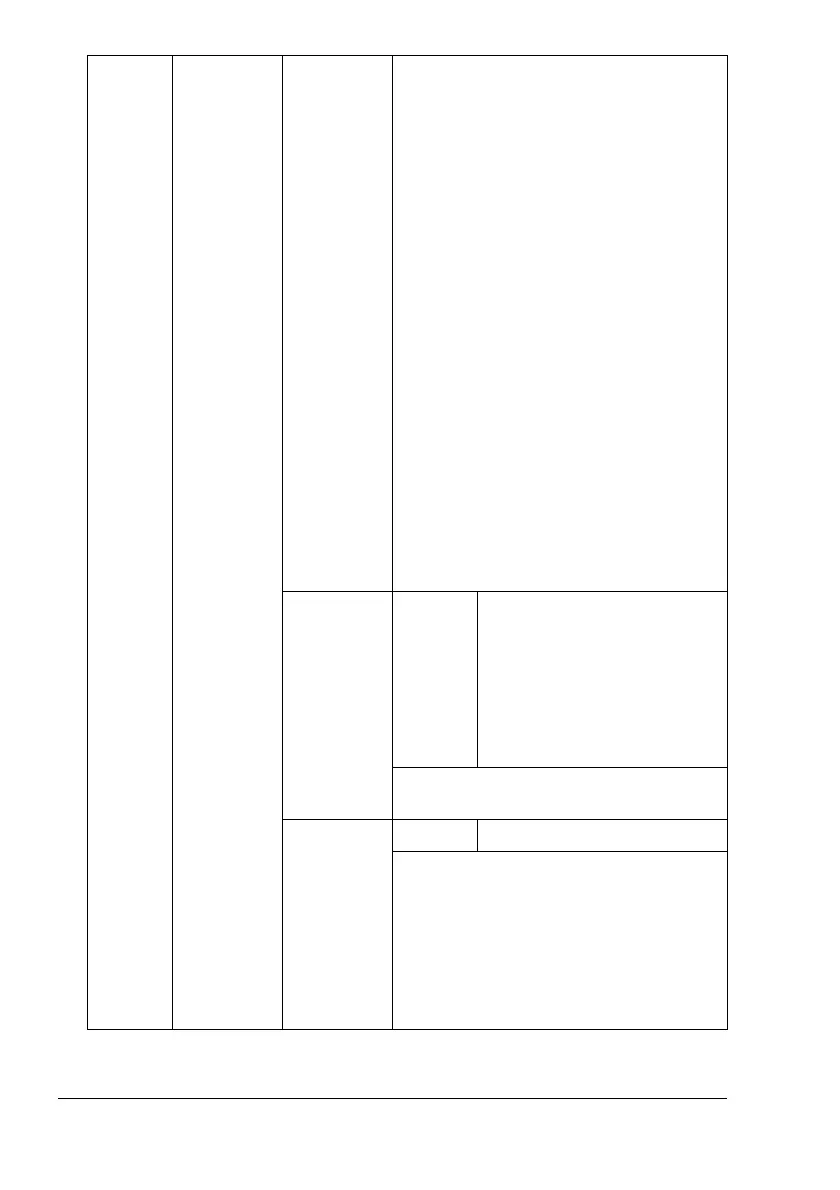
CUSTOM
SIZE
Specify the media size when
custom-sized media is loaded into Tray 1.
The setting units can be switched
between millimeters and inches with the
SYSTEM-PAPER-UNIT OF
MEASURE
setting.
Setting range for WIDTH
# For MILLIMETERS: 90 to 311 mm
(The default is
210.)
# For INCHES: 3.55 to 12.25 in.
(The default is
8.50.)
Setting range for LENGTH
# For MILLIMETERS: 140 to 457 mm
(The default is
297.)
# For
INCHES
:
5.50
to
18.00
(The
default is
11.00
.)
!"
This menu item appears only if
PAPER SIZE
is set to
CUSTOM
.
PAPER
TYPE
Settings
ANY/PLAIN PAPER/
RECYCLED/THICK 1/
THICK 2/THICK 3/
LABEL/TRANSPARENCY/
TRANSPARENCY 2/
ENVELOPE/POSTCARD/
LETTERHEAD/GLOSSY
Select the setting for the type of media
loaded into Tray 2.
SIZE
SETTING
Settings
AUTO/USER SELECT
If
AUTO
is selected, the media size will
be automatically detected. For media
sizes that can be automatically detected
when AUTO is selected, refer to
“DETECT PAPER SIZE” on page 72.
If
USER SELECT is selected, the media
size specified by the user is set.





 To Next Page