Easy Start Guide
20
3. Usethebuttonstoselect“Media,”andthenpressthe
button.
4. Usethebuttonstoselect“SaveSEQ,”andthenpressthe
button.
ThescreenshowsthenamethatthedatawillbesavedtoontheSD
card.
Note: Youcanchangethenameaftersaving.
5. Presstheubutton.
Thedisplaywillask“OK?”
6. Pressthebuttontosavethedata.
Whensavingiscompleted,youwillreturntothe“SaveSEQ”screen.
Neverremoveth eSDcardfr omtheslotduringasave,load,orform at operation.
Note: ToremovetheSDcard,gentlypressthecardinward.Youwillhearaclick,andtheSDcardwillpopoutpart‐
way,allowingyoutoremoveit.
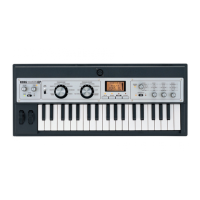
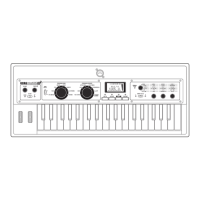
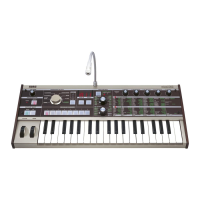
Specifications (abbreviated)
Operating conditions:
0–+40°C(non‐condensing)
Keyboard:
61‐note(natural‐touchminikeyboard,velocitysensitive,aftertouchnotsupported)
SD card slot:
Supportsupto2GB.SDandSDHCmemorycardsaresupported.
Power supply:
ACadapterconnector(DC9V1700mA ),POWERswitch
Dimensions (mm) (W x D x H):
778x210x82 (mm)/30.63ʺ×8.27ʺ×3.23ʺ
Weight:
2.6kg/5.73lbs
Power consumption:
6W
Included items:
ACadapter,microSTATIONEasyStartGuide,Accessorydisc(microSTATIONOperationGuidePDF,
microSTATIONParameterGuidePDF,USB‐MIDISetupGuidePDF,microSTATIONEditor/Plug‐InEditorUser
Guide,ExternalSetupsPDF,KorgUSB‐MIDIdriver,microSTATIONEditor/Plug‐InEditor,etc.)
Options:
XVP‐10expression/volumepedal
EXP‐2footcontroller
DS‐1Hdamperpedal
PS‐1pedalswitch












 To Next Page

