4.8 Other settings (Edit)
• Loading factory preset data
If
after
modifying
the
program
and
arpeggio
pattern
settings
you
decide
to
bring
back
the
factory
settings,
use
Edit
mode
Global section
page
GLB-19 [LoadFactory Data] to recall the initial data. You
can
initialize
a
single
program,
or
all
programs,
arpeggio
patterns,
and
Global
settings
at
once
(Parameter Guide, page 148).
When
you
recall
the
factory
settings,
any
settings
that
had
been
previously
made
will
be
lost.
If
necessary, save
your
data
before initializing.
•saving
data
Edited
data
can be saved using the Write operation.
However
for some parameters, the modified values
are
saved
immediately
without
the need for the Writ
operation
(page 30).
The programs of bank A
or
B
and
the arpeggio patterns of
bank
INT PAT can be
saved
by
copying
them
to
an
optional
SRC-512 RAM
Memory
Card.
This is
done
in Edit
mode
Global section
page
GLB-17
[Save to Card]
(Parameter Guide, page 145).
You can also save
data
by
connecting a sequencer
or
data
file capable
of
saving MIDI
data
to the MIDI
connectors,
and
using Edit
mode
Global section
page
GLB-18 [MIDI Data Dump] to select
and
transmit
the
data
that
you
wish
to save (Parameter guide,
page
146).
•Initializing, Copying, or Exchanging data within a section of
the same program
It
is possible to initialize, copy,
or
exchange (swap)
data
within sections of a program. This can help you
create
sounds
more efficiently. You can also initialize
or
copy PE Define settings.
· To initialize
an
entire program, use Edit
mode
Common
section
page
CMN-10 (page 27).
•Initializing
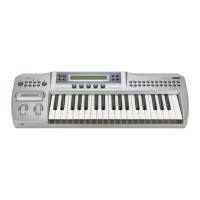
This operation resets all settings of the Prophecy to the factory settings. When this is done, all
program
sounds, arpeggio patterns,
and
settings (Global section) will also
r~turn
to the factory settings.
Be
aware
that
since the controllers will
return
to
an
un-adjusted
state,
you
will
need
to
use
GLB-22 [Controller
Calibration] to re-adjust them.
You
can
also
initialize
by
using
Edit
mode
Global
section
page
GLB-19 [Load
FactoryData]
and
selecting
"ALL_Data",
but
this
will
not
initialize
the
settings
such
as
Controller
Calibration,
etc.
(Parameter Guide,
page
149).
• To initialize, turn the power on
while
holding
down
the
EXIT
key
and the VALUE+ key.
• Adjusting the controllers
The active range of the WHEEL
1/2/3,
RIBBON
X/Z,
After Touch,
and
Foot Pedal controllers
can
be
adjusted. For WHEEL 1
and
3,
you
can also
adjust
the center.
•
These
settings
are
made
in
Edit
mode
Global
section,
page
GLB-22
[Controller
Calibration]
(Parameter
Guide,
page
149).
For
RIBBON Z, adjust
the
sensitivity
of
the
ribbon
controller using
the
RIBBON SENSE
knob
located
on
the
rear
panel,
and
make
fine adjustments using Edit
mode
Global
section,
page
GLB-4
Ribbon
Z
Sense
(Parameter
Guide,
page
136).
After
Touch
can
be
adjusted
by
the
After
Touch
Sense
parameter
located
in
the
same
page
as
GLB-4
After
Touch
Sense
(Parameter
Guide,
page
136).
35


 To Next Page