Setting up wallbox in the KSEM
1 12345678910111213141516
© 2022 KOSTAL Solar Electric GmbH76
Enabling RS485 interface
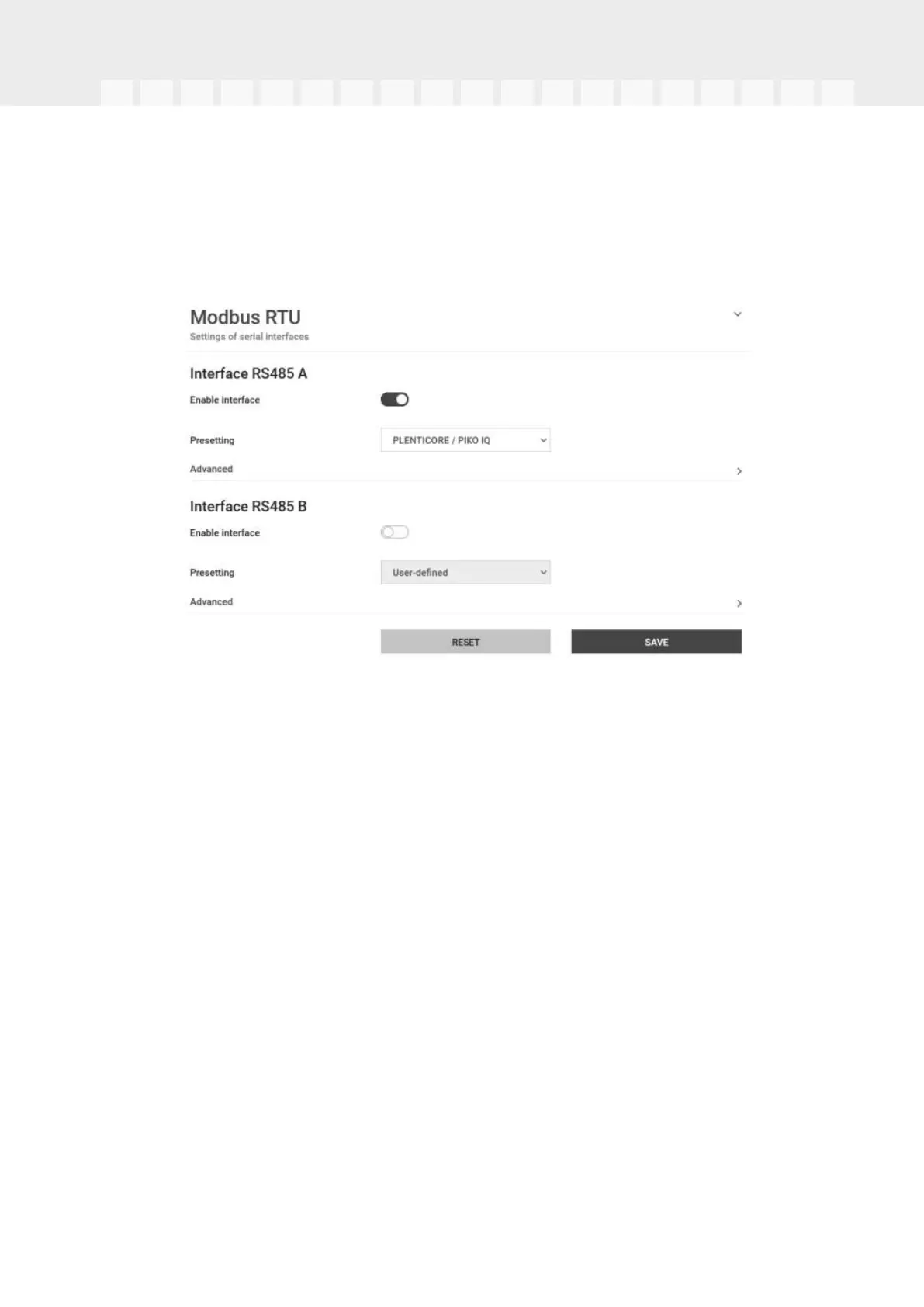
Go to Modbus settings. The RS485 interface to which wallbox communication is connec-
ted must be deactivated. Only then can the wallbox be assigned to an RS485 interface in
the "Wallbox" menu.
1.Go to Modbus settings.
2.Under Modbus RTU, deactivate the RS485 interface (e.g. interface RS485 B) to
which wallbox communication is connected.
3.Press the Save button to adopt the settings.
Setting up and configuring the wallbox
The points, wallbox connection, selection of functions, current status of the wallbox in rela-
tion to the connection and charging/discharging power can be displayed under "Wallbox".
1.The wallbox is set up in the KSEM via Available charging devices . To do this, select
the Add button or the cogwheel on the right.
2.Give the wallbox a name and select a free RS485 interface (e.g. RS485 B) via which
the wallbox is connected to the KSEM.
3.Save your input.
✔ Wallbox is set up.
You can then choose between the different charging modes.
Activating data transfer to the KOSTAL Solar Portal in the KOSTAL
Smart Energy Meter
Data transfer must be activated so that the wallbox data is also visible in the KOSTAL Solar
Portal.


 To Next Page