Controlling the FC-18
You can control FC-18 via:
• RS-232 port and/or Ethernet by sending protocol commands (see Protocol 3000
on page 62).
• Embedded web pages (see Using the Embedded Web Pages on page 36).
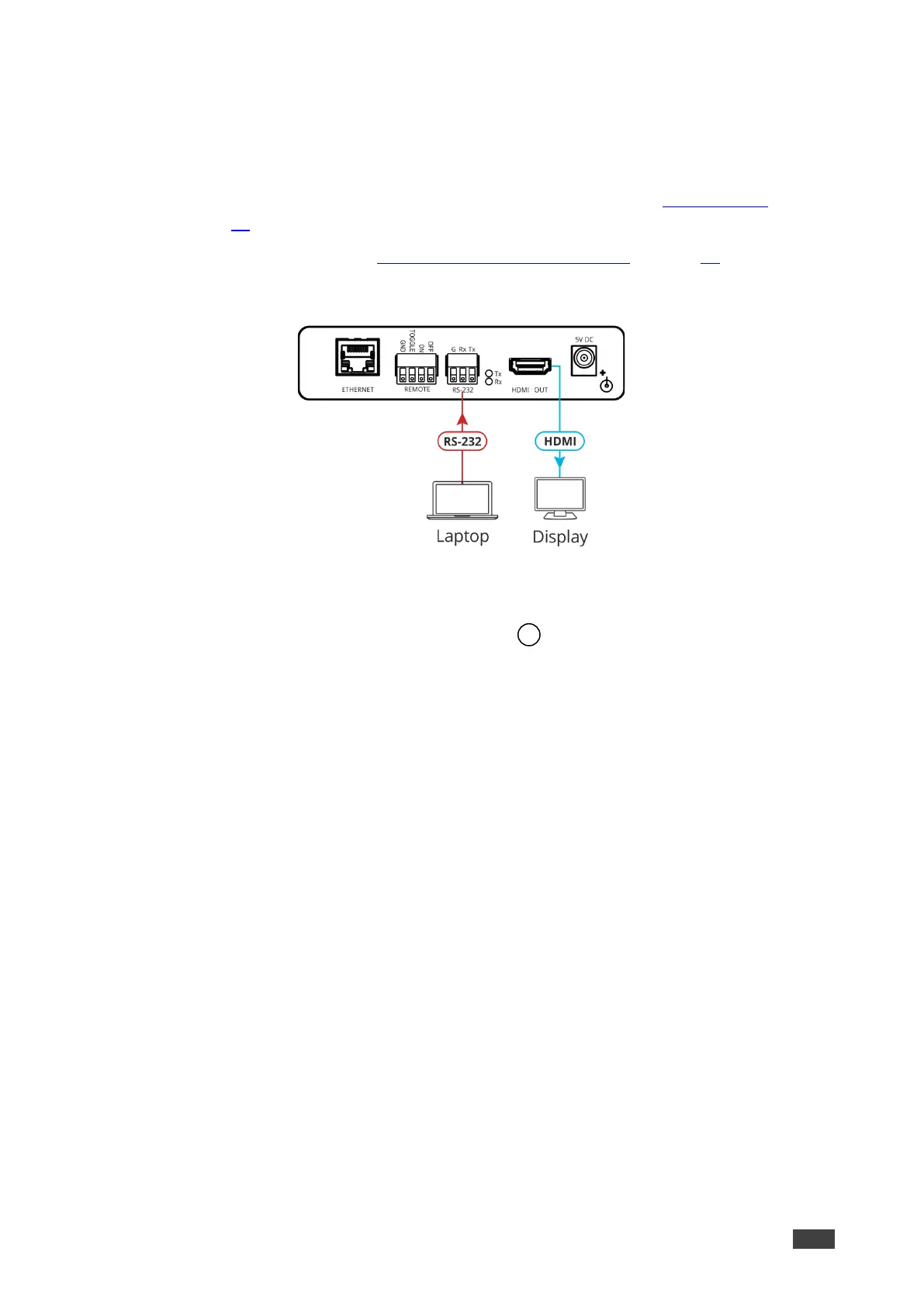
Control FC-18 by connecting a laptop or controller to the RS-232 port.
Figure 8: Controlling FC-18 via RS-232 Port
To control the device:
1. Connect a controller to the FC-18 RS-232 port to control the device.
2. In the Navigation pane, click RS-232 & Remote. The RS-232 & Remote page appears.
3. Check Port Definition to FC-18 Control.
4. Send protocol commands to control the device.
The device is controlled via RS-232.



 To Next Page