4. Connect the Audio Out S/PDIF digital, RCA audio connector on the
TP-578H to the audio acceptor, (for example, an audio amplifier with
speakers).
5. Connect the power adapter to the TP-578H and to the mains electricity (not
shown in Figure 3).
5.1 Connecting a Serial Controller to the TP-578H via
RS-232
To connect a serial controller to the TP-578H:
From the RS-232 9-pin D-sub serial port on the serial controller connect:
Pin 5 to the GND pin on the TP-578H RS-232 terminal block
Pin 3 to the RX pin on the TP-578H RS-232 terminal block
Pin 2 to the TX pin on the TP-578H RS-232 terminal block
5.2 Connecting a Balanced/Unbalanced Stereo Audio
Device
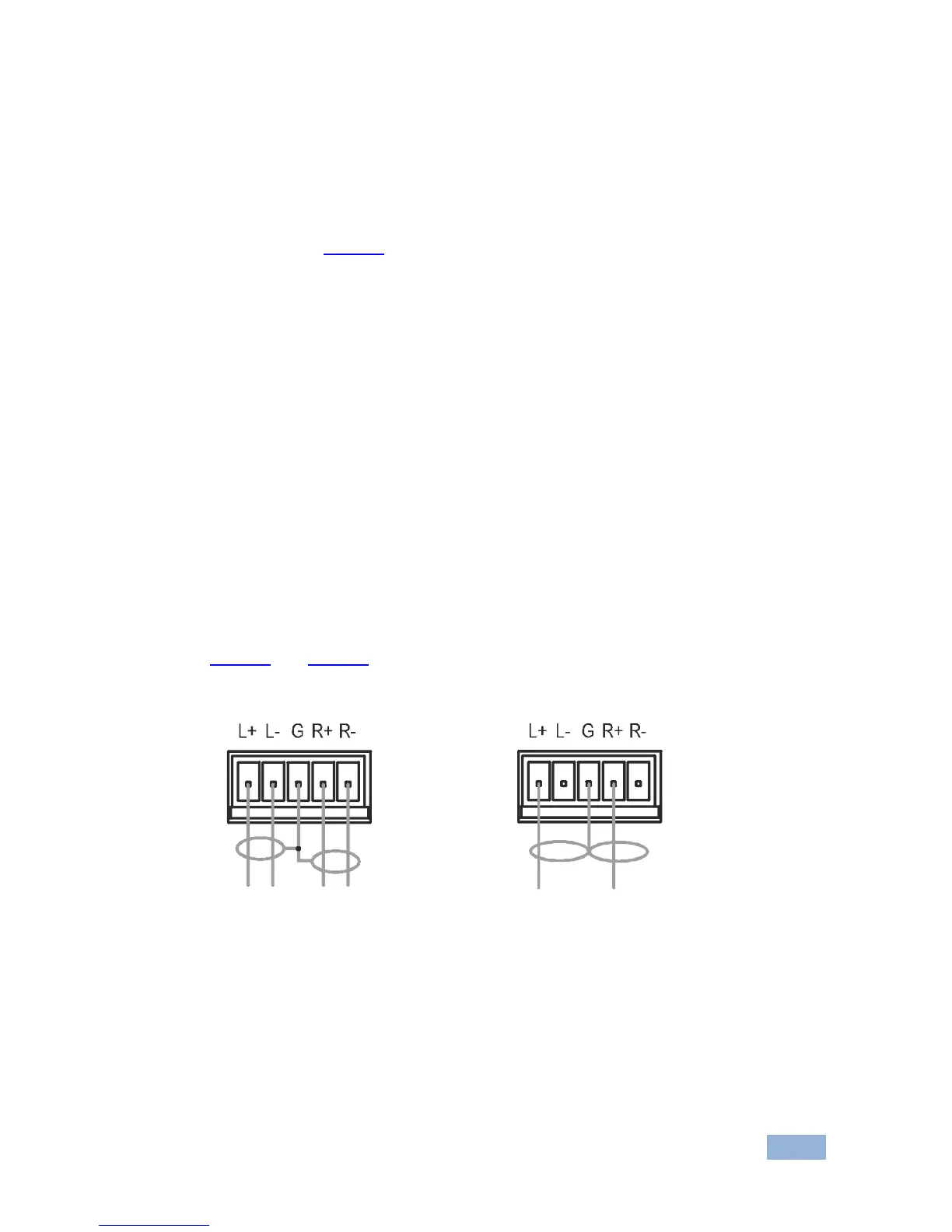
Figure 4 and Figure 5 illustrate how to connect a balanced and unbalanced stereo
audio device to the Audio Out 5-way terminal block.



 To Next Page