Page | 18
17. Connecting ERGO as a “stand-alone” device
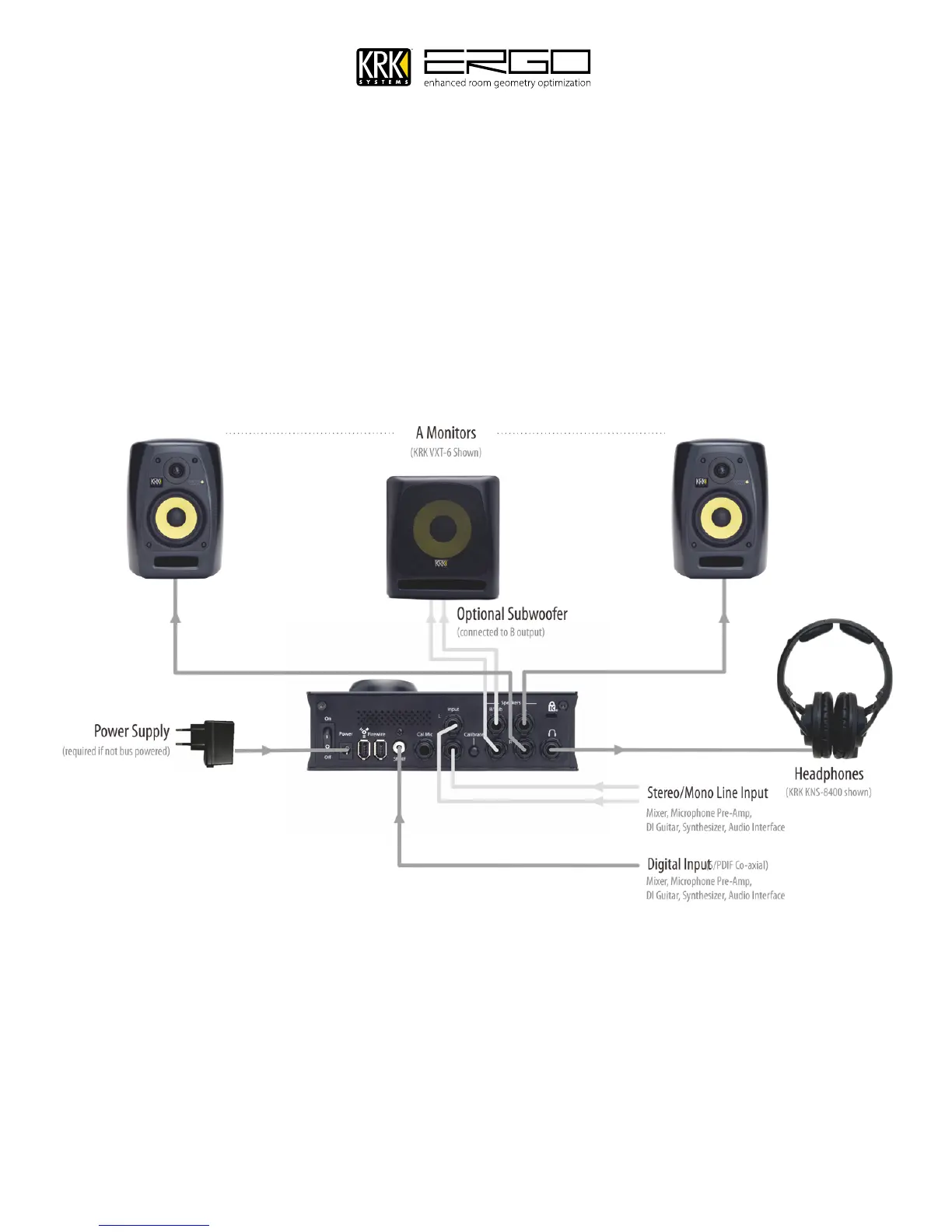
Below is the standard configuration when using ERGO as stand-alone device. Here ERGO simply sits in the path of
your existing monitor feed. In this mode ERGO will perform correction on the signal appearing at either the digital or
analog inputs. Note: The digital inputs are treated as a priority, so if an S/PDIF source is connected it will be used
instead of the analog input. If you wish to use the analog inputs please ensure a digital source is not connected.
In this mode, the controls all operate according to the mode calibrations were performed (with or without
Subwoofer). Below a 2.1 system is shown, you can also apply the same principle using a dual stereo monitoring
system. Note: ERGO uses a mono summed signal from the B Left output only, this should be the only connection you
make to your subwoofers LEFT input.



 To Next Page