Troubleshooting
7-11
1
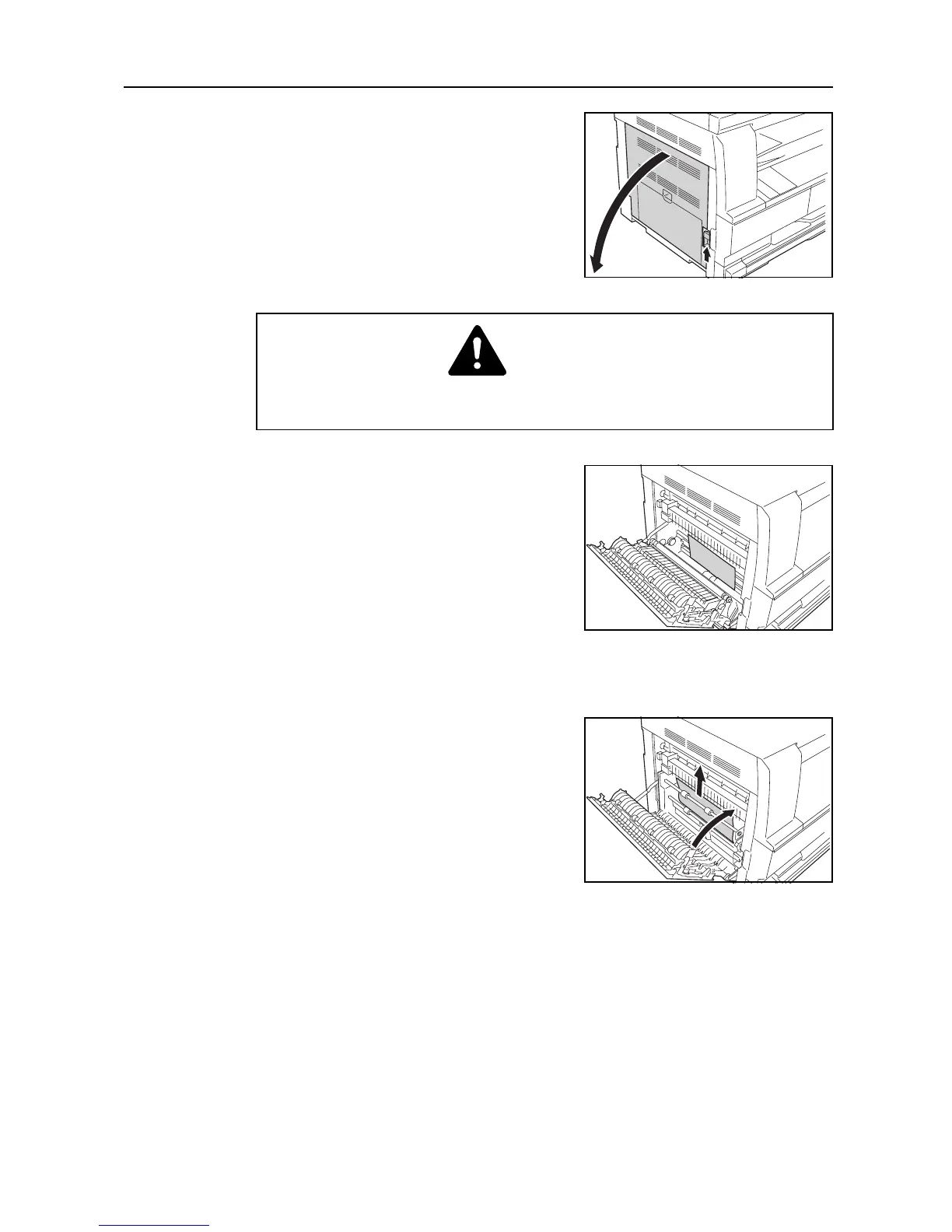
Pull the left cover handle up to open the left cover.
2
Remove any jammed paper without tearing it.
Note If the paper does happen to tear, remove any loose scraps from inside the machine.
3
If the optional duplex unit is installed, raise the duplex
unit and remove any paper.
Note If the paper does happen to tear, remove any loose scraps from inside the machine.
4
Close the left cover.
J50: Paper Jam in the Paper Output Slot
Perform the following procedure to remove the jammed paper.
Important! The drum section inside the main body is sensitive to scratches and contaminants. When removing
paper, be careful not to touch it or scratch it with your watch, ring, etc.
Caution
The fixing unit is extremely hot. Take sufficient care when working in this area, as there
is a danger of getting burned.











 To Next Page