91
snowflakes you see. More snowflakes you see, the colder the box
will be.
“V” will also switch to 120 volt AC first, however to change
temperature you must physically move the thermistor and wire from
10th position, left 2 or more fins for colder operation, inside the box.
There is NO thermostat in the “V” model.
On the 12 volt DC compressor type, to change inside temperature of
box, move slide switch in freezer compartment in direction you wish
to go, colder or warmer and turn thermostat in direction desired.
Additional information will be found in the manual supplied by the
manufacturer of the refrigerator for ALL units.
Always pre-cool the refrigerator for 8 to 24 hours before placing
cold food into box. Additional information is found in the manual
supplied by the manufacturer of your refrigerator.
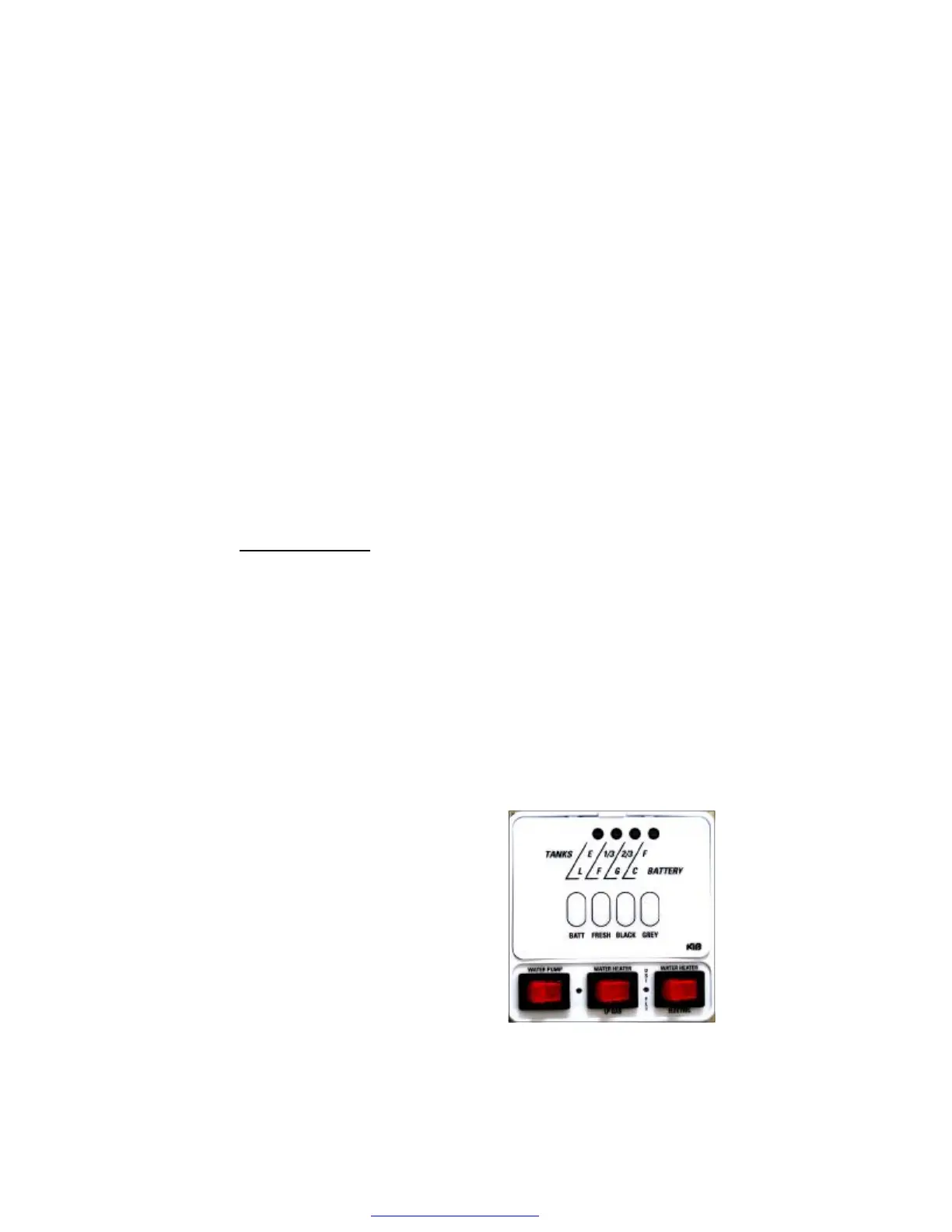
MONITOR PANEL
Your panel through modern technology will supply the charge
condition of your battery, and water level information from your
water tanks.
Operation requires 12-volt DC power, supplied by the battery or
converter. Sensors, one negative and three positive, attached to a
resistor feed information to the display panel. To operate, place
finger on button and push. A light will illuminate indicating the water
level of tanks or charge condition of battery. “Gallery” will light only
when floor plan includes the second gray water holding tank.
The switch on the lower left corner is for water pump operation.
When in the “ON” position, pump will run until 40 to 45 PSI is
achieved. The pump will shut off and
restart at 20 pounds of pressure.
Turn pump switch “OFF” when pump
is not in use.
The red switch in the middle at the
bottom of monitor panel is for the
water heater LP gas. Red switch,
lower right hand corner is for Water
Heater electric.
PDF created with pdfFactory trial version www.pdffactory.com



 To Next Page