16
Viewing Your Forecast Data
FORECAST
Daily & Hourly Forecast Buttons
When connected to Wi-Fi, use the DAILY & HOURLY buttons on the side of the station to view
future forecast information.
Tip: The icon will appear in the top right corner of the forecast section when your display is
connected and receiving AccuWeather forecasts.
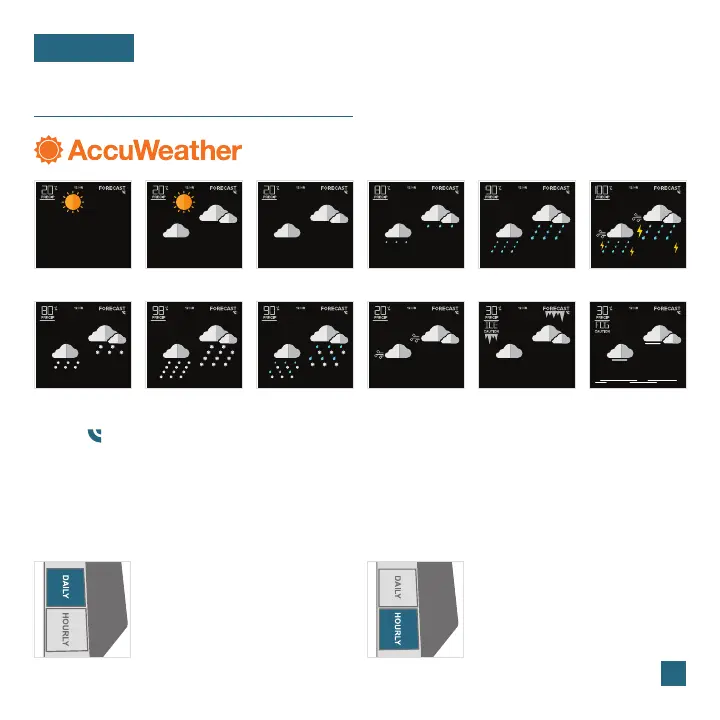
Sunny
Light Snow
Clouds
Wintry Mix
Rain
Ice
Partly Sunny
Snow
Light Rain
Windy
T-Storm
Fog
Available Forecast Icons when Connected*
Daily Forecast: Press the DAILY
button on the side of the station
to view individual Daily Forecasts.
Hold to automatically scroll
through all 7 days.
Hourly Forecast: Press the
HOURLY button to view
individual hourly forecasts.
Hold to automatically scroll
through all 12 hours.















 To Next Page