17
Relative Pressure
Add-On Temperature & Humidity Sensor
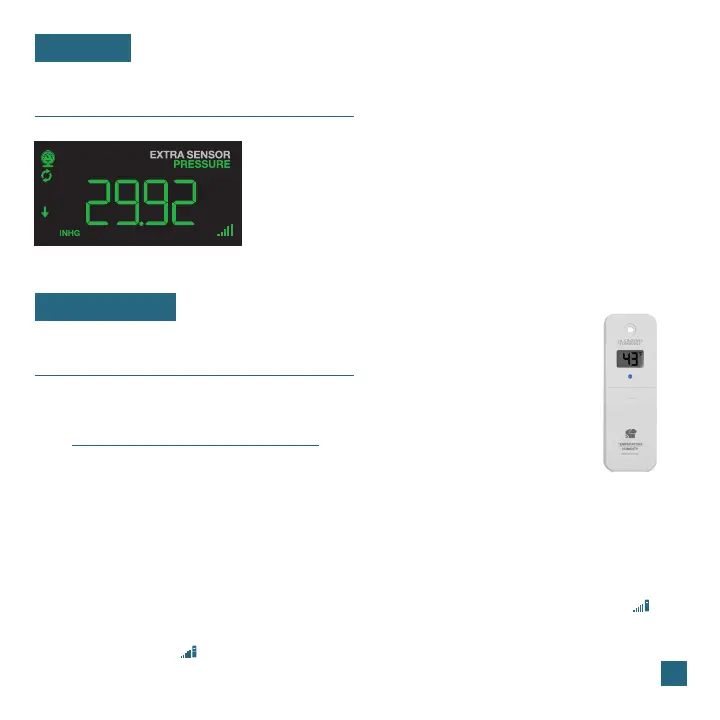
PRESSURE
EXTRA SENSORS
• Your Relative Pressure reading will come from your
station’s internal barometer.
• Please allow up to 10 days for automatic calibration, or
program your local pressure value in the Settings Menu.
• The arrows located to the left of the values represents
Pressure Tendency (rising/falling).
2. Hold the MINUS (-) button to delete these
Temperature & Humidity readings.
3. Hold the TEMP button until the green Sensor
Reception Indicator starts to animate.
Adding a Separate Temperature & Humidity Sensor
Pressure Reading Example
If you feel the temperature & humidity is not reading correctly from your
Breeze Pro Sensor, you can add a separate sensor to your system.
Visit: www.lacrossetechnology.com/view to learn more.
1. Press the SENSOR button until you see the
Outdoor Temperature and Humidity section light
up on screen. “ID WTH 123” and “TWH SENSOR”
will appear below.
4.
5.
Install new batteries into the add-on sensor
and press the TX button inside its battery
compartment. The LED light on the sensor
will flash.
The sensor should connect almost instantly
with its data appearing on screen. The
icon will appear when an add-on TH sensor
is being used.















 To Next Page