18
Additional Add-On Sensors
EXTRA SENSORS
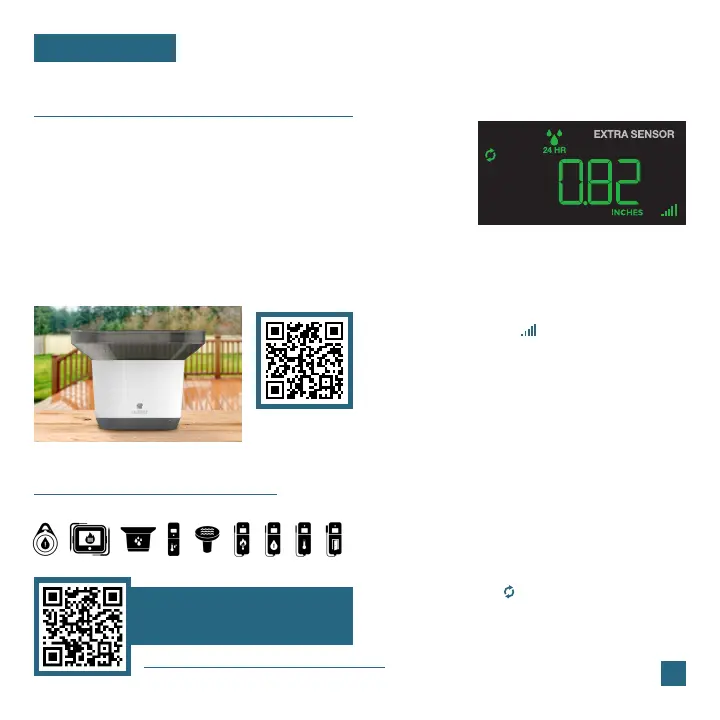
Rain Data Example
Whether you choose to connect with the La Crosse View
app or not, this station can display data for up to 4 extra
sensors. This data will appear in the green EXTRA SENSOR
section on the LCD, and in your La Crosse View app if
connected.
Scan the QR code above or visit:
www.lacrossetechnology.com/ltv-r3
www.lacrossetechnology.com/view
Model Number
LTV-R3
To learn about all of your
add-on sensor options,
scan the QR code or visit:
2. Install batteries into your sensor. If the sensor
has a TX button, press it to force a transmission
signal. This button is usually located in or near
the sensor’s battery compartment. The LED
light on the sensor will flash once.
3. Your sensor should connect within the next 3
minutes, briefly displaying its ID and type on
the LCD. The Sensor Reception Indicator will
show solid on the screen when a sensor is
connected.
Adding Sensors to Your StationWould you like backyard rain data as well?
1. Hold the EXTRA button until you see the Sensor
Reception Indicator start to animate.
Note: When first powering up, or after a factory
reset, extra sensors should automatically connect
to your station.
4. Press the EXTRA button to cycle through the
data you’d like displayed on the LCD. The
Auto Scroll Icon ( ) will appear if activated.















 To Next Page