118
1. Description of radio
1.1 Appearance
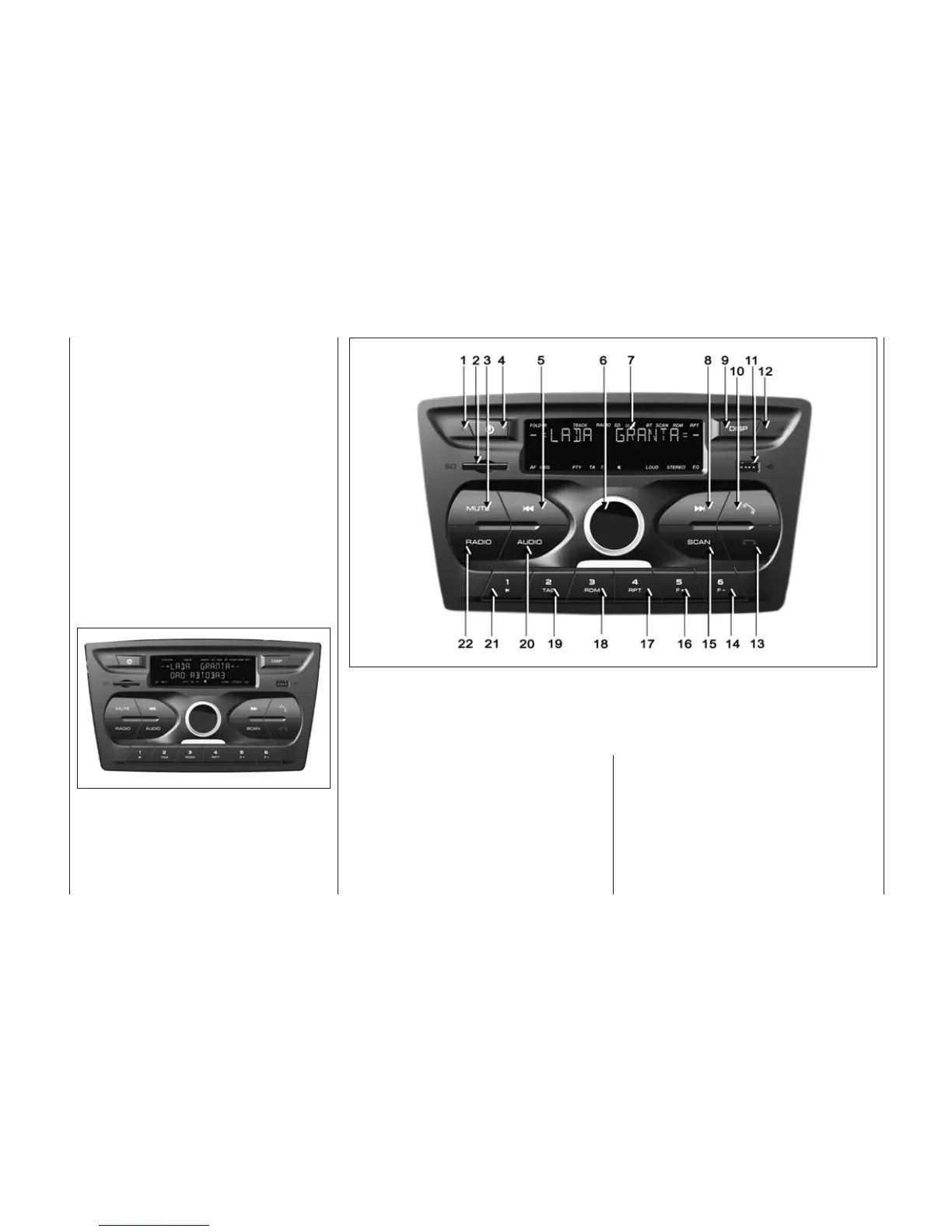
1.1.1 Fig.1 shows appearance of
outside panel of the radio and sound
file player 2190-7900010-20 is pre-
sented.
1.2 Description
of control panel
1.2.1 Control panel with relevant
figures on Fig. 2 is described in
Table 1.
1.2.2 To reset radio settings to
factory settings in conformity with
Table 2, it is necessary to use func-
tion Reset in system setting menu
(see par. 6.3).
Fig. 2. Control panel of radio
(optional design)
Fig. 1. Appearance and shape
of outside panel of radio
(optional design)


 To Next Page