Using Manual Mode Using Manual Mode
24
25
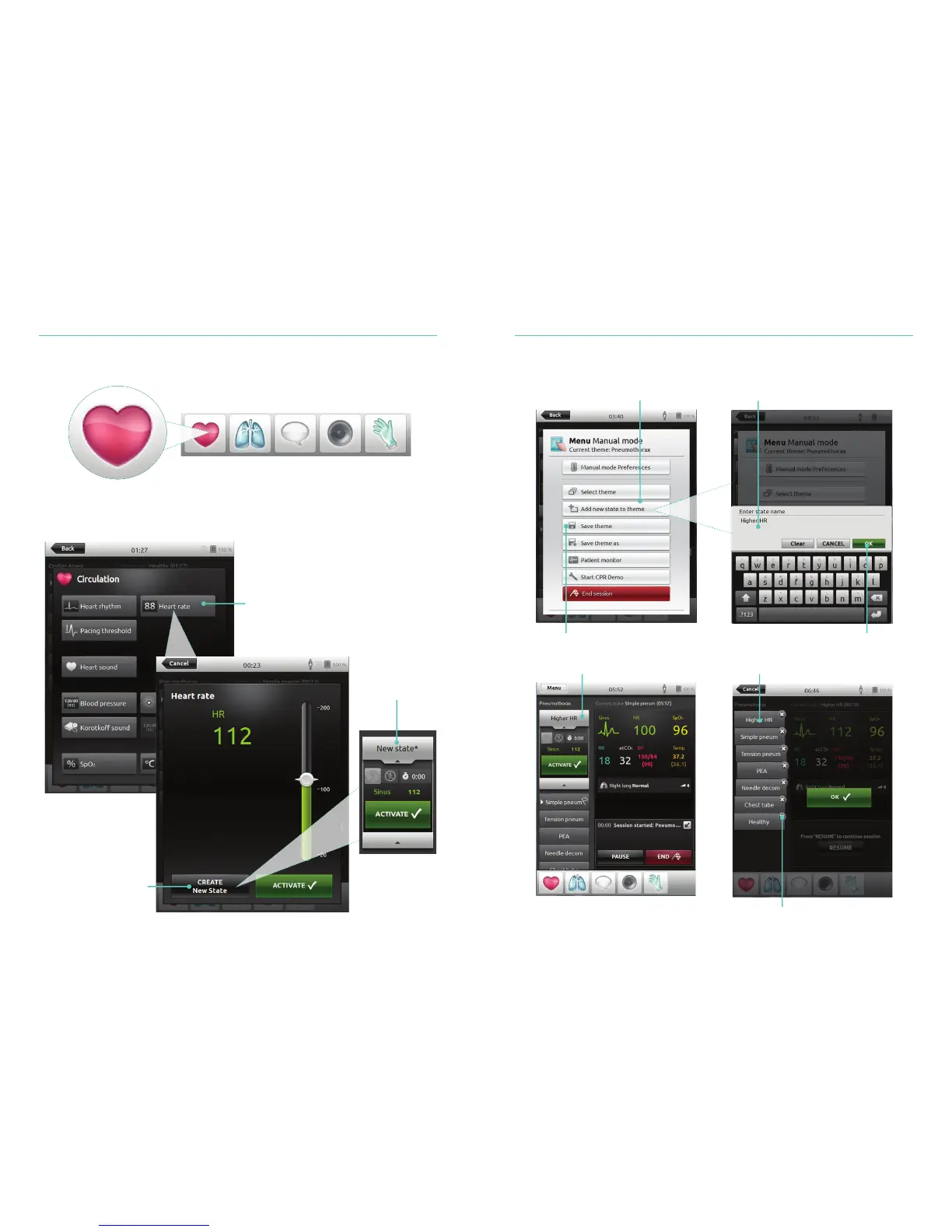
Add New State to an Existing Theme
Create New State for an Existing Theme
Tap to access Circulation Menu
Select your desired parameter
Tap to create a new state
New state visible
1. Tap to add new state to theme
4. Tap to save state to theme
New state is now ready Tap and hold to arrange states
Tap x to delete
3. Confirm
2. Enter new state name















 To Next Page