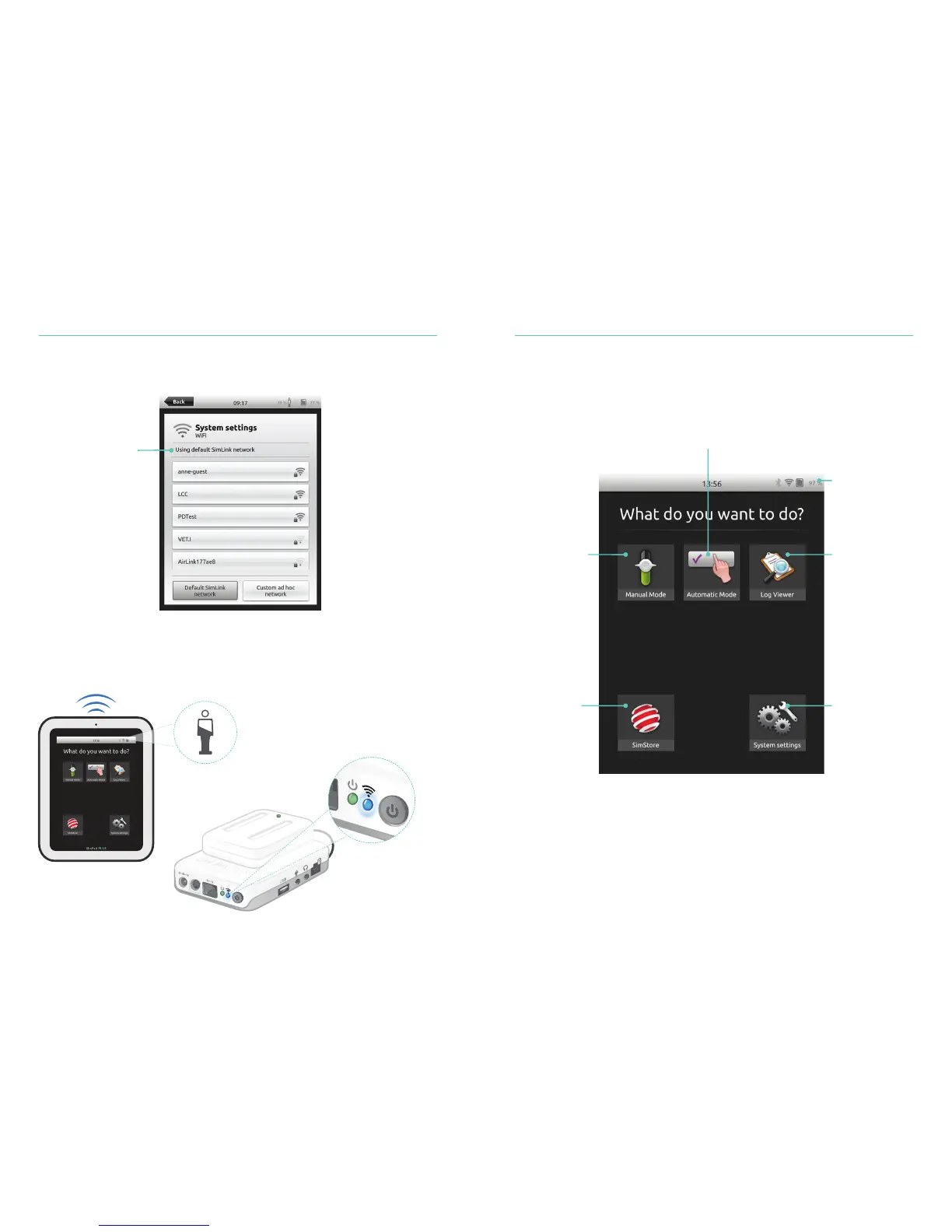
Overview of SimPad PLUS Home Screen
Battery status,
connection and
clock
Run pre-programmed
Scenarios in Automatic Mode
Select a log
to facilitate
debriefing with
the Log Viewer
Adjust display
brightness, clock
and more
Register and
synchronize
with SimStore
Run Scenarios
in Manual Mode
System Setup Using Automatic Mode
14
15
Connection between SimPad PLUS and Link Box PLUS
SimPad PLUS communicates with the Link Box PLUS using WiFi.
If no other Link Boxes are visible on the default SimLink network, the SimPad PLUS will
automatically connect to the Link Box PLUS. SimPad PLUS will remember the pairing
and reconnect when the units are turned on again. If multiple Link Boxes are available,
choose preferred Link Box PLUS.
A manikin symbol is
indicated on SimPad
when connected to
the Link Box
The blue WiFi LED
on the Link Box lights
up when connected
to SimPad
When the units are
turned on for the first
time they will set up
an ad hoc network
called SimLink















 To Next Page