Options
37
Options
36
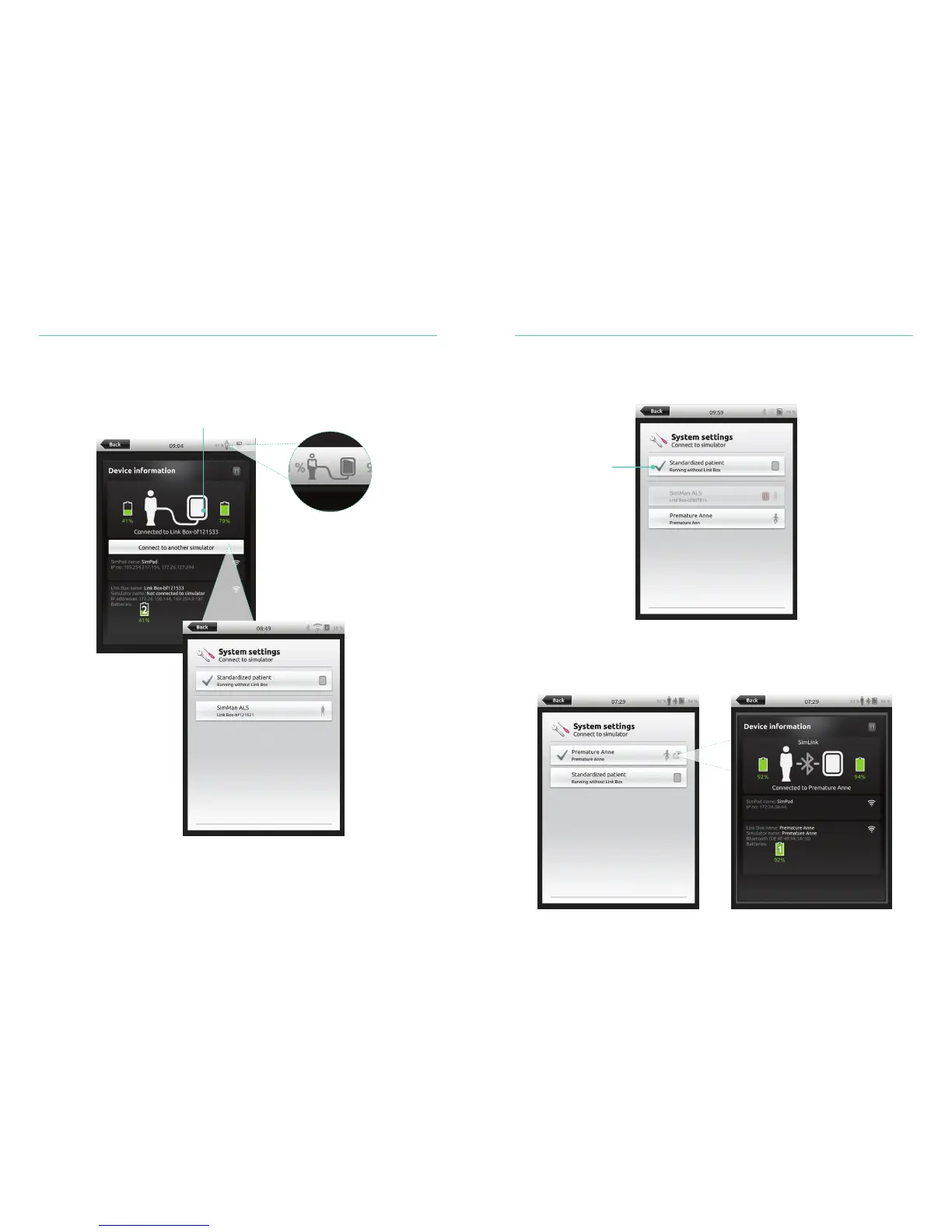
Connect SimPad PLUS to a different Link Box PLUS
SimPad PLUS can only be connected to one simulator at a time. SimPad PLUS will try to
re-establish a connection to the previous Link Box PLUS that it was connected to.
Select WiFi
Tap to connect SimPad
to a different Link Box
Use SimPad PLUS without a Link Box PLUS
SimPad PLUS can be used with a standardized patient without connecting to the
Link Box PLUS.
Bluetooth
SimPad PLUS can also connect to bluetooth enabled simulators.
Select Standardized
patient















 To Next Page