Simulated Patient Monitor Firmware
34
35
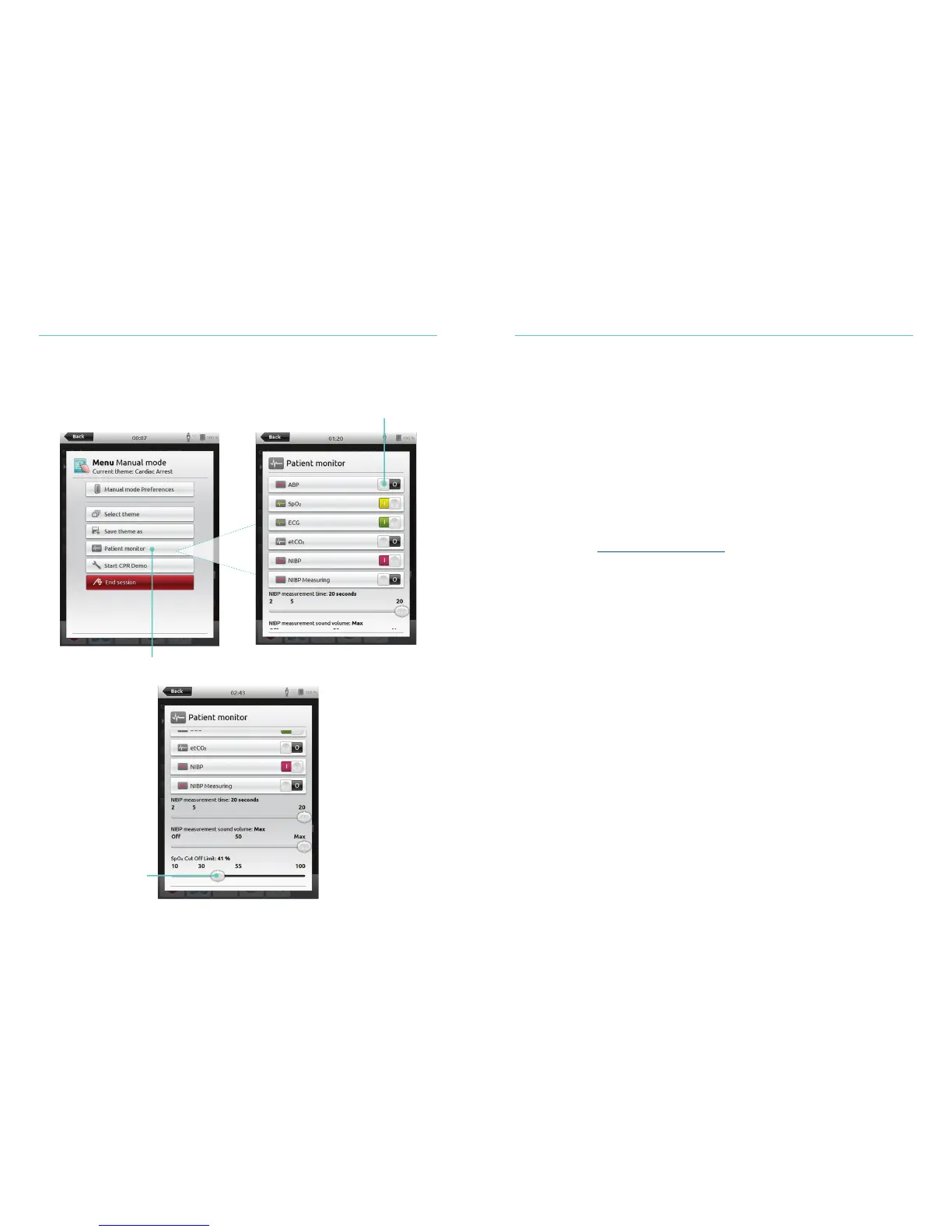
Instructor Control of Simulated Patient Monitor
When the simulated Patient Monitor (optional item) is connected to SimPad PLUS, the
instructor can toggle the display of vital signs.
Patient Simulator Firmware Update
When Link Box PLUS is connected to a Patient Simulator with internal firmware
(SimNewB, ALS Simulator, or SimJunior) the internal firmware will be automatically
updated, if necessary.
From SimPad PLUS Home Screen, go to:
System Settings>About simulator>Force-update simulator firmware.
Session Viewer
Session Viewer is a free software solution that enables instructors or students to view
debriefing from the SimPad PLUS System. Use Session Viewer to annotate, print and save
the SimPad PLUS data log. Session Viewer also enables capture of audio and video from
1 HD USB web camera synchronized with the SimPad PLUS data log.
To download, visit www.laerdal.com/downloads
Select Cut Off limits
Navigate to menu and select
Patient Monitor
Toggle On/Off vital signs















 To Next Page