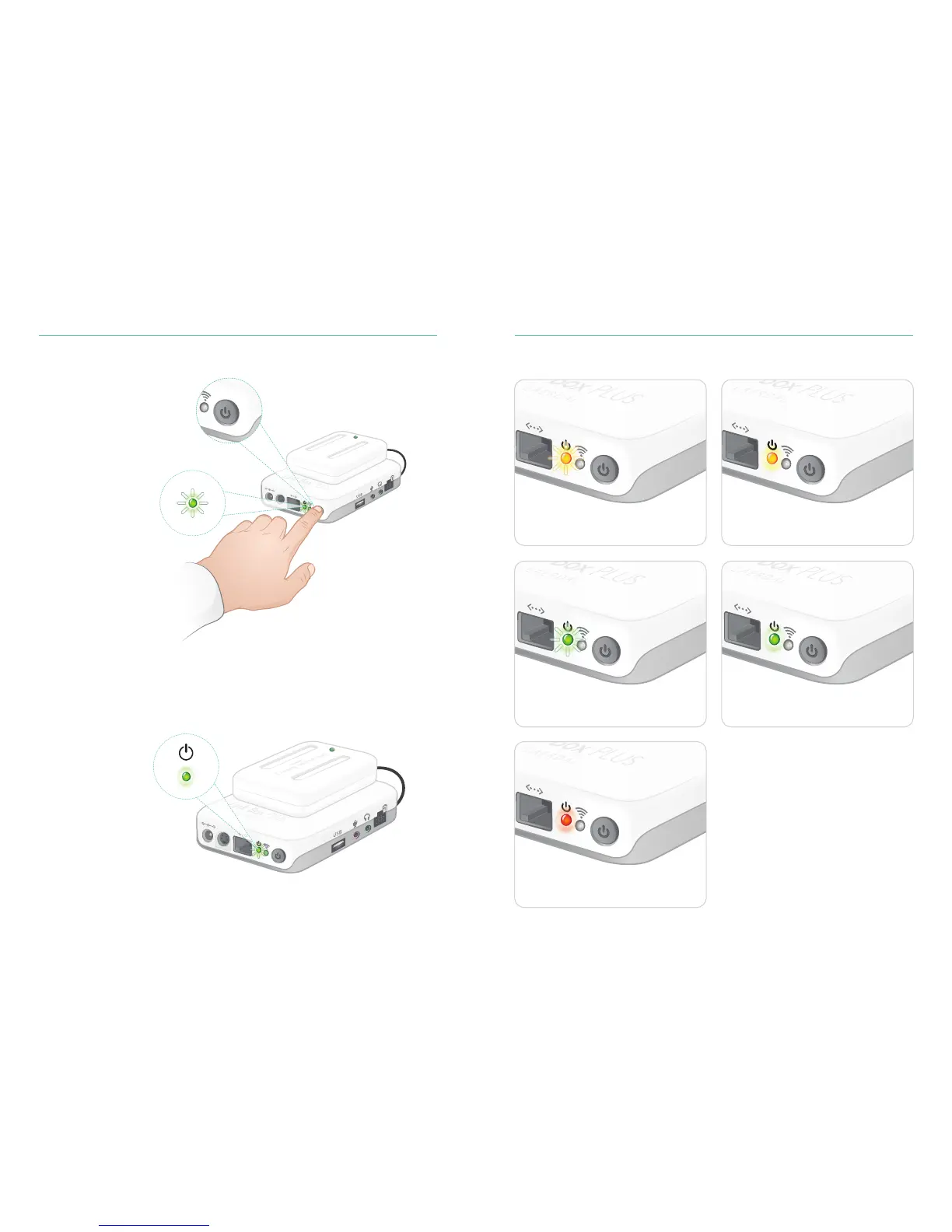
Turn On Link Box PLUS
8
Status LED
The Power LED also indicates status.
Charging batteries - flashing yellow light.
Starting and shutting down -
flashing green light.
Error, needs service - steady red light.
Contact your local Laerdal representative.
Batteries charged - steady yellow light.
Link Box PLUS on - steady green light.
9
Link Box PLUS SetupLink Box PLUS Setup
Release the button
when the LED starts
flashing green
Turn on by pressing
On/Off button
A steady green LED
indicates the device is
ready to use















 To Next Page