6.4 Com mand Summa ry 105
| www.lakeshore.com
When issuing commands the user program alone should:
D Properly format and transmit the command including the terminator as one
string
D Guarantee that no other communication is started for 50 ms after the last char-
acter is transmitted
D Not initiate communication more than 20 times/s
When issuing queries or queries and commands together, the user program should:
D Properly format and transmit the query including the terminator as one string
D Prepare to receive a response immediately
D Receive the entire response from the instrument including the terminator
D Guarantee that no other communication is started during the response or for
50
ms after it completes
D Not initiate communication more than 20 times/s
Failure to follow these simple rules will result in inability to establish communication
with the instrument or intermittent failures in communication.
6.4 Command
Summary
This section provides a listing of the interface commands. A summary of all the com-
mands is provided in TABLE 6-6. All the commands are detailed in
section 6.4.1, and are presented in alphabetical order.
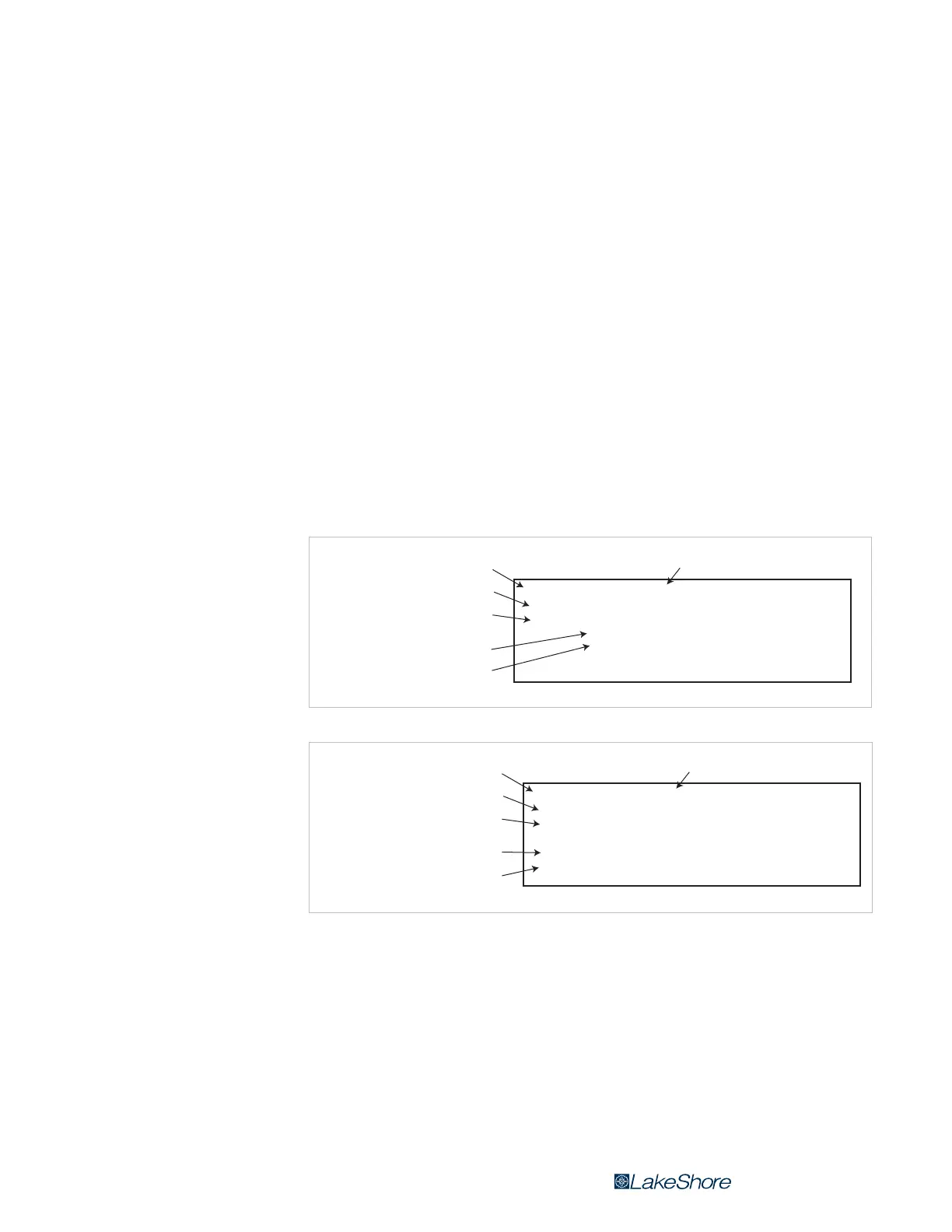
FIGURE 6-5 Sample command format
FIGURE 6-6 Sample query format
INCRV <input>, <curve number>[term]
INCRV
Brief description of command
Command name
Form of the command input
Syntax of user parameter input
see key below
Definition of first parameter
Definition of second parameter
Input:
Format:
a, nn
<input> Specify input: A–B
<curve number>
Input Curve Number Command
Specify input curve:
0 = none, 1–20 = std curves,
21–59 = user curves
INCRV? <input>[term]
INCRV?
Brief description of query
Query name
Form of the query input
Syntax of user parameter input*
see key below
Definition of returned parameter
Syntax of returned parameter
Input:
Format:
Returned:
Format:
a
<input> Specify input: A–B
<curve number>[term]
nn
Input Curve Number Query


 To Next Page