EasyManua.ls Logo

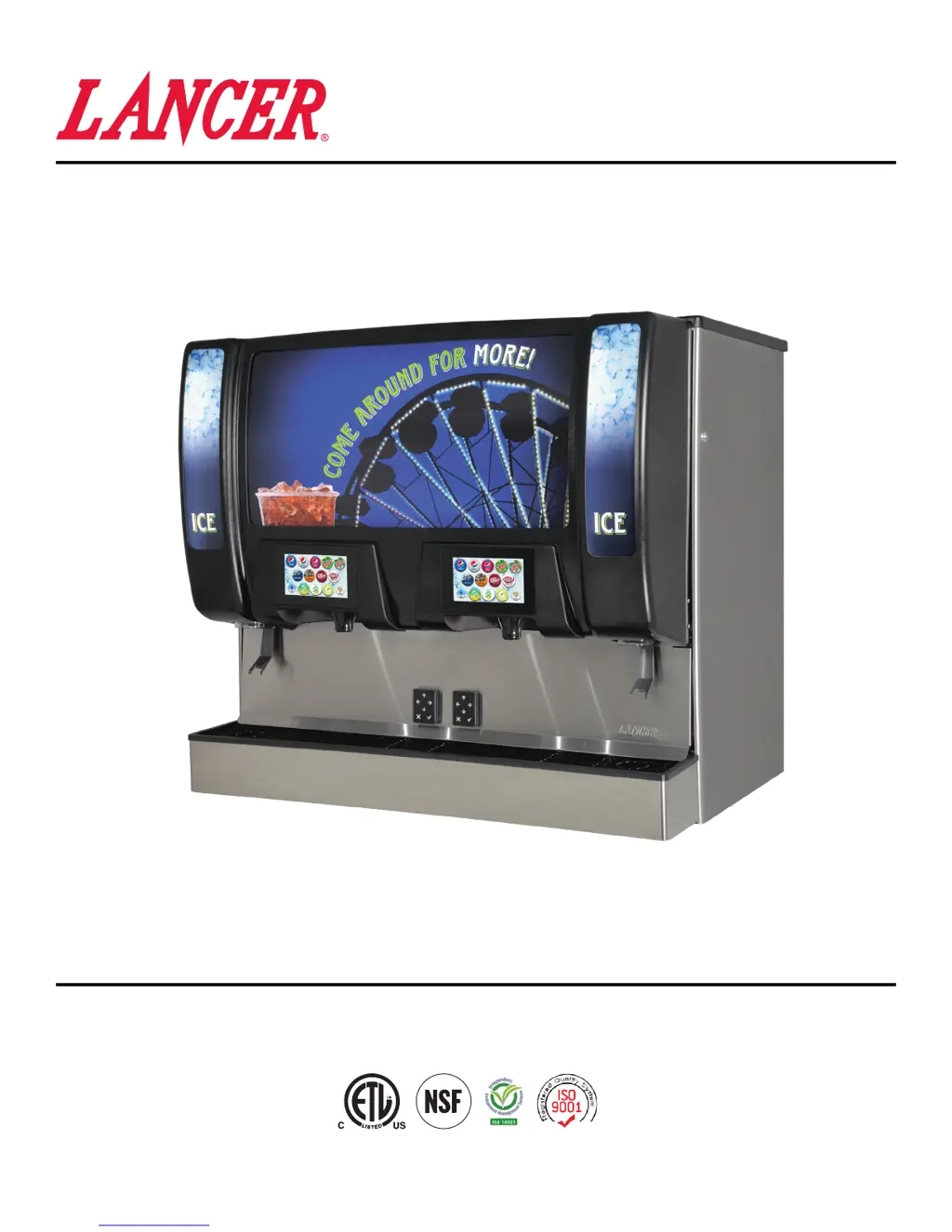
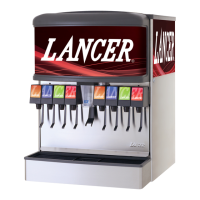
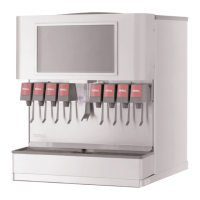
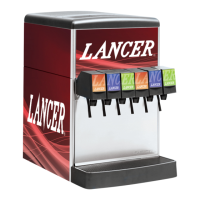
lancer Twin Pour - User Manual

lancer Twin Pour
34 pages
Print Icon
To Next Page IconTo Next Page
Loading...
Twin Pour
“Lancer” is the registered trademark of Lancer © 2019 by Lancer, all rights reserved.
®
FS44
Lancer Corporation
6655 Lancer Blvd.
San Antonio, Texas 78219
800-729-1500
Technical Support/Warranty: 800-729-1550
email: custserv@lancercorp.com
web: lancercorp.com
Lancer PN: 28-3010/01
Revision: January 2019
Operation Manual

Other manuals for lancer Twin Pour

Questions and Answers

  • M
    Micheal TannerSep 23, 2025
    What to do if I push the chute, the ice door opens, the motor runs, but ice does not dispense, or ice is of poor quality from my Lancer Dispenser?
    • R
      Ronald StewartSep 23, 2025
      If you push the chute, the ice door opens, the motor runs, but ice does not dispense or the ice is of poor quality from your Lancer dispenser, it could be due to the dispenser being out of ice, a missing or damaged agitator pin, poor ice quality, or a key not installed on the agitation shaft. To resolve this: * Fill the dispenser with ice. * Replace the agitator pin. * Service the ice machine. * Install the key on the agitation shaft.
  • B
    Brendan WoodwardAug 23, 2025
    What to do if my lancer Twin Pour has insufficient soda flow (carbonated drinks)?
    • K
      Karen VargasAug 25, 2025
      If your Lancer dispenser has insufficient soda flow, it could be due to insufficient CO supply pressure, the shutoff on the mounting block not being fully open, or foreign debris in the soda flow control. To address this: 1. Verify the incoming CO pressure is between 70 psi (0.483 MPa) and 80 psi (0.552 MPa). 2. Ensure the shutoff is fully open. 3. Remove the soda flow control from the valve and clean out any foreign material to ensure smooth spool movement.
  • L
    ljohnsonAug 25, 2025
    What to do if my lancer Twin Pour Dispenser has insufficient water flow (plain water drinks)?
    • E
      erinrodriguezAug 26, 2025
      If you're experiencing insufficient water flow in your Lancer dispenser, it could be due to insufficient incoming supply pressure, the shutoff on the mounting block not being fully open, foreign debris in the water flow control, or a water filtration problem. Here's how to troubleshoot: 1. Verify the incoming supply water pressure to the plain water inlet is a minimum of 75 psi (0.516 MPa) and a maximum of 125 psi (0.862 MPa). 2. Ensure the shutoff is fully open. 3. Remove the water flow control from the valve and clean out any foreign material to ensure smooth spool movement. 4. Service the water system as required.
  • B
    Bill HenryAug 27, 2025
    Why is my lancer Twin Pour Dispenser dispensing water only, no syrup; or syrup only, no water?
    • P
      paulhuntAug 27, 2025
      If your Lancer Dispenser is dispensing only water or only syrup, it could be due to several reasons: an empty syrup BIB, the water or syrup shutoff on the mounting block not being fully open, an improper or inadequate water or syrup supply, low CO pressure to the syrup pump, a stalled or inoperative BIB pump, a kinked line, or a CO regulator malfunction. Try the following: * Replace the syrup BIB as required. * Open the shutoff completely. * Remove valve from mounting block & open shut-offs slightly. Check water & syrup supply. Ensure the BIB connection is engaged. * Check the CO pressure to the pump to ensure it is between 70-80 psi (0.483-0.552 MPa). * Check CO pressure and/or replace pump. * Remove kink or replace line. * Repair or replace CO regulator as required.
  • D
    Dana JamesAug 27, 2025
    Why is my Lancer Dispenser experiencing erratic ratio?
    • V
      Veronica RojasAug 27, 2025
      An erratic ratio in your Lancer dispenser could be caused by incoming water and/or syrup supply not being at minimum flowing pressure, foreign debris in the water and/or syrup flow control, or a CO regulator malfunction. To resolve this: * Check the pressure and adjust. * Remove the flow control from the suspected valve and clean out any foreign material to ensure smooth spool movement. * Repair or replace the CO regulator.
  • J
    Jon PattersonSep 15, 2025
    Why does the BIB pump fail to stop when the dispensing valve is closed on my lancer Twin Pour?
    • D
      Darrell SullivanSep 15, 2025
      If the BIB pump fails to stop when the dispensing valve is closed on your Lancer Dispenser, it could be due to a leak in the discharge line or fittings, an empty BIB, or an air leak on the inlet line or bag connector. To address this: * Repair or replace the discharge line. * Replace the BIB. * Repair or replace the inlet line or bag connector.
  • K
    Kimberly HuntSep 12, 2025
    Why is the BIB pump operating, but there is no flow in my lancer Twin Pour Dispenser?
    • R
      Ryan HansenSep 12, 2025
      If the BIB pump is operating but there's no flow in your Lancer Dispenser, it could be due to a leak in the syrup inlet or outlet line, or a defective BIB pump. To fix this: * Replace the line. * Replace the BIB pump.
  • B
    Brandon HernandezSep 13, 2025
    Why does the BIB pump fail to restart after a bag replacement in my lancer Twin Pour?
    • J
      Jennifer MarshSep 14, 2025
      If the BIB pump fails to restart after a bag replacement in your Lancer Dispenser, it could be because the BIB connector is not on tightly, the BIB connector is stopped up, or there are kinks in the syrup line. To fix this: * Tighten the BIB connector. * Clean out or replace the BIB connector. * Straighten or replace the line.
  • R
    Rebecca TapiaSep 5, 2025
    How to fix miscellaneous leakage in my lancer Twin Pour Dispenser?
    • A
      Angela BraySep 5, 2025
      Miscellaneous leakage in your Lancer dispenser could be due to a gap between parts or damaged/improperly installed o-rings. To resolve this: * Tighten the appropriate retaining screws. * Replace or adjust the appropriate o-rings.
  • S
    Sydney SmithSep 2, 2025
    Why is my lancer Twin Pour only dispensing syrup with CO gas, but no water?
    • S
      Sharon BurkeSep 2, 2025
      If your Lancer Dispenser is only dispensing syrup with CO gas but no water, it could be due to improper water flow to the dispenser, the carbonator pump motor having timed out, the liquid level probe not connected properly to the PCB, a defective PCB assembly, a defective liquid level probe, or a weak or defective carbonator pump. To fix this: 1. Check for water flow to the dispenser. 2. Reset by turning the unit OFF, then ON by using the circuit breaker on the power supply or momentarily unplugging the unit. 3. Check the connections of the liquid level probe to the PCB assembly. 4. Replace the PCB assembly. 5. Replace the liquid level probe. 6. Replace the pump.

Summary

About This Manual

Before Getting Started

Important Safety Instructions

Intended Use

Specifies the dispenser's intended application, user limitations, and operating environment.

Power Safety Guidelines

Guidelines for electrical connections, grounding, circuit requirements, and safety precautions.

Carbon Dioxide (CO₂) Safety

Details hazards associated with CO₂ gas, including displacement of oxygen and safe handling.

Water Supply Requirements

Requirements for potable water supply, pipe sizing, pressure limits, and backflow prevention.

Pre-Installation Procedures

Specifications & Features Overview

Provides dimensions, weight, electrical requirements, and supply line specifications.

Automatic Agitation Information

Information on the automatic agitation system and related safety precautions.

General System Overview

Pre-Installation Checklist

Installation Guide

Unpacking the Dispenser

Step-by-step instructions for safely removing the dispenser from its shipping base.

Counter Location Selection

Guidance on choosing a suitable location, considering ventilation, electrical, water, and ADA requirements.

Leveling the Dispenser

Instructions for ensuring the dispenser is level for proper drainage and performance.

Installing an Icemaker

Steps and precautions for installing an icemaker, including thermostat requirements.

Dispenser Unit Installation

Detailed steps for physically installing the dispenser unit, including merchandiser removal.

Connecting to Remote Dispenser

Instructions for plumbing water lines to a remote dispenser.

Installing CO₂ Supply

Steps for connecting the CO₂ regulator assembly to the cylinder and manifold.

Dispenser Setup Procedures

Procedure for turning on water, verifying connections, and connecting power.

Adding New Brand;Flavor Module

Guide to activating and configuring new brands or flavors in the dispenser.

Calibration & Maintenance

Calibrating Water Modules

Procedure for setting water flow rates for plain and carbonated water modules.

Calibrating Syrup Modules

Steps to set dispensing time and flow rates for brand syrup modules.

Calibrating Ambient Flavor Modules

Procedure for setting flow rates for ambient flavor modules.

Features of the Twin Pour Dispenser

System Settings Configuration

Configuration options for nutrition display, water dispensing, and flavor shots.

Time & Delay Feature Adjustments

Adjusting settings for Brand Timeout, Screen Saver, Sleep Mode, and Dispense Timeout.

Lighting Features Adjustment

Adjusting the brightness of nozzle lights during dispensing and idle states.

Sold-Out Feature Setup

Configuration for managing product availability status (Ready, Out, Auto) for brands.

Software Update Procedure

Instructions for updating the dispenser's software via USB.

Brand & Flavor Data Update

Procedure for updating brand and flavor data using a USB drive.

Cleaning and Sanitizing Procedures

General Cleaning Information

Guidelines for operator maintenance, sanitation, and safety precautions during cleaning.

Cleaning & Sanitizing Solutions Preparation

Preparation of cleaning and sanitizing solutions, including concentrations and temperatures.

Nozzle Sanitizing Procedure

Preparation and use of a specific solution for sanitizing dispenser nozzles.

Plastic Finish Care Recommendations

Recommendations for cleaning the dispenser's finish without causing damage.

Scheduled Maintenance Tasks

Daily, monthly, and bi-annual cleaning tasks for exterior and interior components.

Cleaning & Sanitizing Nozzles

Detailed steps for removing, cleaning, and sanitizing the dispenser nozzles.

Cleaning Ice Bin, Auger, and Chute

Procedure for cleaning internal components including ice bin, auger, and ice chute.

Cleaning Syrup Lines (Bag in Box)

Steps to clean and sanitize syrup lines from bag-in-box containers.

Cleaning Flavor Injector Lines

Procedure for cleaning and sanitizing flavor injector lines.

Troubleshooting Guide

Valve, Syrup;Flavor Line Issues

Diagnoses and remedies for issues related to valves, syrup, and flavor lines.

Ice Bin;Ice Chute;Carbonator Pump Problems

Troubleshooting common problems with ice dispensing and carbonation.

Remote Syrup Pump Issues

Diagnoses and remedies for issues with remote syrup pump operation.

Illustrations and Part Listings

Graphics & Labels Assembly

Diagrams and part numbers for various labels and graphic panels.

Main Unit Assembly Diagram

Exploded view of the main dispenser unit with part numbers.

Electrical Assembly Diagram

Diagram and part list for the dispenser's electrical components.

Unit Plumbing Diagram

Diagram illustrating the water, syrup, and CO₂ line connections.

Unit Wiring Diagram (115 Volt)

Wiring diagram for the 115-volt dispenser system.

Control PCB Wiring Diagram

Detailed wiring diagram for the control printed circuit boards.

Power Supply Wiring Diagram

Wiring diagram for the dispenser's power supply unit.

LED Lighting Configuration

Diagram showing LED lighting setup and DIP switch settings.

DIP Switch Legend

Explanation of DIP switch functions for auto agitation and auger run time.

lancer Twin Pour Specifications

General IconGeneral
Brandlancer
ModelTwin Pour
CategoryDispenser
LanguageEnglish

Related product manuals