Rev: 03.19.21 Page 13 CCD-0004319
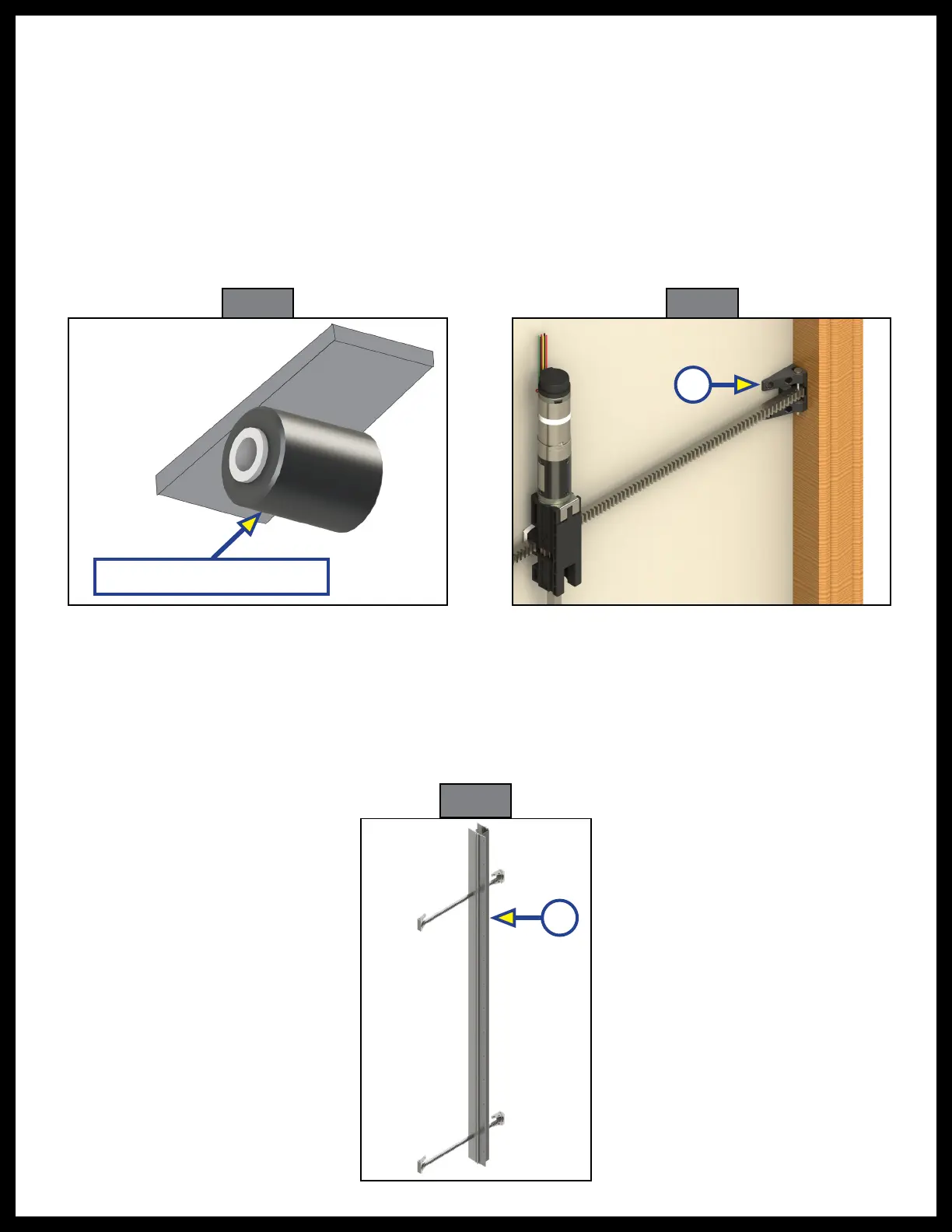
4. Verify the weight of the slide-out is supported by the floor rollers (Fig. 13) and not the slide-out mechanism.
NOTE: It is recommended that aluminum or hard plastic wear strips be placed between the floor rollers
and the bottom of the slide room floor to prevent the weight of the room from creating drag points
on soft surfaces of the underside of the room.
NOTE: If the slide-out is not completely supported by the floor rollers, you will hear a slight "popping"
sound as the slide-out settles onto the rollers. This is normal, and there is nothing wrong with the
system or the install.
5. Secure the mounting flanges to the unit's side wall with #10 button or pan head screws torqued to 40-
50 in-lbs (Fig. 14A).
Alternate Install for Vertical Channel Assemblies with Two Flanges
After steps 1-2 are complete:
A. Remove the inner flange (Fig. 15A) from each side of the vertical channel assemblies before lifting
the slide-out into position.
B. Once the slide-out is in position, re-install the removed flanges.
C. Installation of the vertical channel assembly is now complete.
Floor Roller (not supplied)
Fig. 15
A
A
Fig. 13 Fig. 14



 To Next Page