Rev: 03.19.21 Page 19 CCD-0004319
Electrical Components
1. The controller is not waterproof. Mount the controller in a clean and dry, weathertight location that
will keep it from being damaged, but is easily accessible for service.
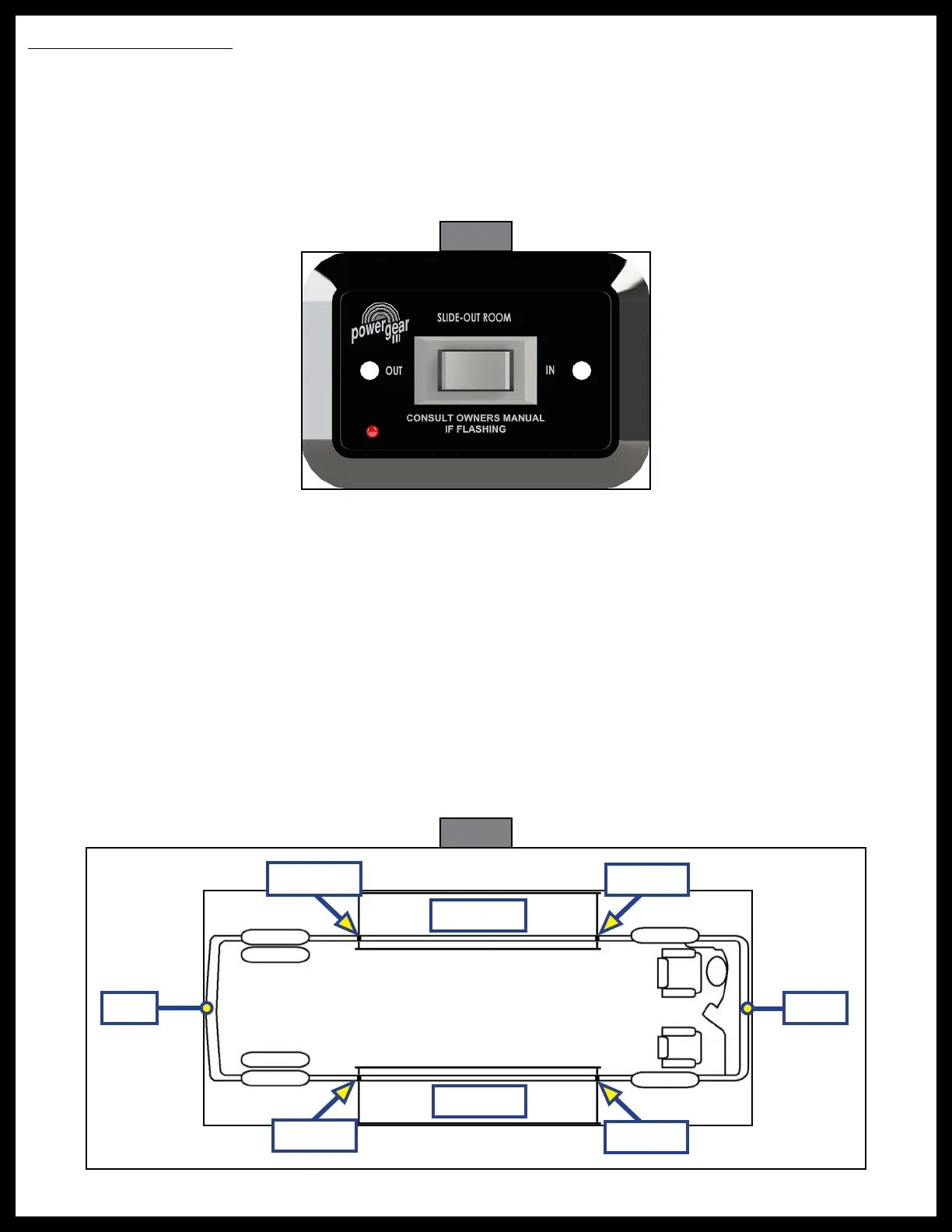
2. Determine location to mount the rocker switch (Fig. 23). The location must be in view of slide-out and
have a minimum depth of 1" inside the wall.
3. Route the wire harness to where the rocker switch will be mounted.
A. Connect the harness to the back of the switch.
B. Mount the switch with two screws.
4. Label the motor leads at both ends to aid in connecting to the controller and motors. Route the motor
and sensor harnesses from the slide-out motors to the controller.
5. If installing in a motorized unit, route the park brake input harness from the park brake signal source to
the controller.
NOTE: It is important that the slide-out motors be plugged into the proper receptacle at the controller.
When inside the unit and facing the slide-out, Motor 1 is always located on the left side of the slide-
out. See Figure 24 for all proper slide-out motor designations.
NOTE: Failure to properly connect the motors to the controller will result in problems for future
troubleshooting. The controller will identify the incorrect motor during a fault.
6. Route and attach the proper gauge electrical wire from the controller to the 12V DC battery. See Wiring
Diagram on page 30. Lippert Components recommends that this circuit be protected with a 30 amp
in-line fuse/resettable breaker (not supplied).
Fig. 23
Motor 1
Motor 2
Motor 2
Motor 1
FrontRear
Roadside
Curbside
Fig. 24



 To Next Page