UNCONTROLLED IF PRINTED 14
Fill Adapter maintenance is critical for successful operation of your phx42. See the H
2
Fill Adapter
(LDAR#1260) Maintenance and Installation guide via LDARtools.com → Resources →
Documentation.
1. Remove the H
2
quick-fill cover (LDAR#42908).
2. Ensure the following:
(a) Verify no dust or debris is in the H
2
Fill Port.
(b) Verify no dust or debris is in the H
2
Fill Adapter.
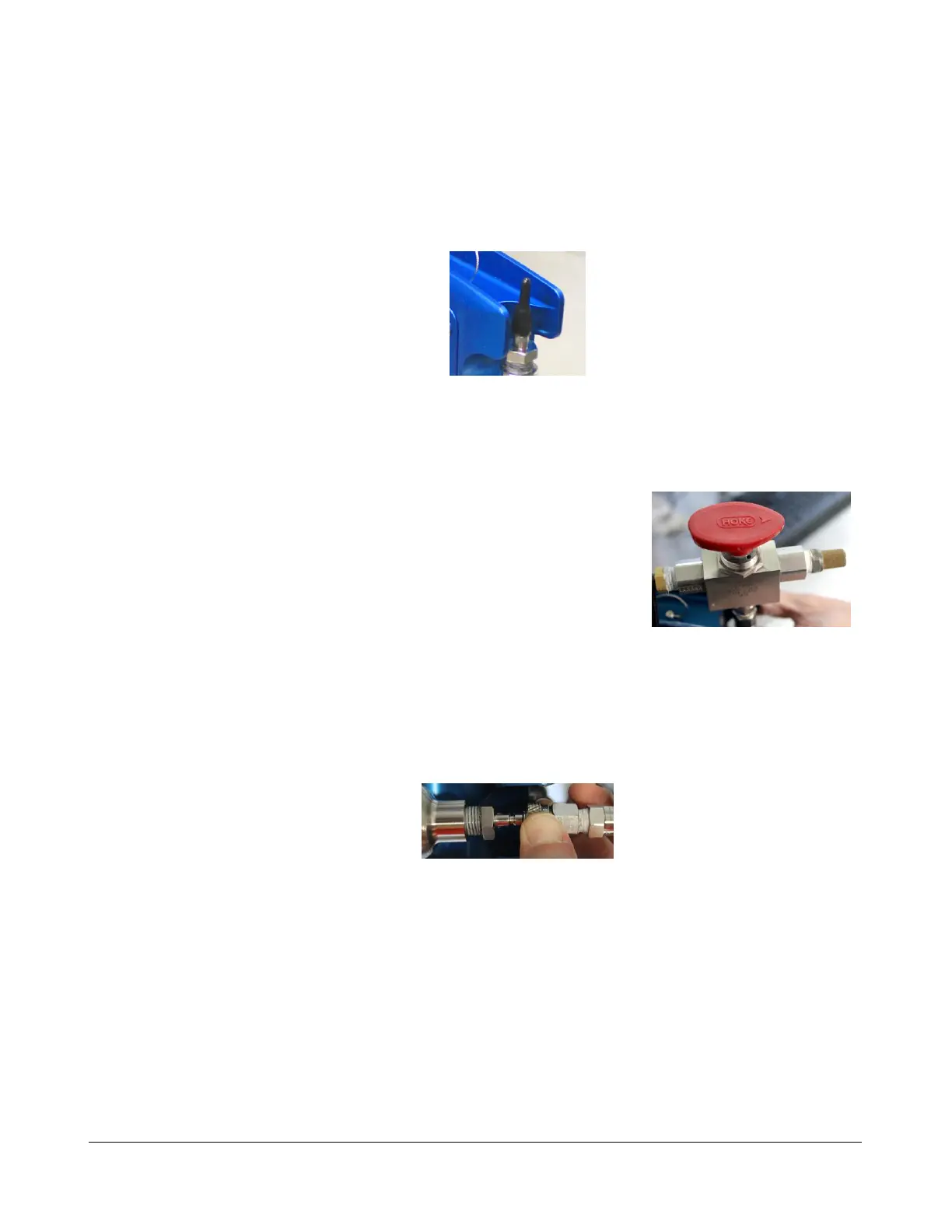
(c) Verify the arrow on the red handle is pointing to the
breather side of the fill valve (see photo).
(d) Verify the gauge nearest the cylinder reads ≤ 1800
psi. If not, adjust the regulator.
• Note: Do NOT exceed 1800 psi or the pressure
relief valve will vent.
(e) If pressure has bled off the H
2
Fill Adapter, turn the red handle 180° for 2 seconds
to bleed any air from the system before connecting to the phx42.
3. Power on the phx42.
4. Connect the H
2
Fill Adapter to the H
2
fill port, then verify the connection by slightly
pulling on the 3-way valve and spinning the collar.
5. Turn the red handle 180° to open valve. The arrow should point toward the fill hose.
6. Wait until the needle on the gauge stops moving.
7. Turn the handle back 180° to close the valve. There will be a slight hiss from the release of
pressure.
8. Pull on the collar of the H
2
Fill Adapter to release it.
9. Twist the H
2
quick fill cover onto the H
2
fill port.
10. Close the bottle. There is no need to bleed pressure off the H
2
fill Adapter.
REMINDER: The phx42 MUST have the H
2
quick-fill cover in place at all times unless filling.



 To Next Page