PAGE 14
TUNING
Basic Tuning Operation
A tuning cycle on the AT-600Pro is initiated from either the Tune button on the front of the
AT-600Pro, an over-SWR condition when in fully automatic tuning mode, or from pressing the
TUNER/CALL button on the front of an ICOM radio connected using the ICOM interface
cable. Two types of tuning cycles are available.
A memory tuning cycle attempts to tune quickly, based on having previously tuned on the
present frequency selection. If the tuner previously was successful in tuning on the currently
selected frequency, the settings from that match will be loaded into the tuner relays, and checked
to see if an acceptable SWR level is found using these memorized settings.
Memory frequency step sizes vary with the selected band. Steps are very close together on
the lower bands, to accommodate the typically higher-Q antennas for those bands, while step size
is somewhat larger on the higher (17 meters and up) bands, where antenna Q is typically lower.
A full tuning cycle “starts from scratch,” and begins a fixed tuning sequence, where the AT-
600Pro rapidly tries varying combinations of inductance and capacitance values, and then
zeroes-in on the best match possible. When the tuning cycle is complete, if an acceptable match
was found, the inductance and capacitance settings are saved in a memory associated with the
selected frequency and antenna, so that they may be recalled quickly in the future via a memory
tuning cycle.
In this manner, the AT-600Pro “learns;” the longer you use it, the more closely it adapts itself
to the bands and frequencies you use. Most users will probably use memory tuning most of the
time; it takes advantage of any saved tuning settings, but automatically defaults to a full tuning
cycle if no stored data is available.
Manual Memory Tune
To initiate a memory tuning cycle at any time, first, bypass the amplifier
2
. Press and hold the
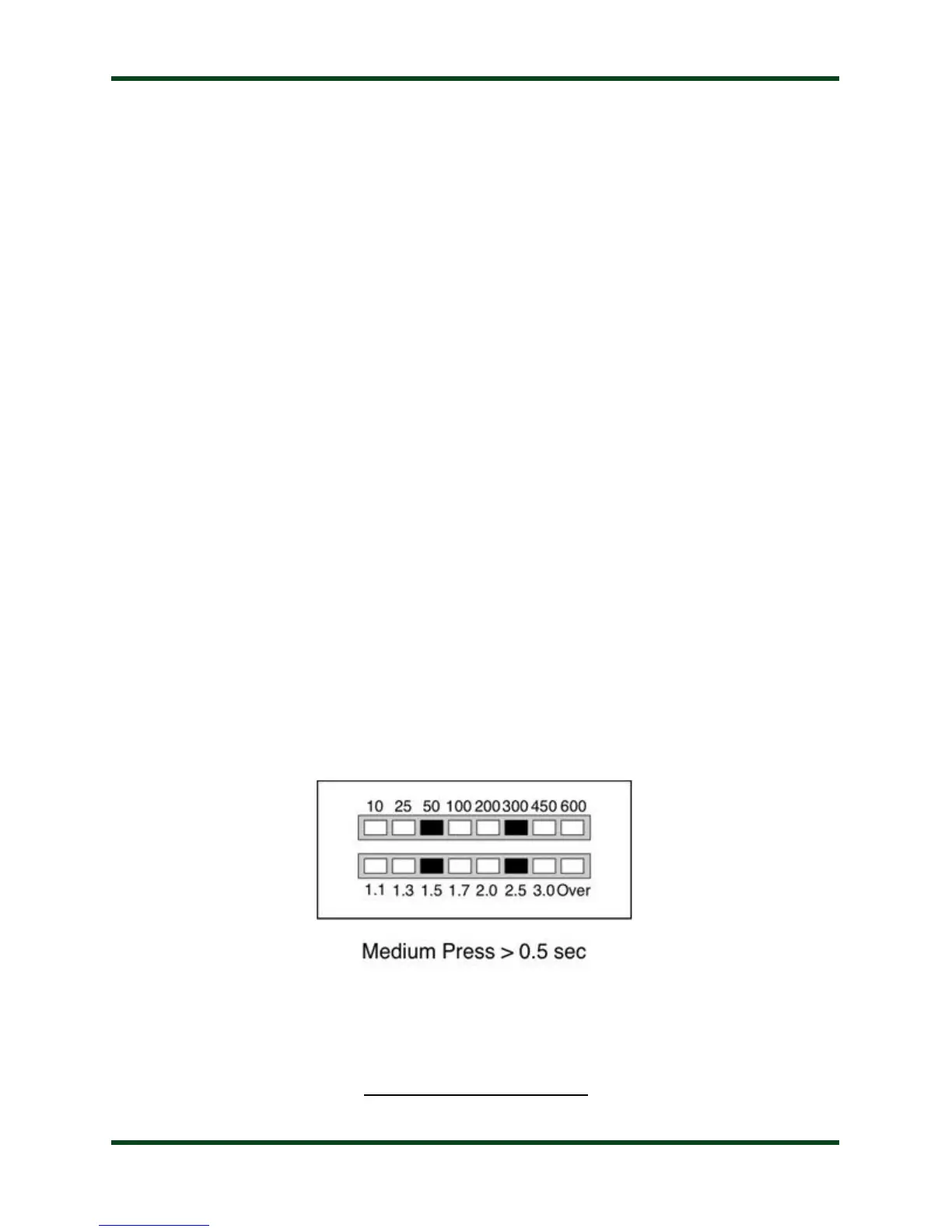
Tune button for 0.5 to 2.5 seconds (medium button press) and release. The LED bargraph
display will show the following pattern to indicate a memory tune cycle is selected:
2 Note that, while the AT-600Pro employs software that prevents it from tuning while transmitting over 150 watts, it is still a good idea to bypass your amplifier while
tuning, as further protection against damage to the tuner.



 To Next Page