PAGE 5
GETTING TO KNOW YOUR AT-600PRO
Your AT-600Pro is a quality, precision instrument that will give you many years of
outstanding service; take a few minutes to get to know it.
Front Panel:
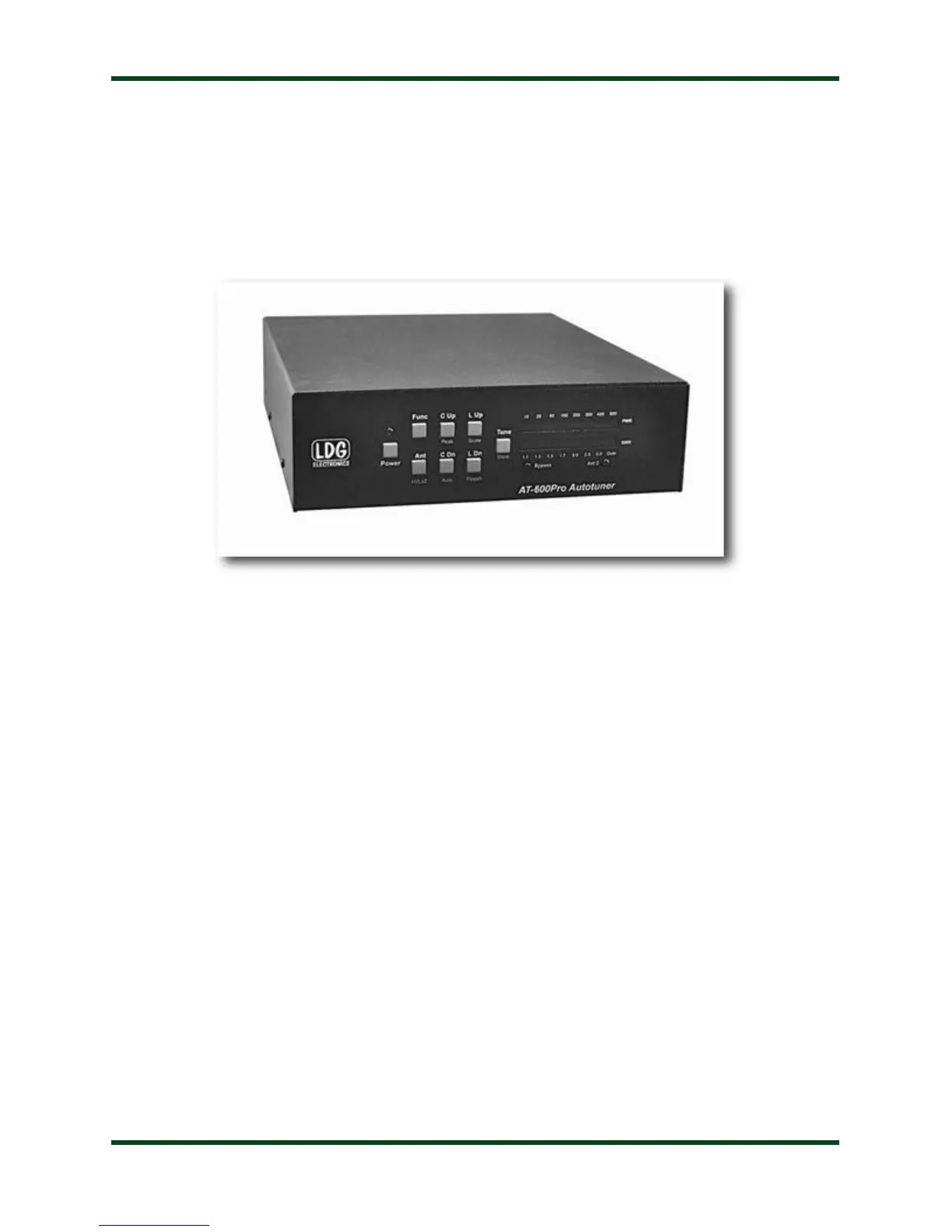
The front panel of the AT-600Pro features eight pushbuttons, two LED bargraph scales, and
two indicator LEDs:
Power: Turns the unit on or off.
Func: Activates secondary function of other buttons.
Ant: Selects the active antenna port.
C Up: Manually increase capacitance.
C Dn: Manually decrease capacitance.
L Up: Manually increase inductance.
L Dn: Manually decrease inductance.
Tune: Initiates memory or full tuning cycle. Momentary push places tuner in bypass.
PWR Meter: Bargraph display indicates forward power in 0-60 and 0-600 watt ranges.
SWR Meter: Bargraph display indicates SWR during tuning or transmission.
Bypass LED: Lights when the tuner is in pass-thru mode.
ANT 2 LED: Lights when Antenna 2 is selected. Off when Antenna 1 is selected.
Each of the pushbuttons has the primary function listed above when pushed. Additionally,
pressing the FUNC button before pressing any other button will activate that button’s secondary



 To Next Page