PAGE 15
If you are using the optional ICOM or Yaesu interface cable, your radio will automatically
reduce power, switch to CW mode, and transmit for as long as is needed to complete the tuning
cycle, and then will return to the previous operating mode and power level when done.
If you are not using the optional ICOM or Yaesu radio interface cable, you will need to key
the radio manually in AM, SSB, or CW mode. Note that if your radio does not incorporate an
SWR rollback circuit
3
, you will first need to reduce power to 25 watts or less. In no case should
you transmit more than 150 watts during tuning.
If the memory tune is not successful, the AT-600Pro falls through to full tuning cycle. At the
end of a tuning cycle, the LEDs cycle inwards to indicate a successful tune. You may then
activate the amplifier, and begin transmitting.
If using the AT-600Pro with an ICOM transceiver connected with the optional ICOM
interface cable, pressing the TUNER/CALL button on the transceiver initiates a memory tuning
cycle. Again, bypass the amplifier while tuning. The AT-600Pro will not tune if the transmit
power is over 150 watts, or if the transmit power exceeds 100 watts during high SWR conditions,
in order to protect the switching relays.
Manual Full Tune
As with the memory tuning cycle, if your radio is not equipped with a rollback circuit,
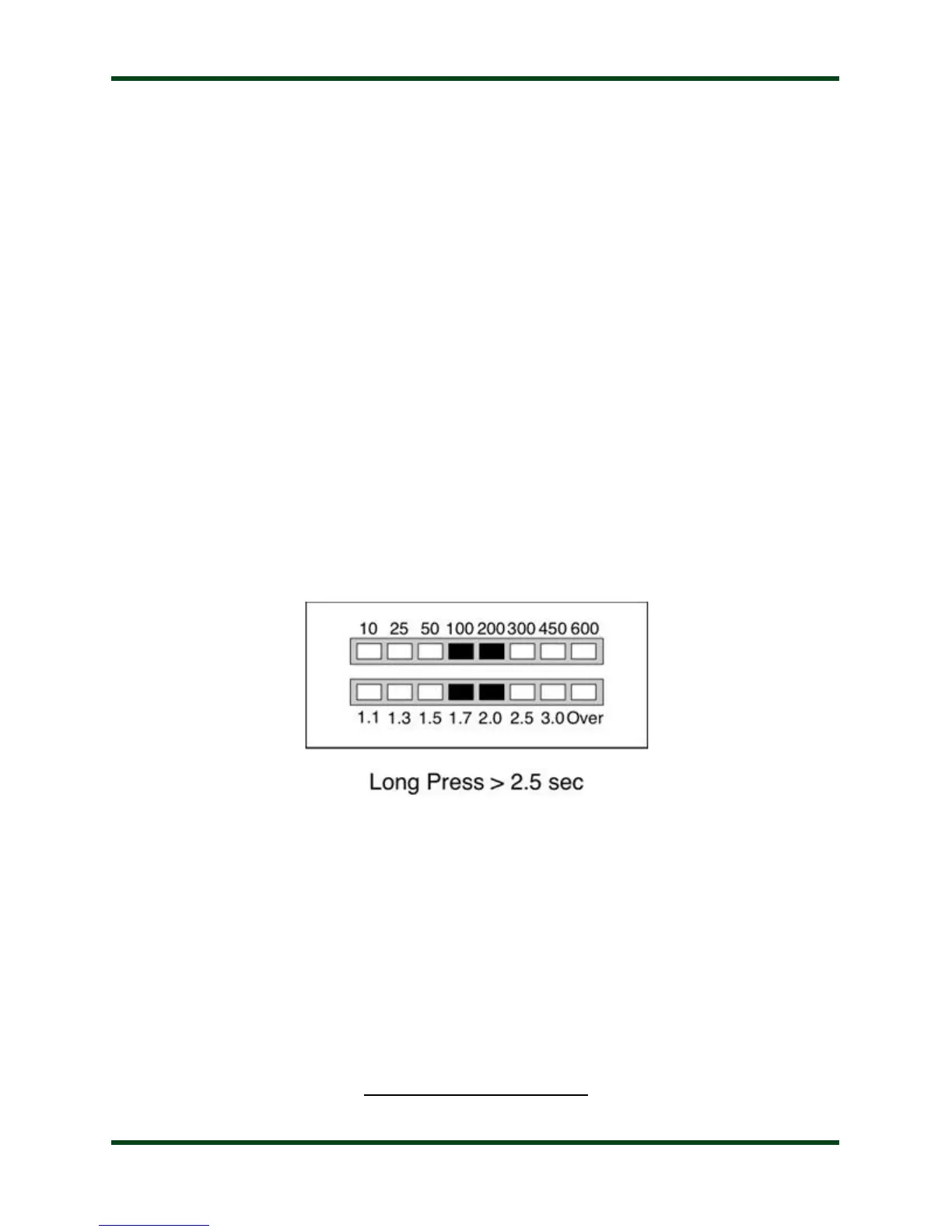
reduce power to 25 watts or less before tuning. To explicitly initiate a full tuning cycle, press and
hold the Tune button on the AT-600Pro front panel for more than 2.5 seconds. The LEDs will
display the following pattern to confirm a full tuning cycle is requested:
If you are using one of the optional radio interface cables, the radio will automatically reduce
power, switch to CW mode, and begin transmitting while the full tuning cycle is in progress. If
not, key the radio (Talk into the mic on SSB or AM, close the key on CW) until the tuning cycle
is complete. As with the memory tuning cycle, when the tuning cycle is complete, the LEDs will
scan inward to indicate a successful tune.
3 An SWR rollback circuit automatically reduces the output power level when high SWR is present. Check your radio’s manual to see if your radio uses a rollback
circuit.



 To Next Page