9. CINELITE Display
9-7
9.6 Configuring User-Defined Correction Tables
The default gamma correction value when measuring f Stop levels is 0.45, but you can also
use a user-defined gamma correction table that matches the gamma characteristics of the
camera that you are using.
There are two types of user-defined correction tables. The first type includes USER-1 to
USER-3 and consists of tables that are created using the LV 5330. The second type includes
USER-A to USER-E and consists of tables that have been created externally using a device
such as a PC. Neither type of user-defined correction table is deleted if you initialize the LV
5330 by following the procedure in section
5.7.1, “Initializing the Settings Using SETUP INIT.”
9.6.1 Creating User-Defined Correction Tables Using the LV 5330
You can create and store up to three user-defined correction tables on the LV 5330.
To create a user-defined correction table, prepare a grayscale chart for which the camera f
Stop values vary by one for each step, and follow the procedure below.
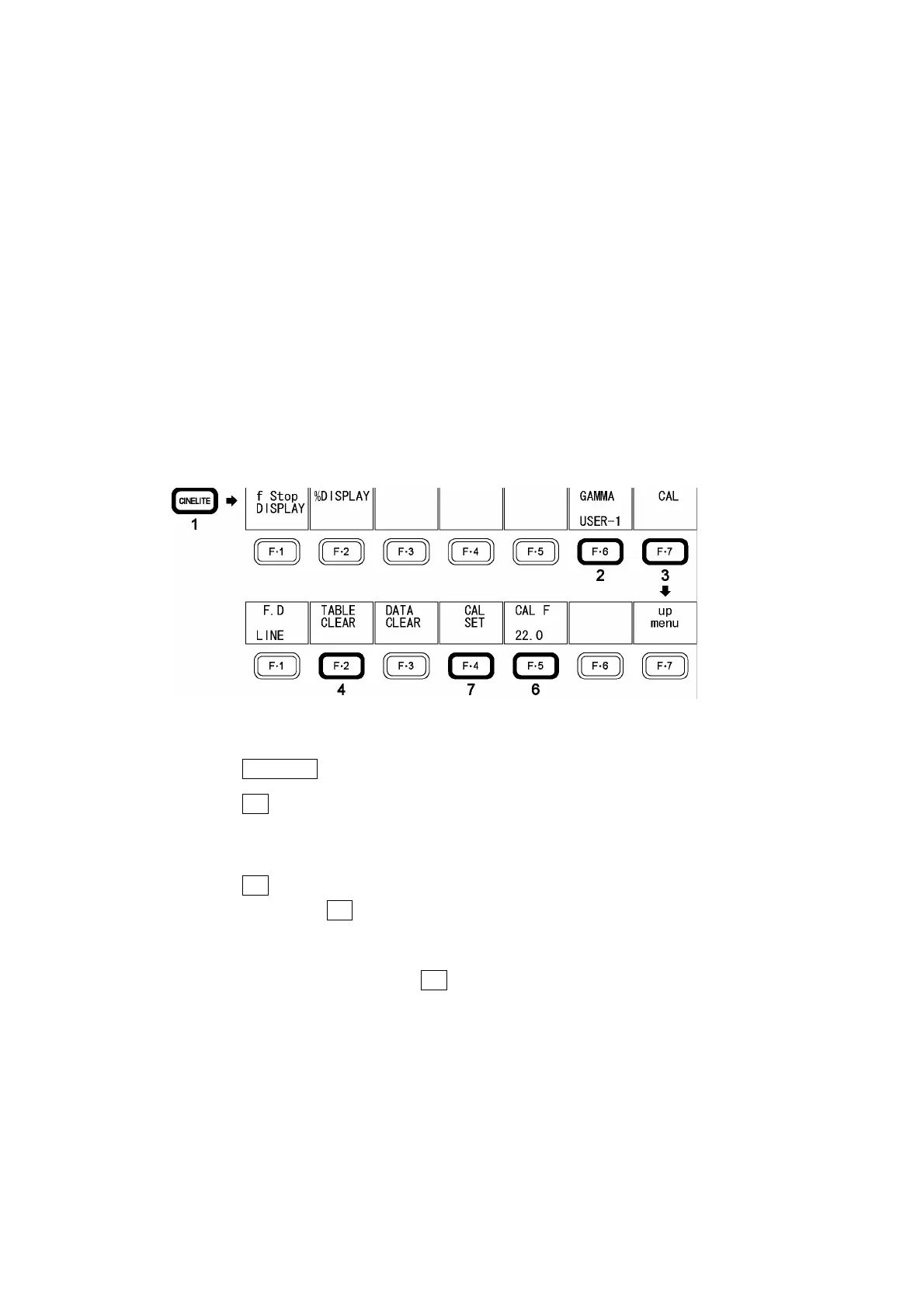
Figure 9-8 Creating user-defined correction tables
1. Press CINELITE.
2. Press F•6 GAMMA, and select USER-1.
In this example, the table for USER-1 is created, but the tables for USER-2 and
USER-3 can also be created in the same way.
3. Press F•7 CAL.
When you press F•7 CAL, a user-defined correction table appears in the bottom left of
the screen, and the luminance (the data dump Y value) appears near the intersection
of the X and Y cursors.
This setting is available when F•6 GAMMA is set to an option other than 0.45.



 To Next Page