11. Video Signal Waveform Display
11-8
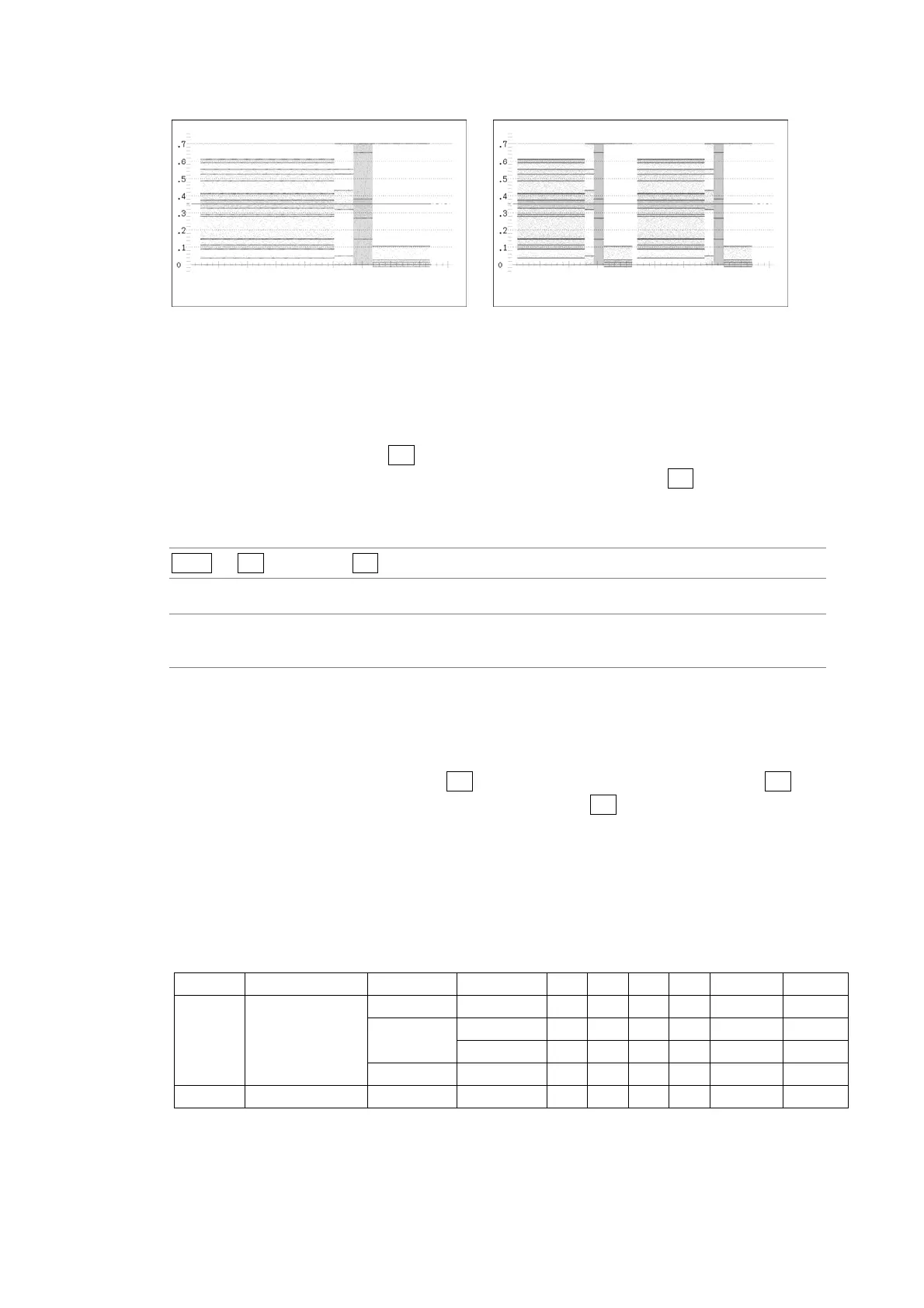
V_SWEEP = 1V V_SWEEP = 2V
Figure 11-10 Field/frame display sweep times
11.5.4 Selecting Which Field to Display
When displaying fields, follow the procedure below to select which field to display.
This setting is available when F•1 SWEEP is set to V and the input format is set to
interlaced or segmented frame. However, this setting is invalid when F•2 V_SWEEP is set
to 2V.
Procedure
WFM → F•3 SWEEP → F•3 FIELD
Settings
FIELD1: Field 1 is displayed. This is the default setting.
FIELD2: Field 2 is displayed.
11.5.5 Selecting the Horizontal Magnification
To select the horizontal magnification, follow the procedure below. The magnifications that
you can select vary depending on the F•1 SWEEP, COLOR MATRIX, MODE, and F•2
H_SWEEP settings as indicated in the table below. When F•1 SWEEP is set to H and
COLOR MATRIX is set to COMPOSIT, the magnification is fixed at ×1.
Reference: COLOR MATRIX → Section 11.8.1, “Selecting the Display Format”
MODE → Section
11.12, “Switching the Display Mode”
Table 11-2 Horizontal magnifications
SWEEP COLOR MATRIX MODE H_SWEEP ×1 ×10 ×20 ×40 ACTIVE BLANK
H YCbCr PARADE — Yes Yes Yes No Yes Yes
GBR OVE RLAY 1H Yes Yes Yes No Yes Yes
RGB 2H Yes Yes Yes No No Yes
TIMING — Yes Yes Yes No Yes No
V — — — Yes No Yes Yes No No



 To Next Page