11. Video Signal Waveform Display
11-16
11.8.3 Setting the Setup Level
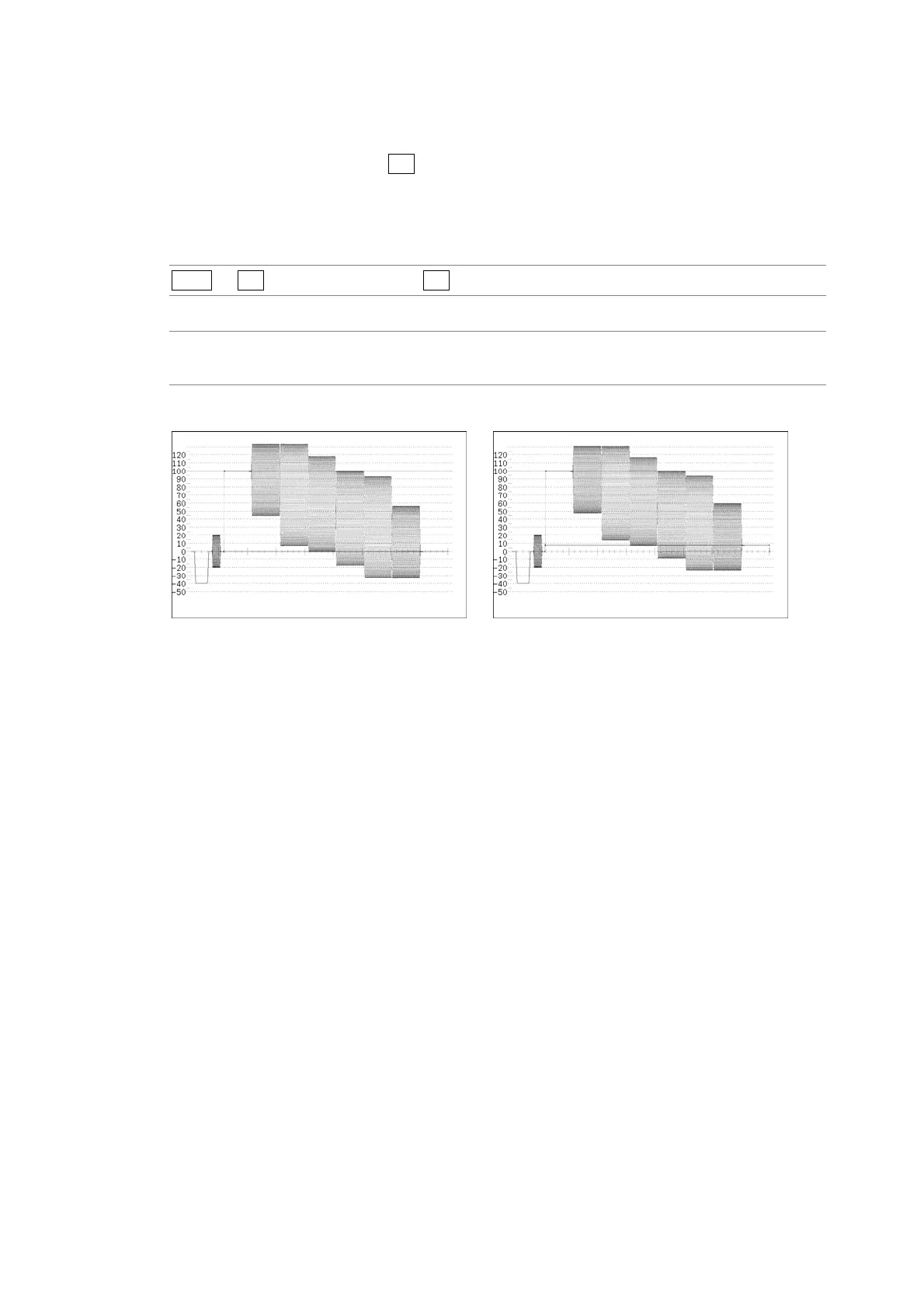
To set the setup level of the pseudo-composite display, follow the procedure below.
This setting is available when F•1 COLOR MATRIX is set to COMPOSIT and the
composite display format is set to NTSC.
Reference: Composite display format → Section 5.1.4, “Setting the Composite Display Format”
Procedure
WFM → F•6 COLOR SYSTEM → F•3 SETUP
Settings
0%: No setup level is added. This is the default setting.
7.5%: A setup level of 7.5 % is added.
SETUP = 0% SETUP = 7.5%
Figure 11-19 Pseudo-composite display setup levels



 To Next Page