Hardware Installation Manual of Easy Servo
13
Configuring ES drive in PC Software
Consult the “Connecting to PC Software” chapter for how to connect the Easy Servo drive to PC.
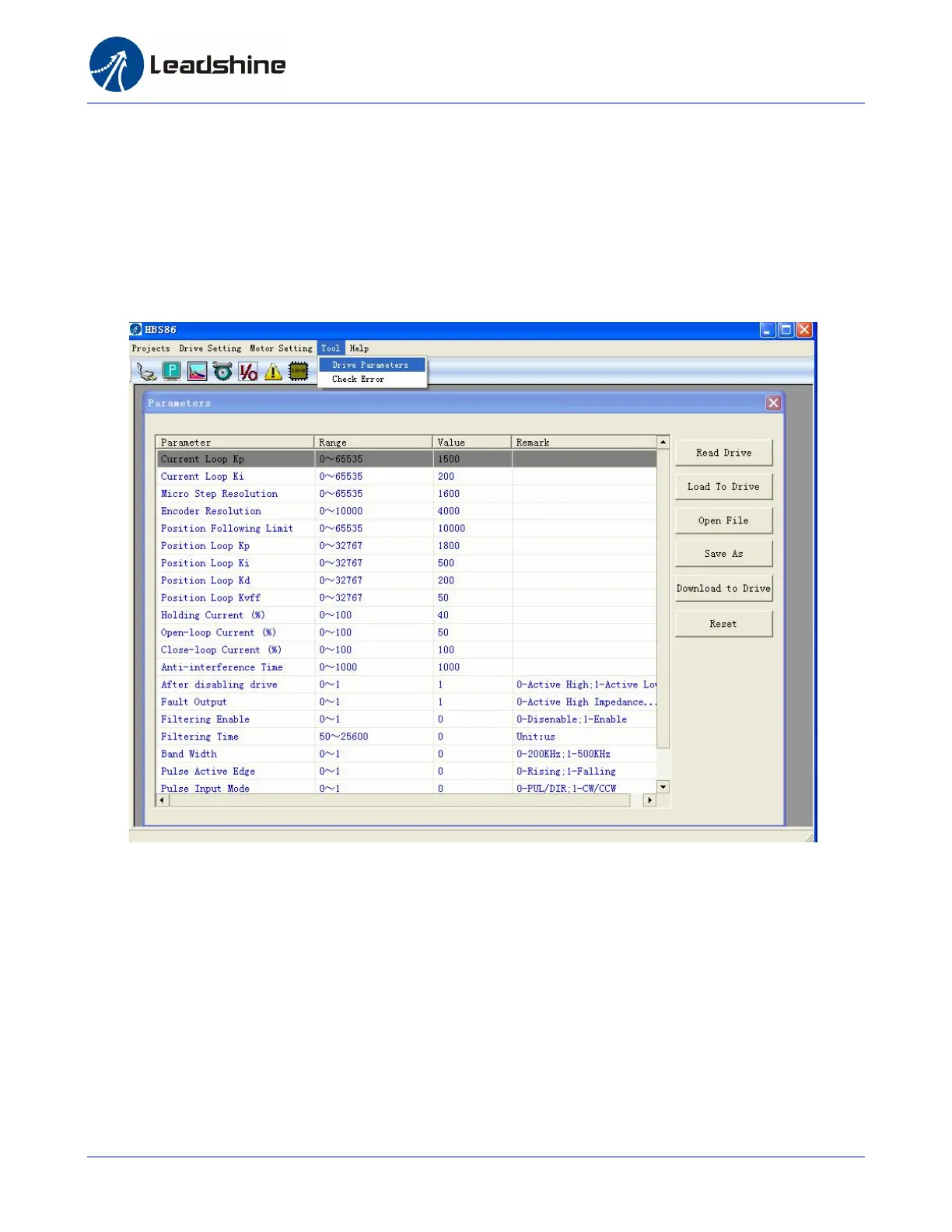
Suppose the tuning software has been open, click the “Drive->Parameters” to open the Tool->Drive
Parameters window. Double click the Value column to modify the parameter. Don’t forget to click
“Download to Drive” to store the change to drive’s NVM. Consult the “Configuration” chapter for the
recommended settings of different Easy Servo kit. Refer to the software manual for more information
about the parameters.
Calculating Rotation Speed and Angle
You may also want to calculate the motor rotation speed and rotation angle, before commanding any
motion. If the pulse frequency and counts are known, they can be calculated as follows:
Rotation Speed (RPM) = 60 * Pulse (Step) Frequency / Micro Step Resolution
Rotation Angle (°) = 360 * Pulse (Step) Counts / Micro Step Resolution



 To Next Page