26
No: IS-0685 – Rev. 2
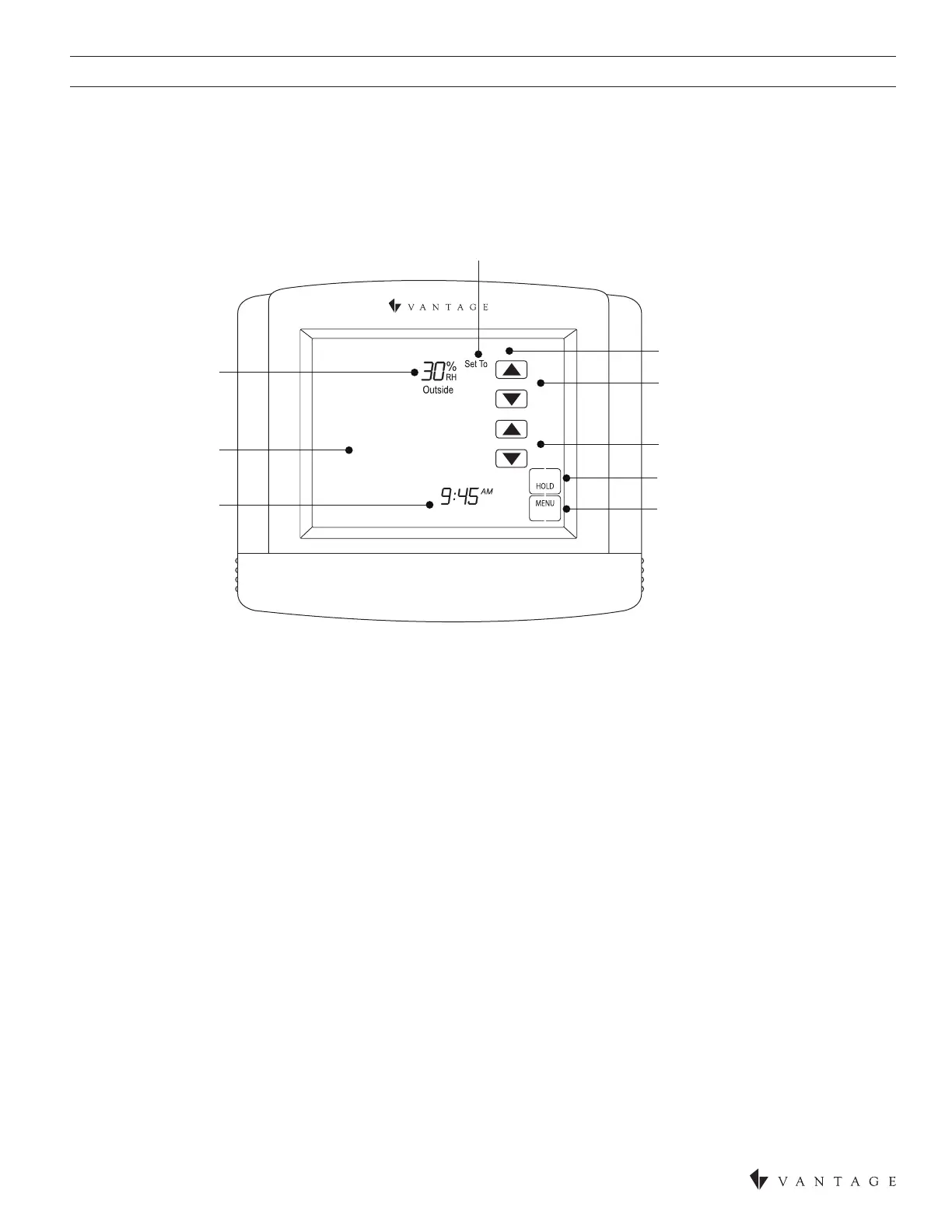
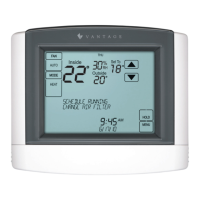
HUMIDISTAT
HUMIDIFIER ADJUSTMENT
CURRENT DAY
DEHUMIDIFIER ADJUSTMENT
NETWORK OVERRIDE
(If enabled)
MAIN MENU BUTTON
MESSAGE CENTER
(Scrolling Text)
ROOM RELATIVE
HUMIDITY
CURRENT
TIME & DATE
ROOM RELATIVE
HUMIDITY SETPOINT
SAT
HUMIDIFICATION
8/17/22
30
°
40
50
NOTE: This thermostat will not operate as a thermostat and a humidistat at the same time. It must be dedicated to one or the other
when installing.
HUMIDISTAT SETUP WITH INFUSION
In Area View select the oor and room for the humidistat. Click on Vantage Objects in the Object Explorer and expand Stations,
WireLink or Stations, RadioLink and double click on the humidistat station. Please follow the Vantage Integration on pages 12-14 for
CC-WLINT or CC-RLINT setup, wiring, and etc.
The Model CC-STAT has the option of being congured as a humidistat* that can control a humidier and dehumidier.
NOTE: The CC-STAT is set to operate as a humidistat through the installer setup menu.


 To Next Page