CS10/CS15 & GS Sensors, User Interface
29
3.2 Operating Principles
Keyboard and touch
screen
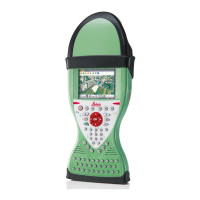
The user interface is operated either by the keyboard or by the touch screen with
supplied stylus. The workflow is the same for keyboard and touch screen entry, the
only difference lies in the way information is selected and entered.
Operation by keyboard
Information is selected and entered using the keys. Refer to "3.1 Keyboard" for a
detailed description of the keys on the keyboard and their function.
Operation by touch screen
Information is selected and entered on the screen using the supplied stylus.
Operation Description
To select an item Tap on the item.
To start the edit mode in editable fields Tap on the editable field.
To highlight an item or parts of it for
editing
Drag the supplied stylus from the left to
the right.
To accept data entered into an editable
field and exit the edit mode
Tap on the screen outside of the editable
field.
To open a context-sensitive menu Tap on the item and hold for 2 s.



 To Next Page