CS10/CS15 & GS Sensors, Operation
35
4.1.3 Setting up as a Real-Time Rover
Use The equipment setup is used for real-time rover with extended periods of use in the
field.
Description The radio attaches to the instrument (GS10) or is inserted into the instrument (GS25)
and is placed in the backpack. Connections are made to the GNSS antenna, radio
antenna and CS field controller. The cables coming from the backpack can be discon-
nected when an obstacle such as a fence has to be crossed.
The CS field controller is fixed to the pole with the GHT62. Connection between the
GS12/GS14/GS15/GS08plus instrument and the CS field controller is made through
Bluetooth.
• The antenna is mounted directly using screw fitting. If using stub and adapter,
procedures can vary slightly.
• When using the pole with stub, ensure that the antenna and the screw-to-stub
adapter slide down the full length of the stub before tightening the locking ring. An
incorrectly mounted antenna will have a direct effect on the results.
• Aluminium poles are used. They can be replaced with their carbon fibre equivalent
without any change to these instructions.
• Standard radio is used throughout the instructions. Digital cellular phones can also
be used but the setup can differ slightly.
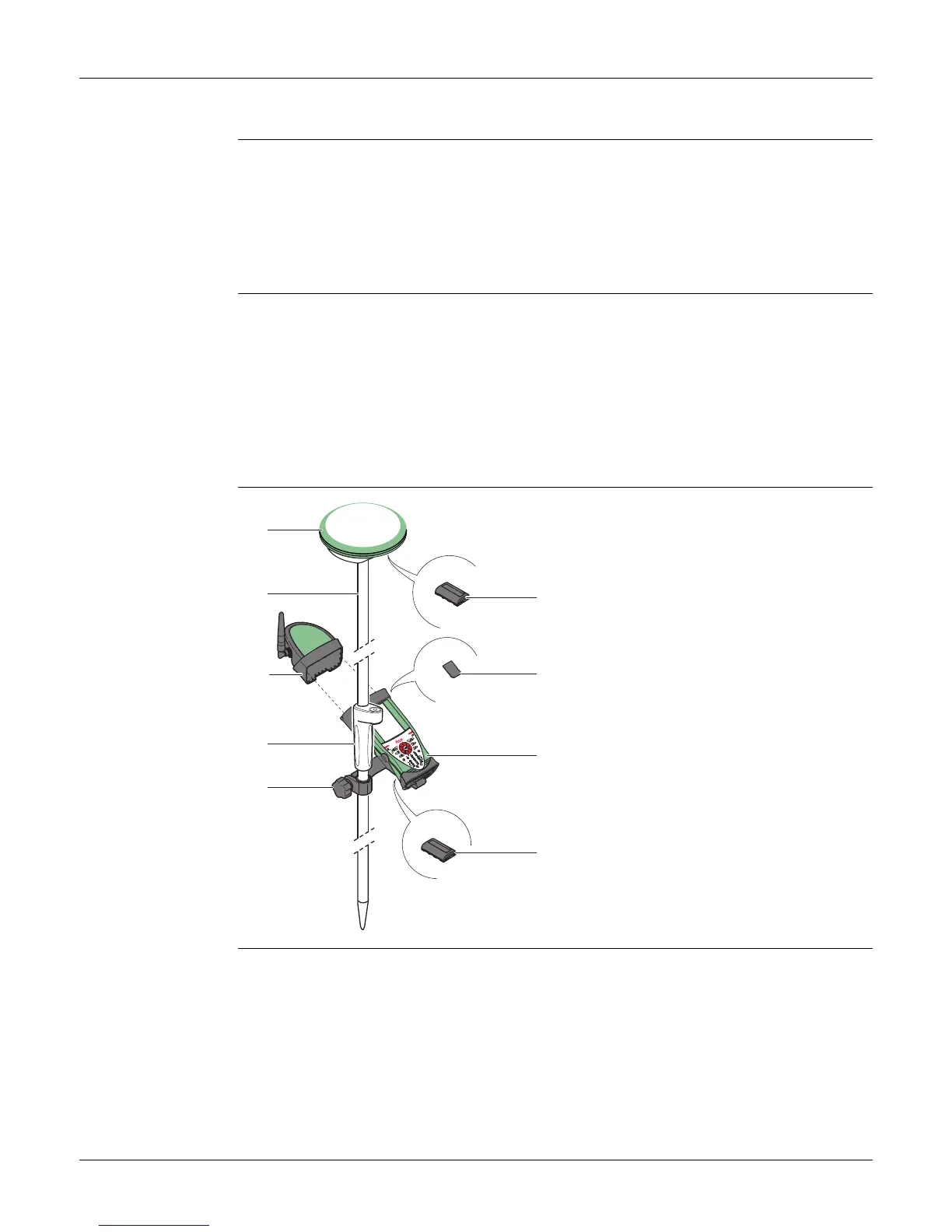
Equipment setup -
GS08plus
a) GS08plus instrument
b) Pole
c) CGR10 radio
d) Grip for pole
e) GHT62 holder
f) GEB211/GEB212 battery
g) SD card
h) CS field controller
i) GEB211/GEB212 battery
002498_004
a
b
c
d
e
i
f
g
h



 To Next Page